


Streaming apps, live TV guides, game stores, and smart home panels now live on the biggest screen in the house, and most of them started life as phone or web products. The television is the one screen where a designer's usual instincts fail: nobody can tap it, nobody is close to it, and the only pointer is a remote with four arrows. Every element on a TV screen has to be reachable by pressing up, down, left, or right, and that single constraint reshapes layout, type, and navigation from the ground up.
In this glossary topic:

What is smart TV design?
Smart TV design is the design of interfaces for television screens that people control from across a room, usually with a remote and increasingly with voice. It covers the apps and system screens on platforms such as Apple's tvOS, Google's Android TV and Google TV, LG's webOS, Samsung's Tizen, and Amazon's Fire TV, along with the apps that run on streaming boxes and game consoles plugged into the same screen.
The screen is the largest a designer will work on, and the interaction is the most constrained. The viewer sits a few meters away, holds a remote with a handful of buttons, and often shares the room with other people watching the same screen. A television interface is read at a distance and driven by a directional pad, and every rule of the discipline follows from those two facts.
What is the 10-foot experience?
The 10-foot experience, sometimes written 10-foot UI, is the name for interfaces designed to be used from roughly ten feet away, the typical distance between a couch and a television. The distance sets the scale: type has to be far larger than on a phone or laptop, contrast has to be higher, and a screen can hold only a few elements before it stops being readable from the sofa. Typography sized for a desk vanishes on a TV, so platform guidelines set minimum text sizes for the living room.
The input sets the model. A remote offers up, down, left, right, select, and back, plus a few media buttons, and nothing else. There is no cursor to drag and no screen to touch, so every element has to be reachable by moving focus one step at a time, and text entry is slow because it happens letter by letter on an on-screen keyboard or by speaking. Older sets also crop the edges of the picture, a behavior called overscan, so platforms define a safe area inside which all content and controls must sit. The constraints of the 10-foot experience are physical rather than stylistic, and they do not relax on a larger or sharper screen.
How does a TV interface work?
Focus is the center of the model. Exactly one element on screen is focused at any moment, drawn larger, brighter, or lifted off the surface, and each press of the directional pad moves that focus to a neighbor; pressing select acts on whatever is focused. The platform's focus engine decides where focus lands on each press, so the layout has to be a grid or a stack of rows in which every element has an obvious neighbor in each direction.
Content is arranged in shelves, also called rails: horizontal rows of posters grouped by category, stacked vertically, with a hero row of featured titles at the top. Web carousels are the nearest cousin, but on a TV the rail is the primary navigation structure rather than a decoration. Playback has its own screen, with controls hidden until a button is pressed, and search is the weakest point: a keyboard drawn on screen that the viewer steps through one letter at a time, or a query spoken into the remote. A TV interface is a focus path through a grid of shelves, and most of the design work is deciding what sits on that path.
How does smart TV design differ from mobile and desktop design?
The differences are differences of kind, not of scale. On a phone or a desktop the pointer is free: a finger or a cursor can land anywhere, so elements can sit anywhere. On a TV the pointer is focus, which can only step to a neighbor, so position on screen is also position in the navigation order.
The posture differs as well. Mobile and desktop are lean-forward, with one person close to the screen. Television is lean-back, with one or more people far away, choosing rarely and watching for long stretches, so a TV app has far fewer screens, far less text, and no forms worth the name. And the design does not stretch between sizes the way responsive design stretches a web layout, because a television is always wide, always landscape, and always far away; a tvOS app is a separate design rather than a breakpoint. A TV app that reproduces a phone layout at four times the size has solved the wrong problem, and it is the most common failure when a mobile design team is asked to ship a TV version.
What does accessibility mean on a TV?
Accessibility on a television starts with the focus state. A viewer who cannot see which element is focused cannot use the interface at all, so the focused element has to be unmistakable from across the room: larger, outlined, raised, or all three. Captions, audio description, and the controls that switch them on belong in the player from the start.
Each major platform ships a screen reader, such as VoiceOver on tvOS and TalkBack on Android TV, that speaks the focused element aloud, so every poster, button, and shelf needs a spoken label. The remote is itself an accessibility question: its buttons are small and hard to tell apart by touch, which is why platforms also accept voice commands and phone apps that act as a remote. A TV interface that works without seeing the screen usually works for everyone, because the directional model is already linear and predictable.
What does smart TV design look like in practice?
Picture a viewer opening a streaming app from the couch. The home screen shows a hero row with one featured title in large art and a one-line description, and below it a few shelves: continue watching, new releases, a genre or two. One poster is visibly focused, lifted and brighter than its neighbors. Pressing right slides along the shelf, pressing down drops to the next one, and pressing select opens a detail screen with a large play button already focused.
The same pattern holds outside streaming. A console store is shelves of games with a focused tile; a live TV guide is a grid of channels and time slots the pad steps through; a settings menu is a short vertical list with the current item focused. Every good TV screen answers the same two questions: where focus starts, and where each press takes it.
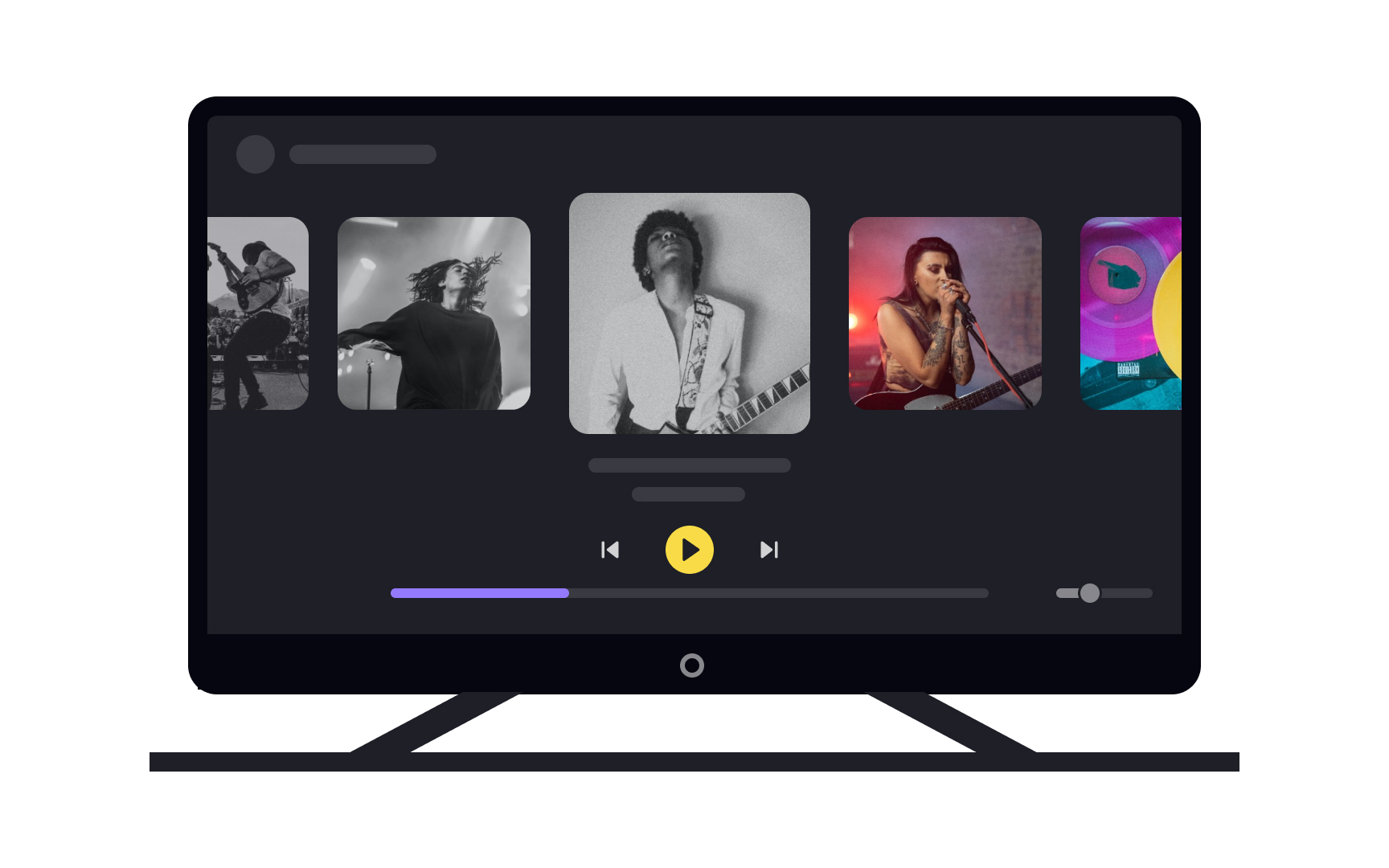
A TV home screen built around focus: a shelf of thumbnails with the selected one lifted and brighter than its neighbors, large enough to read from across a room, and playback controls below that the remote's directional pad can reach. From the lesson Devices & Screen Sizes.
What does smart TV design mean for designers?
Designing for a TV means designing the focus path before the screens. The first artifact is often a map of where focus starts, where each press of the pad takes it, and how a viewer gets from the home screen to playback in the fewest presses. Focus states get the care a mobile designer gives touch targets, and how they relate to hover, pressed, and disabled states is covered in the UI Component States lesson.
Testing happens on a real television, at a real distance, with a real remote. A design that reads well on a monitor at arm's length says nothing about how it reads from the couch. The platform owns the interaction model on a television, and a TV app earns trust by matching it rather than inventing a new one.
That means learning the platform's rules. Apple's Human Interface Guidelines for tvOS and Google's guidance for Android TV each describe the focus model, the safe area, and the shelf and hero patterns the platform's own apps use; how tvOS differs from Apple's other platforms is surveyed in the Apple Platform-Specific Patterns lesson.


