


Every product team now has more behavioral data than it can read, and most of it arrives through analytics tools that someone set up long before the current designers joined. Knowing what those tools measure, what they cannot see, and what they were built to answer is the difference between a dashboard that informs a decision and one that decorates a meeting. The tool is never the insight; it is the instrument that makes an insight checkable, and the questions it can answer are fixed by what was instrumented.
In this glossary topic:
- What are analytics tools?
- What types of analytics tools exist?
- What do analytics tools measure?
- How do analytics tools differ from user research?
- What constraints do privacy and consent put on analytics tools?
- What are the limits of analytics tools?
- What do analytics tools look like in practice?
- What do analytics tools mean for designers and product managers?
- FAQ

What are analytics tools?
Analytics tools are software that collects, processes, and presents data about how people use a product or website, so a team can measure behavior and outcomes instead of guessing at them. A tracking script or SDK records what happens: a page loads, a button is tapped, a checkout completes. The tool stores those records, ties them to a user or a session, and turns them into reports that say where visitors came from, which features get used, and how many people finished a task.
The category is wide because the questions are. Marketing wants to know which campaigns bring traffic, product wants to know what people do once they arrive, and design wants to know where a flow breaks. Most companies run several tools at once, and UX analytics is the practice of pointing them at usability questions. What unites the tools is a shared pipeline: collect events, attach context, aggregate, and display. The differences lie in which stage a tool does best and which questions its reports were built around.
What types of analytics tools exist?
Web analytics tools measure traffic: sessions, page views, referral sources, landing pages, and conversions on a website. Product analytics tools, such as Mixpanel or Amplitude, track named events inside an app and build funnels, retention curves, and cohort reports from them, which is how product usage analytics gets done.
Session replay and heatmap tools record individual sessions or layer clicks and scrolls onto a screenshot; they are the most qualitative members of the family, showing the shape of a behavior rather than its count. Experimentation platforms assign users to variants and report the difference in outcome. Underneath all of these sit data warehouses and business intelligence tools, which join analytics events to billing, support, and CRM records so that questions no single tool can answer get answered in a query or a BI dashboard. The types overlap more every year, but the question each was built to answer still shows in its defaults.
What do analytics tools measure?
Almost everything an analytics tool reports is built from a handful of concepts. An event is a recorded action with a name and a timestamp: "Signed up", "Added to cart", "Exported report". Properties are the details attached to it, such as the plan chosen or the device used. A funnel is an ordered set of events with the count of people who reached each step, so the drop-off between steps is visible. Retention rate is the share of a group that comes back after a given period, a cohort is that group defined by something shared, usually the sign-up week, and a segment is any slice of users defined by properties.
Each of these is only as reliable as the event definitions behind it. A funnel that skips a step nobody instrumented reports a drop-off that never happened, and a retention curve built on a loose definition of "active" flatters or punishes the product depending on the definition. Naming events, choosing their properties, and documenting both in a tracking plan is the work the Data Collection & Tracking lesson covers, and it decides what every later report can say.
How do analytics tools differ from user research?
Analytics shows what happened and how often; research explains why. A funnel report can say that half of the people who open the pricing page leave without choosing a plan. It cannot say whether they were confused by the tiers, put off by the price, or only there to copy a number into a spreadsheet. Interviews, usability sessions, and surveys answer that with far fewer people, and surface needs no event was written to capture.
The two work best in turns. Analytics locates a problem and sizes it, which tells a team where user research should look and how much the answer is worth. Research produces a hypothesis about the cause, and analytics, often through a controlled test, checks whether the fix moved the number. A team that runs only analytics ends up tuning a behavior it does not understand, and a team that runs only research ends up with explanations it cannot size.
What constraints do privacy and consent put on analytics tools?
Analytics data is personal data whenever it can be tied back to a person, and in most markets that is now regulated. The EU's General Data Protection Regulation (GDPR), in force since 2018, requires a lawful basis for processing, and EU ePrivacy rules require consent before cookies or similar identifiers that are not strictly necessary are set, which is why consent banners exist. Similar laws apply elsewhere, with differences in how the opt-out works.
The practical constraints are data minimization (collect only what a defined question needs), anonymized or pseudonymized identifiers, retention limits, and a consent state the tools respect. Consent changes the data as well as the law, because the people who decline tracking are not a random sample, so a tool that only sees consenting users is reporting on a biased population. Treating data privacy design as part of the tracking plan rather than a notice added at the end keeps the data both lawful and interpretable.
What are the limits of analytics tools?
Three failure modes recur. Instrumentation debt: events that were never added, were named differently across platforms, or broke silently when a screen was rebuilt, while the tool keeps producing charts. Metric gaming: once a number is a target, people find ways to move it that do not move the thing it stood for, such as an onboarding checklist that counts as "completed" when dismissed. And the pull of vanity metrics, totals that only go up, like registered users or page views, and feel like progress without saying whether the product works.
An analytics tool reports what was measured, never what mattered, and the gap between the two is a design decision made at instrumentation time. Audit the events behind a dashboard before trusting it, and read every metric next to the one that would expose its gaming.
What do analytics tools look like in practice?
A funnel is the most recognizable report an analytics tool produces: a sequence of steps with the number of people who reached each one, and the drop-off between them. The report is only a picture of the events someone chose to record, so two tools pointed at the same product can draw different funnels.
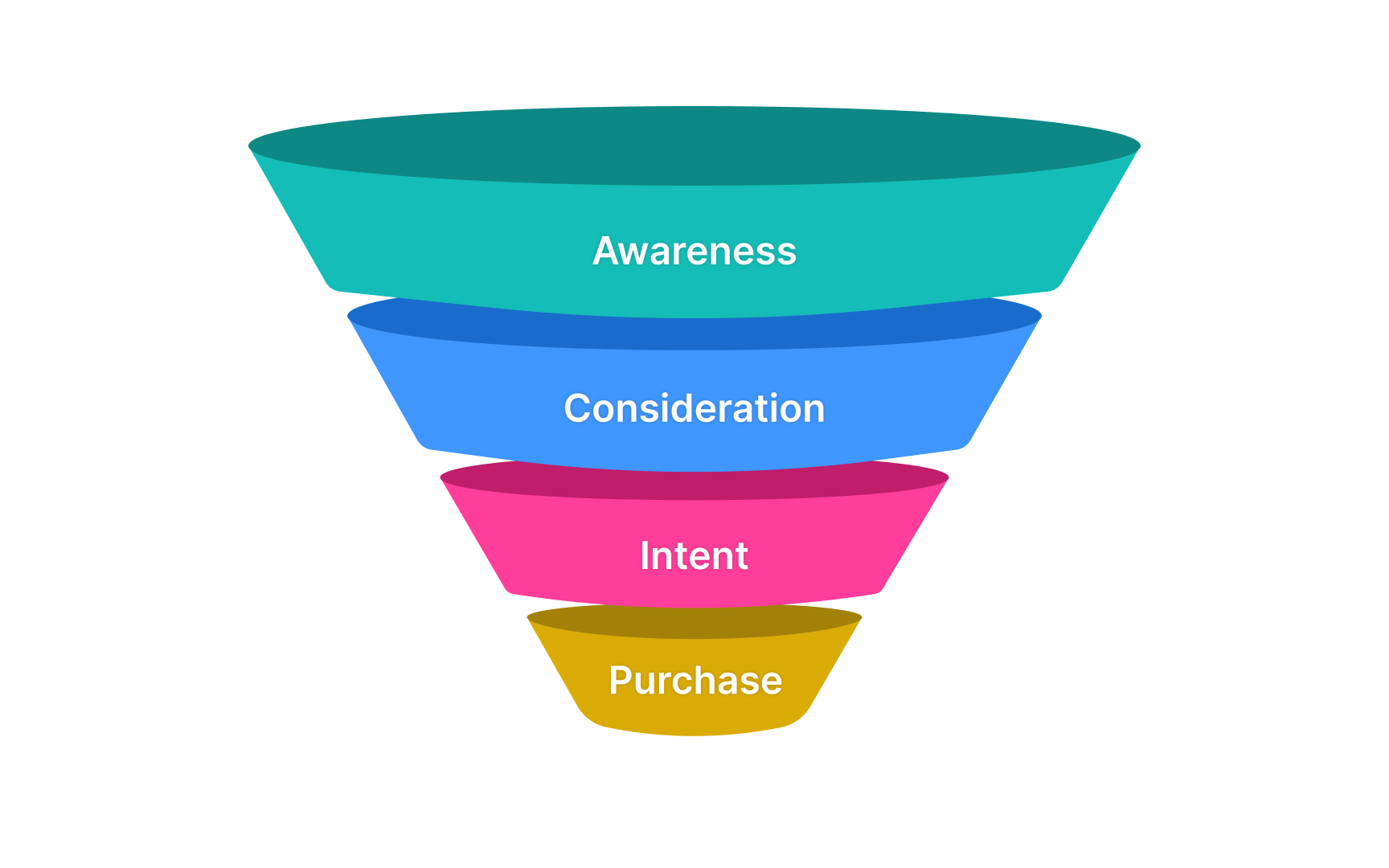
A funnel drawn as four narrowing stages, Awareness, Consideration, Intent, and Purchase: in an analytics tool each stage is an event the team chose to record, and the drop between one band and the next is where design attention goes next. From the lesson User Funnel Analysis.
What do analytics tools mean for designers and product managers?
For a designer, instrumentation is a design deliverable. The moment a flow is drawn is the moment to name the events it should emit, because a screen that ships without them cannot be measured until the next release. Annotating a prototype with event names and properties, then reviewing the list with the engineer who implements it, pays for itself the first time a redesign needs a before-and-after comparison. A redesign without a baseline measured on the old flow cannot be shown to have worked, whatever the stakeholders felt about it.
For a product manager, the tool is where hypotheses meet evidence. One or two metrics that stand for the product's health, defined once and watched over time, matter more than the number of dashboards. When a design change is contested, an A/B test run through the experimentation platform settles the argument with less friction than another opinion. The Analytics Tools & Platforms lesson walks through the main categories of platform and what each is for.


