


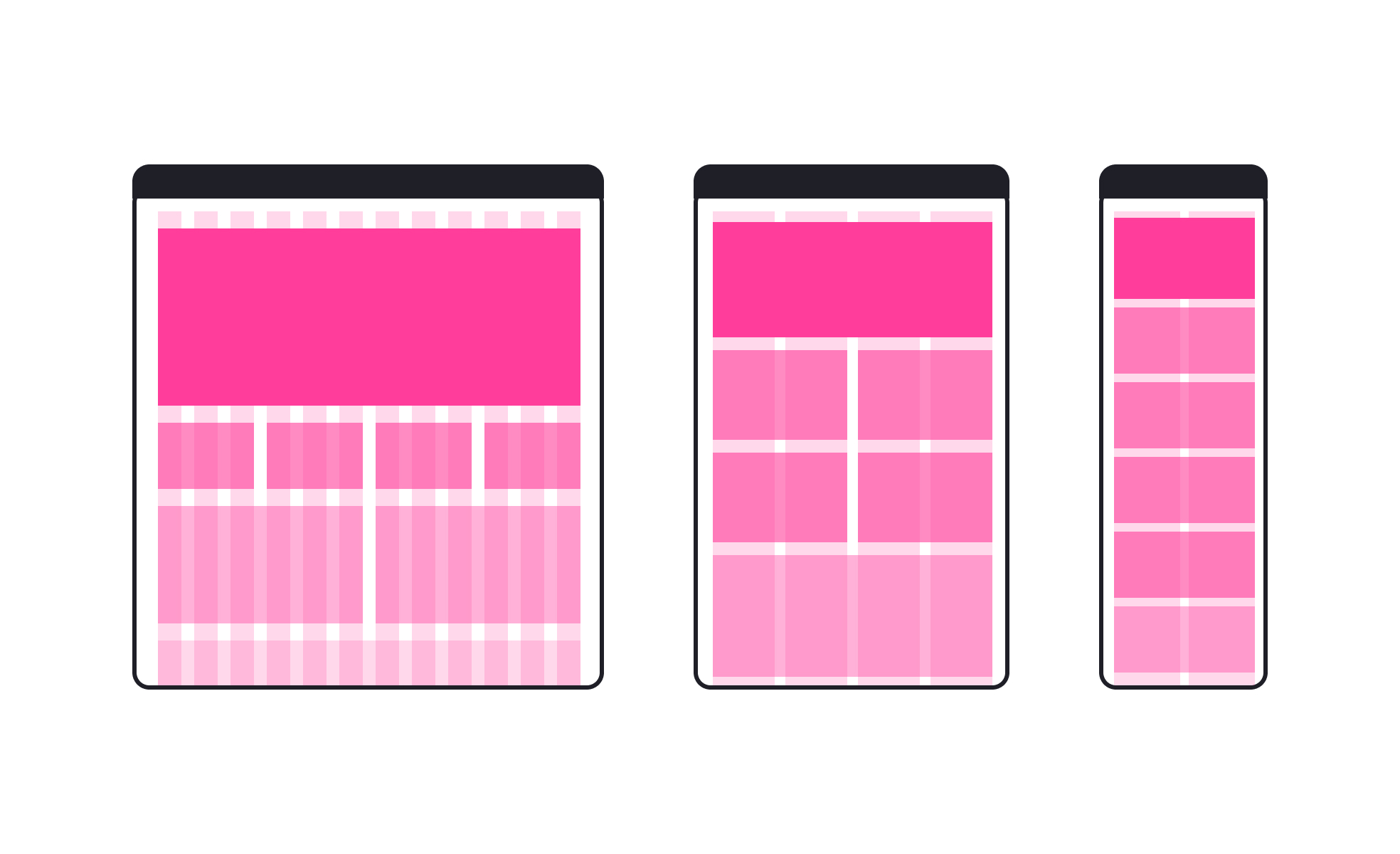
TL;DR
- Flexible grid systems for adaptive layouts.
- Scale across mobile, tablet, and desktop screens.
- Maintain balance, hierarchy, and consistency.
- Core to responsive web and app design.
Definition
Responsive grids are layout frameworks that use flexible columns, rows, and spacing to adjust designs fluidly across screen sizes, supporting readability and usability on any device.
Detailed Overview
Responsive grids are the backbone of modern digital design. They provide a structural framework that allows content to adapt seamlessly to varying screen sizes, from large desktop monitors to compact mobile devices. By defining proportions instead of fixed measurements, responsive grids ensure that layouts remain consistent without forcing users to zoom, scroll awkwardly, or lose context.
A frequent question is why grids matter when flexible layouts exist. Grids introduce order and alignment, giving designers predictable anchors for organizing elements. Without them, layouts risk becoming inconsistent or chaotic as they scale. By using proportional columns, gutters, and margins, grids create visual rhythm that guides the eye and improves comprehension.
Another common query is how responsive grids differ from static grids. Static grids have fixed dimensions and only work well at specific screen sizes. Responsive grids, by contrast, are fluid and adapt automatically through percentages, flexible units, or breakpoints. For example, a three-column layout on desktop may collapse to a single column on mobile while still maintaining balance.
Teams also ask about implementation. Frameworks like Bootstrap and CSS Grid simplify responsive grid systems by offering pre-defined structures that adapt at set breakpoints. Designers working in tools like Figma or Sketch often use grid overlays to ensure consistency across screen sizes. This shared framework improves collaboration between design and development.
Another important aspect is hierarchy. Responsive grids do more than adjust widths; they preserve relationships between elements. Headings, images, and text scale proportionally while maintaining their relative importance. This ensures that meaning and usability remain intact regardless of device.
Performance is also a frequent topic. Properly implemented grids reduce the need for separate designs or excessive media queries, making code cleaner and more efficient. This speeds up development and reduces maintenance burdens while ensuring a consistent experience across contexts.
Learn more about this in the Responsive Grid Exercise, taken from the Intro to Design Grids Lesson, a part of the Introduction to Figma Course.


