


Every design decision eventually has to survive contact with the codebase, and handoff is the moment it does. The tooling has moved from redlines and spec documents to inspect panels and shared tokens, which removed the measurement work but not the communication work. What still goes wrong at handoff is rarely a missing pixel value; it is a missing state, a missing behavior, or a missing reason.
In this glossary topic:
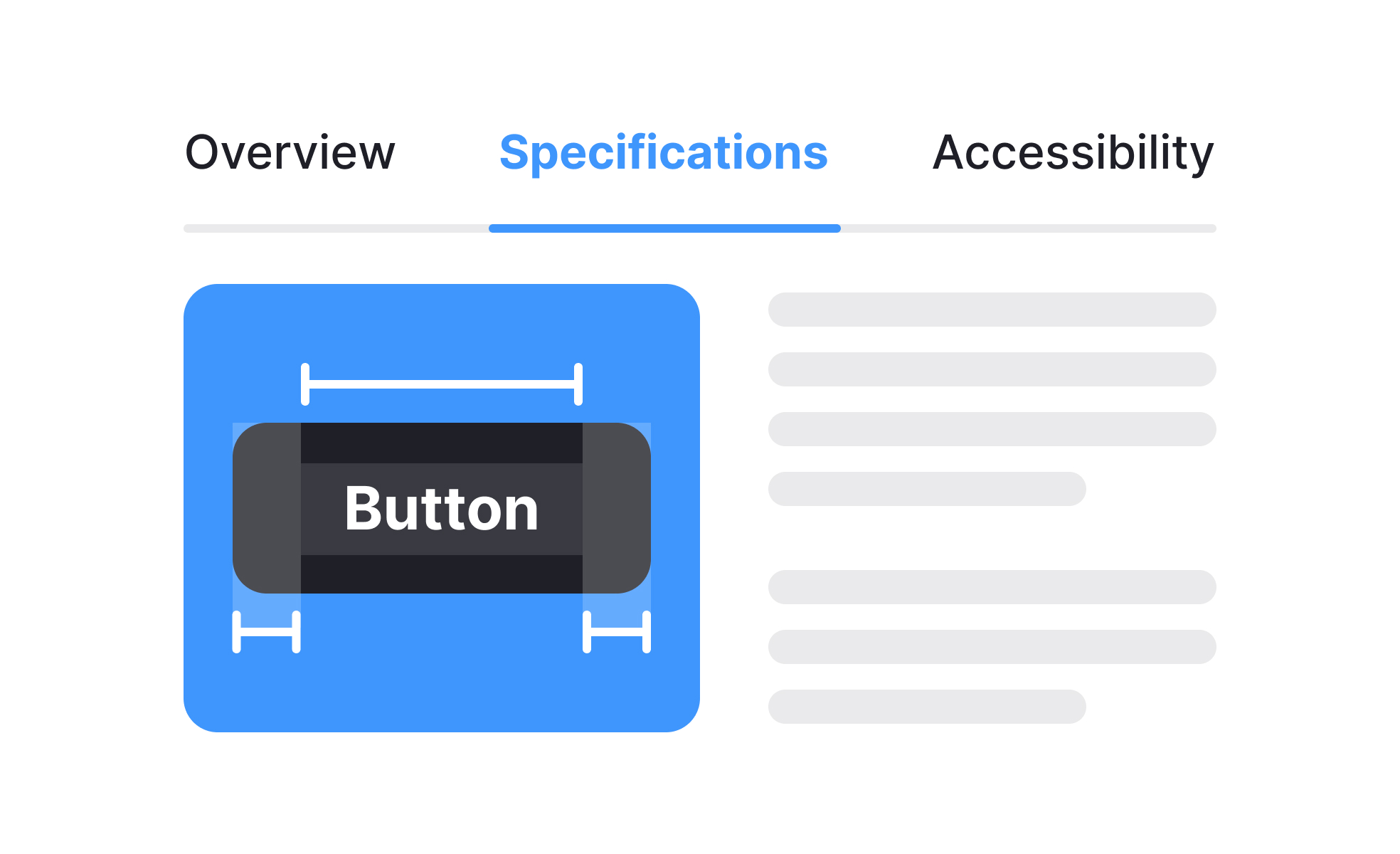
What is design handoff?
Design handoff is the transition point where a design moves from being a design team's artifact to being an engineering team's implementation target. It involves delivering everything an engineer needs to build the product faithfully: the visual specifications, the interactive behavior documentation, the asset exports, the design system references, and enough context about intent to make good decisions when the inevitable gaps appear.
The quality of a handoff is measured by what happens in the gap between what was designed and what gets built. A poor handoff produces a product that drifts significantly from the design's intent, requires expensive rework, or reveals important design decisions that were never made. A strong handoff produces a product that matches the design closely and minimizes the back-and-forth between design and engineering during implementation.
Handoff has evolved significantly as tooling has improved. The traditional model of exporting assets and writing specs in separate documents has been largely replaced by inspection-based models where engineers access design files directly to extract measurements, colors, and assets. This has reduced some friction but hasn't eliminated the need for clear communication about behavior, states, and design intent.
What does a complete handoff package include?
A handoff is complete when engineers have everything they need to implement the design without having to guess or interrupt the design team with questions.
- Visual specifications are the foundation: dimensions, spacing, typography styles, colors, border radii, shadows, and other measurable properties of every element. Modern design tools like Figma allow engineers to inspect these values directly in the design file, which reduces the overhead of separate spec documents. However, this only works if the design file is organized in a way that makes inspection reliable: components used consistently, values from the design system referenced through tokens rather than hardcoded, and layers named meaningfully.
- Interaction documentation describes how the design behaves in ways static mockups can't communicate. Which elements have hover states? How does the loading state appear and dismiss? What happens when the user triggers an error? How does a modal enter and exit? What is the timing and easing of transitions? Interactive prototypes convey some of this, but annotations that describe behavior explicitly are often more reliable than expecting engineers to infer it from a prototype.
- State documentation shows every state a component or screen can be in: default, hover, focus, active, loading, error, success, disabled, empty, and any others relevant to the specific component. A button spec that only shows the default state leaves engineers making decisions about every other state independently, which produces inconsistency.
- Responsive behavior describes how layouts and components adapt across breakpoints. How does a three-column layout reflow at tablet width? What happens to navigation on mobile? What elements change proportion or disappear at smaller sizes? Without this documentation, responsive implementation relies on engineering judgment rather than design intent.
- Accessibility annotations specify the programmatic requirements that aren't visible in the design: the accessible names for icon buttons, the ARIA roles for custom components, the reading order for screen readers, the keyboard interaction patterns for complex widgets. These are often omitted from handoffs because they require explicit knowledge to document, which is exactly why they're frequently unimplemented or implemented incorrectly.
- Design system references identify which components are instances of shared library components versus custom designs. Engineers building on a component library need to know which components they can pull from the library as-is, which need modification, and which need to be built from scratch.
How have design tools changed the handoff process?
The handoff process has transformed substantially over the past decade, primarily through the shift to cloud-based design tools and the emergence of design system infrastructure.
Figma's inspection mode allows engineers to measure, inspect, and export from design files without a designer present. Dev Mode, Figma's dedicated engineering view, surfaces specifications optimized for development rather than design review, showing code snippets alongside measurements and allowing engineers to toggle between design and code views. This reduces the friction of extracting specifications but requires that the design file be structured cleanly enough to make inspection reliable.
Code Connect, Figma's feature for linking design components to their code equivalents, takes this further: when an engineer inspects a component in Figma, they see the corresponding production code snippet rather than a generated approximation. This is particularly valuable for design systems where the component library is shared between design and engineering.
The Figma MCP server extends this to AI-powered code editors, allowing tools like Cursor and Claude Code to access design context when generating implementation code. Engineers can describe what they need and receive code suggestions that reference the actual design specifications and component names.
Zeplin has historically been the dedicated handoff tool, providing a structured environment for design inspection, comment-based annotation, and design system documentation separate from the design tool itself. It remains in use in many teams, particularly those that want a layer of separation between the design workspace and the handoff artifact.
The most significant remaining challenge is not specifications but intent. Tools can communicate what pixels look like. They're less good at communicating why a decision was made, what trade-offs were considered, or what the designer would choose if a constraint the engineer encounters makes the specified approach impractical. This is the gap that good design-engineering communication fills.
How should accessibility be handled in handoff?
Accessibility is consistently one of the most underserved dimensions of design handoff, and the downstream consequences are significant.
Many accessibility requirements can't be inferred from visual mockups. An icon button without a label looks like a circle with a graphic to an engineer; the accessible name that makes it meaningful to a screen reader user requires explicit documentation. A custom dropdown component doesn't have its ARIA roles or keyboard interaction pattern in the visual design; they need to be specified. Color contrast values for text can be calculated from the design, but only if the engineer knows to check, which requires that accessibility is foregrounded in the handoff.
Dedicated accessibility annotations are the most reliable approach: a layer or separate document that specifies required ARIA attributes, accessible names for visual elements, reading order for screen reader users, keyboard interaction patterns for interactive components, and focus management requirements for modals and drawers. Tools like the Figma A11y plugin and Stark support creating and reviewing these annotations within the design file.
Embedding accessibility requirements in the definition of done for engineering work creates accountability that annotations alone don't. If an implementation that lacks required keyboard support or missing ARIA labels can't be marked complete, the team is more likely to address these requirements before shipping.
What does handoff look like in practice?
The inspect panel is where most of a handoff now happens. An engineer selects an element and reads its measurements, colors, and type styles straight from the design file, with no separate spec document in between.
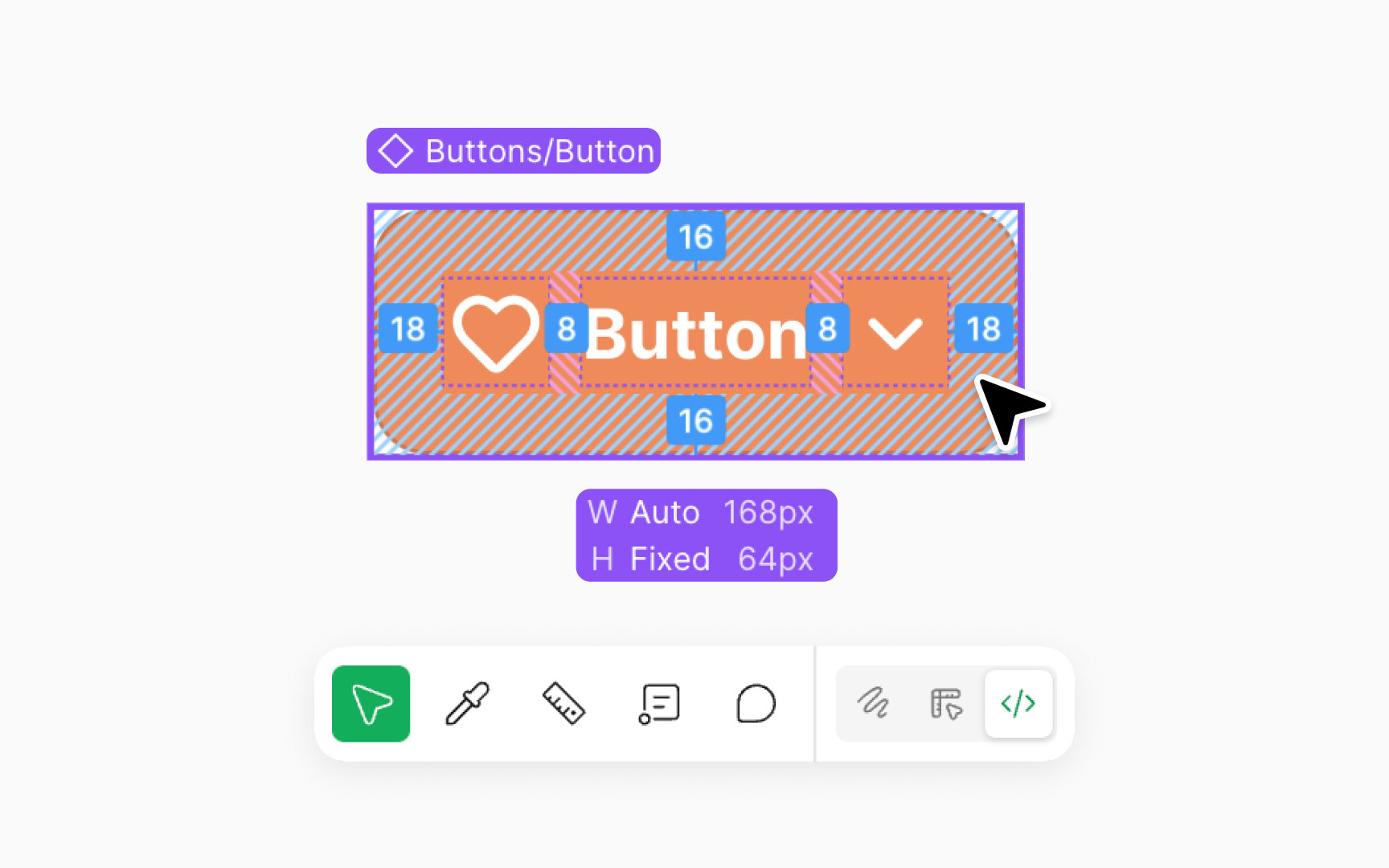
Figma's Dev Mode with a button selected: the padding values are drawn directly on the component and its width and height sit in a label beneath it, so an engineer reads the spec from the design instead of from a separate document, which is the inspection-based handoff most teams now use. From the lesson Figma Right & Left Sidebars.
How is handoff evolving as design-dev collaboration changes?
The framing of handoff as a discrete event where design finishes and engineering begins has been dissolving as teams move toward continuous collaboration models.
In integrated agile product teams, design and engineering work in parallel throughout the sprint cycle rather than sequentially. Designers present work-in-progress to engineers early to identify technical constraints before design is finalized. Engineers start implementation based on incomplete designs and iterate alongside designers as decisions are made. The handoff becomes less a one-time transfer and more an ongoing exchange.
Code-to-design integration tools have introduced a bidirectional flow that traditional handoff never had. Figma's code-to-design tooling allows teams to bring running production interfaces back into Figma for design review, closing the loop between what was designed and what was built. AI tools that generate code from design specifications narrow the implementation gap for standard components. Design tokens shared between the design tool and the codebase mean that value changes propagate in both directions.
The direction is toward a model where the gap between design artifacts and production code is smaller and maintained collaboratively rather than bridged through a handoff event. This reduces errors, speeds implementation, and creates better shared ownership of the final product's quality.


