


Every screen makes its first argument before a single word is read: where the eye lands, what looks important, and what can be ignored. That argument is made deliberately through layout and composition or by accident without them, and product teams now measure the result in conversion and task-completion data rather than judging it on taste alone. Users never praise a good layout; they simply finish what they came to do.
In this glossary topic:

What are layout and composition?
Layout is the structural arrangement of elements on a screen. Composition is the intentional relationship between those elements: how they're weighted, spaced, and sequenced to communicate priority and guide attention.
In practice, they work together. A layout places a headline, a paragraph, and a call-to-action button on a screen. Composition determines whether the hierarchy between them is immediately legible, whether the button draws the eye at the right moment, and whether the whitespace between them creates breathing room or awkward gaps. The same elements arranged differently can make a screen feel clear or chaotic, urgent or calm, trustworthy or cluttered.
The underlying goal is to remove the effort required to understand a screen. When layout and composition work well, users don't notice them. They simply find what they need, take the action they came to take, and move on. When they don't work, users hesitate, miss information, or leave.
What are the core principles of layout and composition?
Several foundational principles govern how effective layouts are built. They don't all apply equally in every context, but understanding them gives designers a vocabulary for evaluating what a layout is doing and why.
- Visual hierarchy establishes which elements are most important and ensures they receive the most visual weight. Size, contrast, color, and placement all contribute to hierarchy. The primary headline typically dominates because it's the largest and most prominent element. A call-to-action button stands out because it contrasts with the surrounding surface. Without hierarchy, every element competes for attention equally, and users have no guidance for where to start.
- Grid systems provide the underlying structure that keeps layouts organized and consistent. A grid divides a screen into columns, rows, and gutters that constrain where elements can be placed. Grids ensure alignment, create predictable rhythm, and make layouts easier to apply consistently across multiple screens and breakpoints.
- Whitespace (also called negative space) is the empty area around and between elements. It's not wasted space; it's a structural tool. Generous whitespace around important elements draws attention to them. Tight whitespace creates visual groupings that signal relationships. Poor use of whitespace is one of the most common sources of layouts that feel cluttered even when the individual elements are well-designed.
- Visual flow describes the path a user's eye naturally follows through a screen. Research on reading patterns suggests that users in left-to-right reading cultures typically scan in an F-shaped or Z-shaped pattern, hitting the top-left corner first, moving horizontally, then scanning down and across again. Designers use this awareness to position the most critical content where eyes land first, and to sequence supporting content along the natural path of attention.
- Proximity and grouping reflect the principle that elements placed close together are perceived as related. Navigation items are grouped together. Form fields are grouped with their labels. Related settings appear in clusters. When grouping is used correctly, users build a mental model of the interface faster because the spatial organization mirrors the logical organization.
How does composition differ from visual design?
Layout and composition handle structure. Visual design handles style.
Composition determines where a headline appears, how large it is relative to supporting text, how much whitespace surrounds it, and in what order the eye encounters the elements on screen. Visual design then determines the typeface used for that headline, its color, its weight, and how it looks against the background.
Both matter, and they're closely related: a composition decision like making a button large and centered will interact with a visual design decision like choosing a saturated color for that button. But they're separable, and it's possible for a layout to have strong composition and poor visual design or the reverse. Evaluating them separately makes it easier to diagnose what's working and what isn't in a design.
Why does layout matter for product and business outcomes?
Layout decisions have measurable downstream effects on the metrics that matter to product and business teams.
Task completion rates, conversion rates, and time-on-task all respond to how well a layout guides users through an interface. A checkout flow with a clear, focused layout that eliminates competing elements around the primary action tends to convert better than one where the call-to-action competes for attention with secondary information. A dashboard where the most frequently needed data is positioned prominently and lower-priority data is surfaced on demand reduces the cognitive effort required for each session.
Product managers and UX teams now regularly measure layout decisions against these metrics rather than evaluating them aesthetically. A/B tests that isolate layout variables like button placement, content order, or information density are routine. The most resilient layout decisions tend to be the ones validated by data and grounded in user observation rather than purely in design judgment.
What do layout and composition look like in practice?
The grid is the part of a layout that is easiest to draw and the part most compositions quietly depend on. Columns, gutters, and margins decide where elements may sit before any decision about what those elements look like.
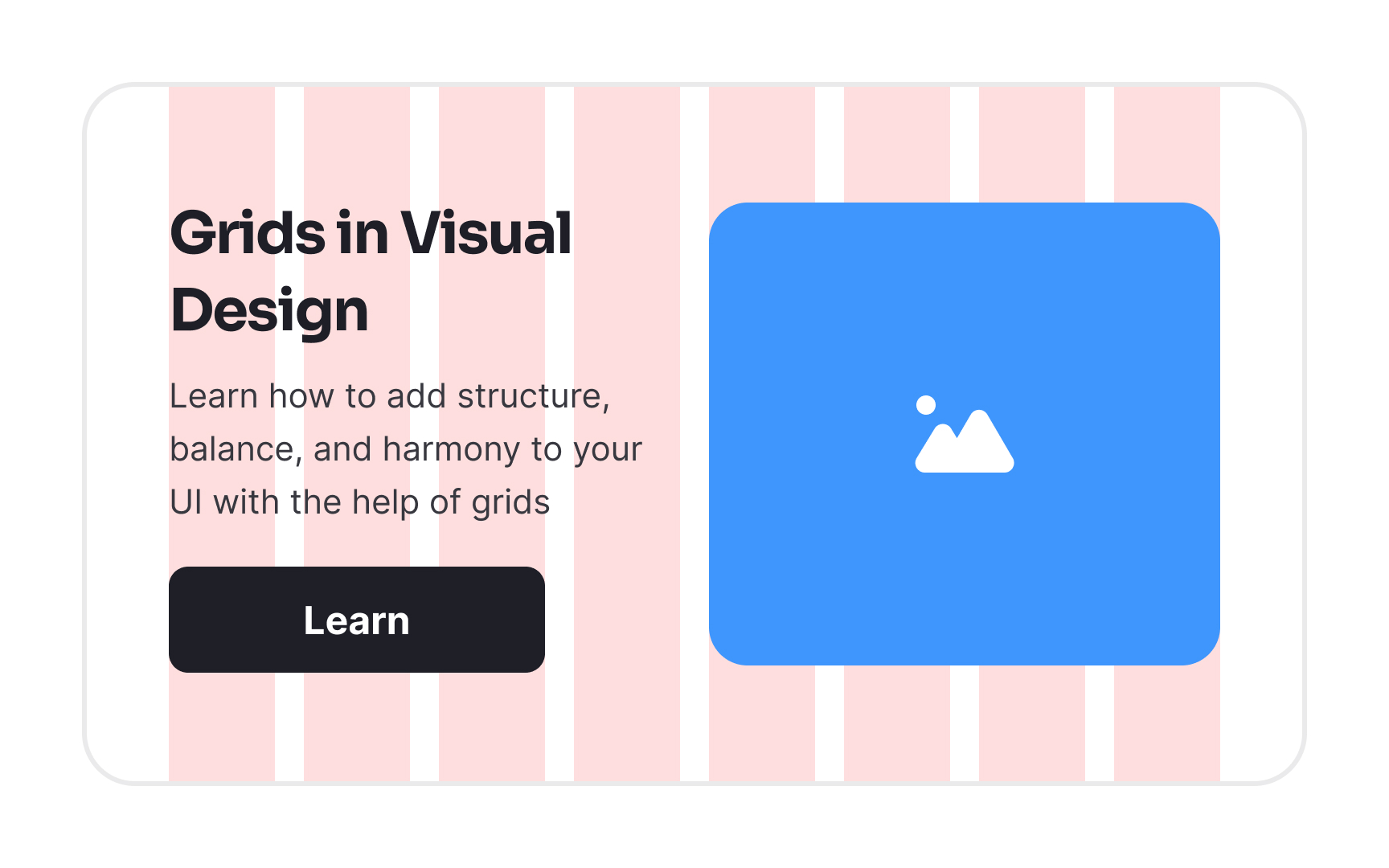
A card laid over a column grid: the pink columns and white gutters are the invisible structure the card's heading, body text, button, and image snap to, and the first layout decision a composition is built on. From the lesson Intro to Design Grids.
How is layout and composition changing lately?
Two developments have meaningfully shifted how layout and composition are approached: the maturity of adaptive and responsive systems, and the emergence of AI-assisted layout generation.
Adaptive and responsive composition is now an expectation rather than a feature. Layouts must behave correctly across a continuous range of screen sizes, from small phones to large desktop monitors, while also accommodating dark mode, high-contrast accessibility settings, and different input methods. The bento grid, a modular layout where content is arranged in blocks of varying sizes, has gained traction as a flexible pattern for organizing information-dense screens while maintaining visual rhythm across breakpoints. The pattern draws from Japanese lunch box design thinking: different content types, different sizes, a coherent whole.
AI-assisted layout generation is changing the early stages of composition work. Tools like Figma Make, Uizard, and Google's Stitch can generate working layout compositions from a text prompt or rough sketch. This removes the blank-canvas problem from the ideation phase and allows teams to explore multiple structural directions quickly. What AI doesn't resolve is judgment: whether a generated layout actually serves the user, communicates the right hierarchy, and supports the task the screen is meant to accomplish. That evaluation still requires human expertise.
The broader direction of layout thinking today is toward restraint and function over novelty. Design used to be celebrated for inventive or striking compositions. The current emphasis is on clarity, measurable usability, and layouts that help users accomplish goals without friction or confusion.


