


Few parts of a product reach people when they are not using it; notifications do, which makes them both the strongest engagement tool a team has and the quickest way to get an app muted or uninstalled. Operating systems now put permission prompts, granular controls, and scheduled summaries between the product and the user, so every message competes for a shrinking budget of attention. A notification strategy is a decision about how much of a user's attention the product has earned, not how much it can take. The design questions that follow, about relevance, timing, form, and accessibility, all come back to that budget.
In this glossary topic:
What are notifications?
Notifications are messages a product sends to a user to communicate something that happened, something that requires attention, or something the user asked to be told about. They deliver information outside the user's current focus, interrupting or supplementing the current activity to surface something relevant.
Notifications exist in several forms across digital products. Push notifications appear on a device's lock screen or notification center, delivering messages from installed apps even when the app isn't open. In-app notifications appear as banners, alerts, dialogs, or toasts while the user is inside the product. Email notifications communicate updates or digests outside the product environment. Badge notifications are the small count indicators on app icons or tab bar items that signal unread content without surfacing specific details.
Each form has a different level of interruption and a different relationship with the user's attention. Push notifications are the most interruptive: they reach the user regardless of what they're doing. In-app notifications are less disruptive because the user is already in the product context. Email notifications are the least disruptive in real time but may be ignored if they're too frequent or low-value. Badge indicators are the least intrusive, surfacing a count that the user can choose to engage with or not.
What makes a notification useful rather than disruptive?
The most fundamental quality of a good notification is relevance: it communicates something the user actually needs or wants to know, at a moment when knowing it is useful.
A notification that tells a user their friend just liked their post is relevant to that user at a moment when they care about social engagement. A notification that tells a user their document was last edited three days ago is not relevant enough to warrant interruption. A notification that tells a user their account payment has failed is highly relevant and urgent. Evaluating whether a notification should exist at all requires an honest assessment of its value to the user, not just its value to the product's engagement metrics.
Timeliness is closely related to relevance. A notification about an event that happened six hours ago and has already resolved is less useful than one delivered immediately when action is possible. Notifications about time-sensitive matters, such as approaching deadlines, reservation confirmations, or security alerts, have clear timing requirements. Notifications about less urgent matters should be batched or delayed rather than delivered at the moment of occurrence, reducing interruption load.
Specificity determines whether a notification is actionable. "You have new activity" is a notification that requires the user to open the app and investigate. "Jess commented on your proposal" is a notification that tells the user exactly what happened and allows them to decide whether to engage. Specific notifications are more useful and more likely to produce the intended action.
What are the main types of notifications in product design?
Notification design typically distinguishes types by urgency and the nature of the information they carry.
- Alert notifications communicate urgent system states requiring immediate attention: a payment failure, a security issue, a critical error, or a service outage affecting the user. They should be interruptive because the information is time-sensitive. Design typically emphasizes urgency through visual weight, color (often red or orange), and prominent placement.
- Informational notifications communicate updates or status changes that are relevant but not urgent: a new message from a colleague, a completed background task, a new feature availability, or a periodic summary of activity. These are lower priority and should not feel like emergencies.
- Reminder notifications prompt users about upcoming events, deadlines, or tasks they've set themselves. They're requested by the user (directly or through a setup flow) and are appropriate because the user has opted into being reminded.
- Promotional notifications communicate offers, new content, or product updates. These carry the highest risk of being perceived as spam because they serve the product's goals rather than an immediate user need. They require careful targeting (reaching users for whom the offer is genuinely relevant), appropriate timing, and an easy opt-out path.
- System status notifications communicate background states: file upload progress, sync completion, download ready. These are generally low-disruption and are appreciated because they close a feedback loop the user was waiting on.
How should notifications be designed for mobile?
Mobile push notifications carry specific design requirements and behavioral considerations.
- Permission must be requested thoughtfully. iOS requires explicit user permission before push notifications can be sent. Android historically had implicit permission but moved toward a model requiring explicit opt-in for Android 13 and later. Apps that request notification permission at the first launch, before demonstrating any value, have significantly lower opt-in rates than those that request it at the moment of first genuine need, when the user has enough context to understand why notifications would be useful.
- Notification content should be complete and actionable within the notification itself where possible. A user who can understand and respond to a notification without opening the app (marking a message as read, confirming an appointment, dismissing a reminder) has a better experience than one who must always open the app for context. Rich notifications with action buttons support this.
- Grouping and threading reduces notification pile-up. Multiple messages from the same conversation, or multiple updates from the same source, should be grouped rather than delivered as separate individual notifications. Fragmented notifications are visually noisy and create a higher per-notification cost in user attention.
- Frequency and relevance determine whether users keep notifications enabled over time. Users who receive too many notifications, or notifications that aren't relevant to them, eventually turn them off at the OS level. Effective notification systems allow users to granularly control which types of notifications they receive, reducing the all-or-nothing dynamic where users either receive everything or nothing.
What does a notification look like in practice?
In-app notifications sit on a spectrum from a persistent alert that blocks the screen to a brief message that fades on its own. The form of a notification is itself a statement about how urgent its content is, and the toast sits at the low-urgency end of that spectrum.
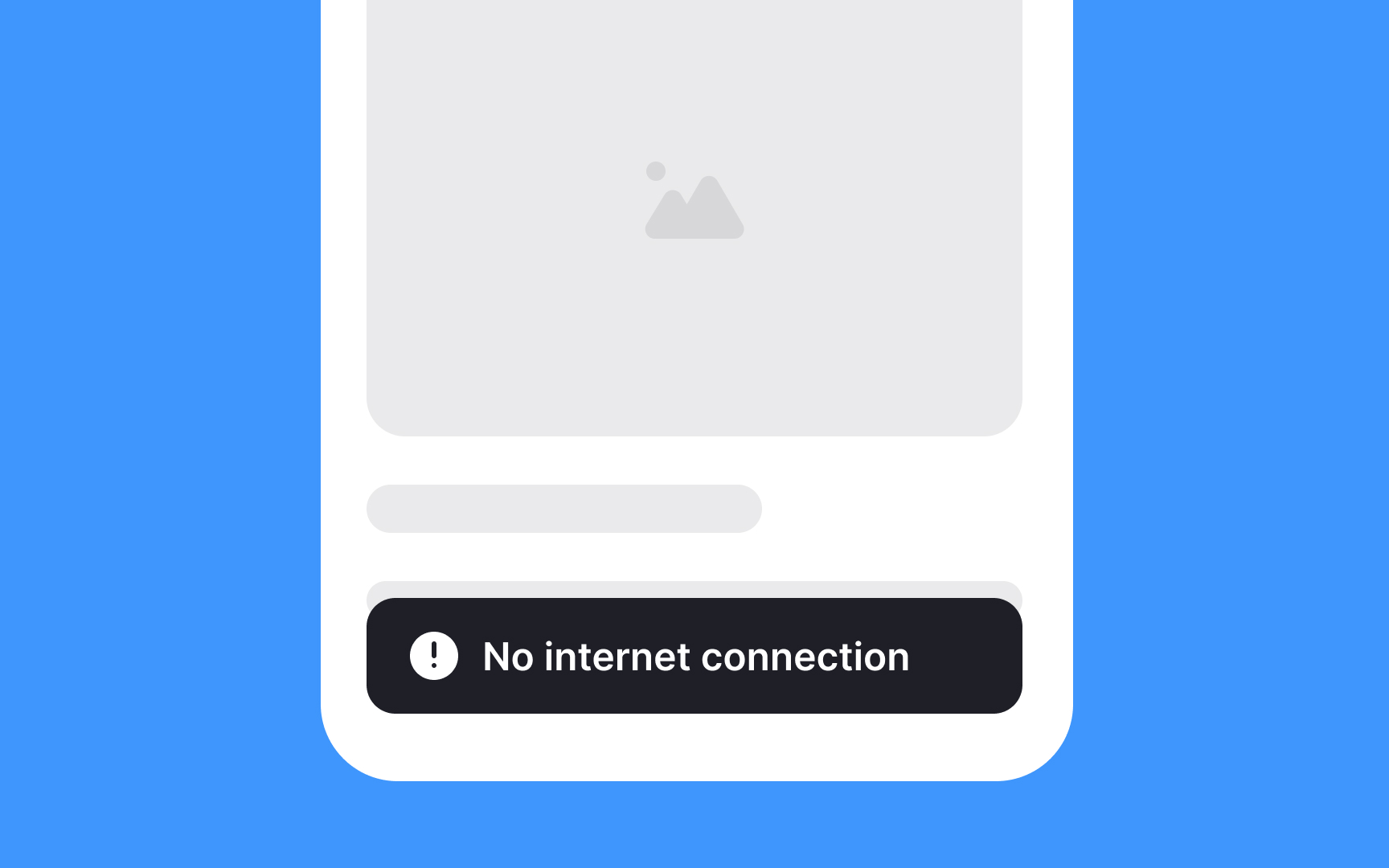
A toast reading No internet connection sits over the bottom of the screen: a low-priority system message that appears without interrupting the page and disappears on its own, so the form signals that nothing is required of the reader. From the lesson Notification Types and When to Use Them.
What accessibility considerations apply to notifications?
Notifications must communicate their content and urgency through means other than visual appearance alone.
- Color coding (red for urgent, green for success, yellow for warning) must be paired with icons, text labels, or other non-color signals so that users with color blindness receive the same information. An error notification that appears only as a red banner with no text label or icon is inaccessible to users who can't perceive the color distinction.
- Screen reader users must receive notification content. In-app notifications delivered as dynamically injected HTML need ARIA live regions to ensure they're announced by screen readers as they appear. Notifications that appear visually but are not present in the page's accessible structure will be missed by screen reader users entirely.
- Notification sounds require visual alternatives for users with hearing impairments. Any information communicated through audio should also be communicated visually. Conversely, notifications that use flashing effects must comply with WCAG 2.3.1 (Three Flashes or Below Threshold) to avoid triggering seizures in users with photosensitive conditions.
- Timing and persistence affect cognitive accessibility. Users with cognitive differences may need more time to read and respond to a notification before it auto-dismisses. Critical notifications should persist until explicitly dismissed rather than timing out.


