

Every project reaches a moment when someone asks which version is the real one. The file was renamed final-v3, then final-v3-fixed, and nobody remembers what changed in between or why. Teams lose hours this way, comparing two nearly identical files line by line. Version control ends that guessing by recording each saved state of a project, together with who saved it and the reason they gave.
Version control is a system that keeps the full history of a set of files. Each time you save a meaningful change, it stores a snapshot of the whole project, so you can see how it looked at any point and go back if something breaks. Git is the version control system most software teams use today, and GitHub is where much of that history lives and gets shared. It began as a tool for engineers, but AI app builders now connect designers and product managers to it too, often without much warning.
The idea is simpler than the vocabulary suggests. History only helps when each saved point is deliberate and labeled, so any change can be traced, explained, and undone without guesswork. That principle sits underneath every GitHub feature you'll meet later. It's also why the same few habits, like clear messages and small saves, come up again and again.
Version control in plain terms
A version control system records changes to a set of files over time, so any earlier version can be found and restored later. Each saved point captures what the files looked like, who saved them, and a short note explaining why.
Without it, teams fall back on file names to track versions: homepage-final.html, homepage-final-v2.html, homepage-final-REAL.html. That works until two people edit the same file, or until nobody can remember which copy holds the approved text. Version control replaces that guesswork with a single history that everyone shares.
Imagine a small team building a website for a cupcake bakery. When the menu page breaks after an update, version control shows exactly which change caused it and lets the team bring back the last version that worked.
Pro Tip! Files named final-v2 are a sign a project has outgrown manual versioning. That's usually the right moment to move it into a repository.
Snapshots of a whole project
Git stores history as a series of snapshots. Each time a change is saved, Git records the state of every file in the project at that moment, not just the lines that changed. Files that stayed the same aren't copied again. Git points back to the version it already has, which keeps the history compact.
This design is what makes going back so reliable. Restoring an older version doesn't mean replaying a long list of edits in reverse. It means opening a snapshot that already holds the complete project as it was. Comparing two snapshots then shows exactly what changed between them, line by line.
The snapshot approach is part of what set Git apart from older version control systems, many of which stored each file as a running list of changes over time [1].
Version control vs. live shared documents

Shared online documents and version control both keep a history, but they record it in very different ways. A shared document saves continuously. Every keystroke is captured, and the history becomes a long stream of timestamps like Edited 2 minutes ago, with no explanation of what each change was for.
Version control saves on purpose. A person decides when a change is complete, saves it as one point in the history, and writes a short message describing it. The result is a shorter history where every entry means something, such as Add allergy notes to cupcake menu.
That difference matters when something breaks. In a stream of automatic saves, finding the edit behind a problem means opening versions one by one. In version control, the messages point straight to the likely change. A study of students learning Git found that many expected it to behave like a live shared document, which makes this one of the first ideas worth getting right [2].
Who changed what, and when
Every entry in a version control history answers three questions: what changed, who changed it, and when. Git attaches a name, an email address, and a timestamp to each saved change automatically, so the record can't be skipped or forgotten.
This record is what makes shared work manageable. When a price on the bakery's menu page suddenly shows the wrong amount, the history shows who last edited that line and the message they left. Instead of asking around the whole team, anyone can trace the change to a person and a moment, then ask one specific question.
The same record builds understanding rather than blame. It shows how a project evolved, which decisions were made along the way, and who has the context to explain them. On GitHub, this information appears beside every file and in the full history of the repository.
Centralized vs. distributed version control
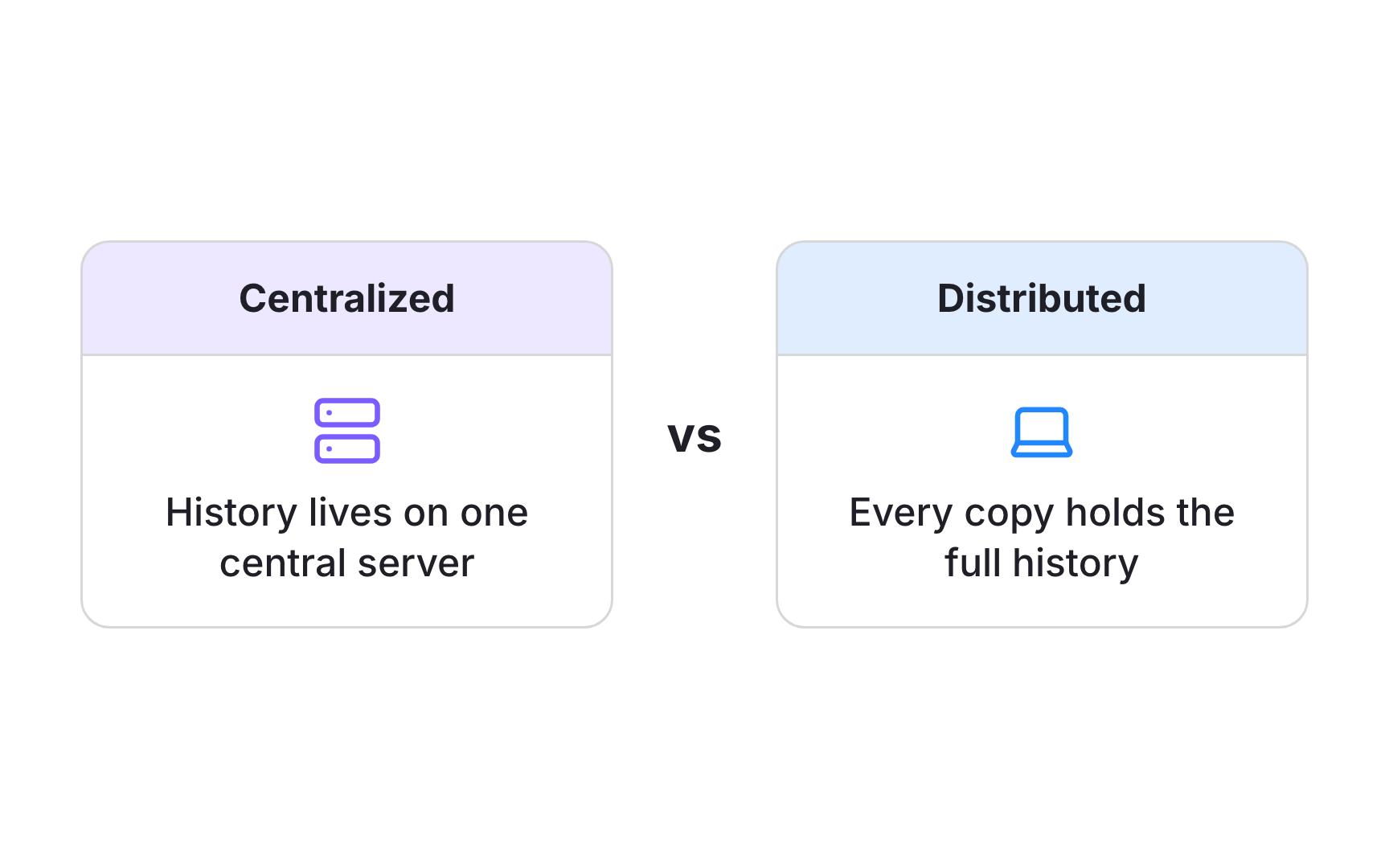
Version control systems come in two main designs. In a centralized system, the history lives on one central server. People check out the files they need, make changes, and send them back, but the full record exists in only one place.
In a distributed system like Git, every copy of a project carries the complete history. A teammate's laptop holds every saved change, not just the latest files. That means people can browse history, compare versions, and save new changes without a connection to any server. If the server goes down, any full copy can restore it.
GitHub can look like a central server because teams treat it as the shared copy everyone syncs with. Underneath, it's one more full copy of the same history, made easy to reach and share.
How Git began in 2005
Git was created in 2005 by Linus Torvalds, the developer behind the Linux operating system. The Linux project had used a commercial version control tool called BitKeeper free of charge since 2002. When that arrangement ended in 2005, the project needed a replacement quickly, and Torvalds started building his own [3].
Its original design goals were:
- Speed for everyday actions like saving and comparing changes
- Simple design that could be trusted with a very large codebase
- Strong support for parallel work, with many lines of work running at once
- Fully distributed history, with no single point of failure
Those choices explain much of how Git feels today. It's fast and dependable, and it was built by engineers for engineers, not with newcomers in mind.
Why Git feels confusing at first
Many people find Git confusing at first, and that includes experienced developers. A large study of Git questions on Stack Overflow found that only about 14% of the developers surveyed rated themselves as proficient, even though most had used Git for five years or more [4].
Researchers at MIT traced the problem to Git's design rather than to its users. Several of its core ideas don't behave the way people expect, which makes everyday tasks feel unpredictable. Their analysis of thousands of user questions found the same few concepts causing trouble again and again [5].
Working in GitHub's web interface removes much of that difficulty. Files, changes, and branches are all visible on screen, so the state of a project can be seen rather than guessed. Confusion along the way is normal and says more about the tool than about the person learning it.
Pro Tip! When a GitHub screen is confusing, check the history first. It shows what changed and when, which often explains the current state.
Version control in AI-built projects

AI app builders have made version control part of design and product work. Tools that generate a working app from a prompt usually offer to connect the project to GitHub, and once connected, they save changes there as they go. Product data from Linear shows designers and product managers attaching pull requests to their issues several times more often in 2026 than two years earlier [6].
Connecting a builder to GitHub changes where the project lives. The files and their full history now sit in a repository that other people and other tools can open, review, and change. Some builders commit after almost every edit, which can fill the history with dozens of small saves in a single afternoon.
Knowing the basics of version control turns that history into something useful. It becomes a record to read when something breaks, a way to share work with engineers, and a reliable route back to a version that worked.