


Voice has moved from a novelty button to an everyday input: people talk to speakers in the kitchen, to the dashboard in the car, to the watch on their wrist, and to assistants built on large language models that answer in full sentences. Each of those products has an interface with no screen to lean on, or a screen that only helps part of the time. A voice interface has to tell people what it can do without ever showing them a menu, and the craft of making that work is what voice UI design covers.
In this glossary topic:
- What is voice UI design?
- How does a voice interaction work?
- What does a voice designer actually design?
- How does a voice UI differ from a chatbot and from a GUI?
- Who does voice include, and who does it leave out?
- What does voice UI design look like in practice?
- What does voice UI design mean for designers?
- FAQ

What is voice UI design?
Voice UI design is the design of interactions in which a person speaks to a product and the product responds in speech, text, or action. It covers voice assistants on phones and speakers, in-car systems, voice features inside apps such as dictation and voice search, and the automated phone systems that answer support lines.
The material of the discipline is language rather than layout. A voice designer decides what the product says, when it listens, how it confirms what it heard, what it does when it did not understand, and how it sounds. The interface is the conversation, and every element a visual designer would draw has to be carried by words, timing, and tone instead.
How does a voice interaction work?
A voice interaction passes through a chain of stages. A wake word or a button press tells the device to start listening. Speech recognition turns the sound into text. Natural language understanding reads that text for an intent, the thing the person wants, and for entities, the details that fill it in, such as a time or a place. Dialog management decides what happens next: act, ask a follow-up question, or confirm. Response generation composes the reply, and text-to-speech reads it aloud.
None of these stages is the designer's to build, but all of them shape what the designer can promise. Recognition fails in a noisy kitchen, understanding fails on unexpected phrasing, and an accurate but long reply fails because the listener has stopped listening. Voice design is the design of what happens between the stages, which is why so much of it concerns confirmations, follow-up questions, and recovery.
What does a voice designer actually design?
The core artifact is the dialog: the prompts the product speaks, the range of things a person might say in reply, and what the product says next. Prompts are written to invite a short, predictable answer. Confirmations are tuned to risk, so that a timer is simply set while a payment is read back first. Error handling is designed in layers, from a first re-prompt to an exit that hands the task to a screen or a person.
Turn-taking rules decide when the product stops talking and listens, and whether a person can interrupt. A persona, a consistent character with a defined tone and vocabulary, keeps responses from sounding like a different author each time, and it is written the way UX writing teams write a brand voice. Discoverability is the hardest quality, since there is no visible menu: a voice product has to teach what it can do through suggestions at natural moments and graceful answers to requests it cannot fulfill. When a screen exists, as in a car, the design becomes multimodal, with spoken replies paired with text and buttons. A voice product is designed for failure first, because the happy path is the easy part.
How does a voice UI differ from a chatbot and from a GUI?
Against a graphical interface the contrast is sharpest. A screen shows its options; a voice interface has to say them, one at a time, and the person has to remember them. A screen persists; speech vanishes the moment it is spoken, so the listener carries the memory burden the interface would normally carry. A screen is scanned in any order; speech is linear and time-bound, which is why long lists fail by voice even when they work on a screen. And a screen offers affordances that can be seen before they are used, where a voice interface offers none until the person has already tried something.
A text chatbot shares the conversational shape but keeps the screen. The transcript stays visible, so people can reread; typing removes recognition errors; and buttons and quick replies can sit inside the chat to make options visible again. Voice removes all three supports and adds ambiguity of its own, since homophones, accents, and background noise mean the system is never certain what was said. A chatbot is a conversation with a page; a voice interface is a conversation with nothing to look at, and the design of each follows from that difference.
Who does voice include, and who does it leave out?
Voice is an access path. For people who cannot see a screen, cannot use their hands, or cannot read easily, speaking and listening may be the most direct way to use a product, and the same is true for anyone whose hands and eyes are busy. The spoken-response guidance in the Designing for Visual Impairments lesson, from short messages to interruptible replies and adjustable speech rate, applies to every voice product.
Voice also excludes. Recognition systems perform worse for people with speech differences, strong regional accents, or languages outside the training set, and worse in noisy or shared spaces. Speaking aloud is impossible in a quiet office and unwise for anything private. Always-listening devices raise questions about what is recorded, where it goes, and who can hear it, and a product that does not answer them plainly loses trust.
Voice widens access for some people and narrows it for others, which is why an accessibility review of a voice product is also an inclusive design review: it looks as hard at who the product fails as at who it helps.
What does voice UI design look like in practice?
Consider someone asking a kitchen speaker to set a timer while their hands are covered in flour. The wake word opens the microphone; the request carries an intent, set a timer, and an entity, the duration. If the duration was heard clearly the product confirms by acting and saying so in a few words. If it was not, the product asks for the one missing piece rather than starting over, and if the kitchen is too loud to hear the answer, it offers to show the timer on the nearest screen.
The principles behind that exchange, keeping each turn short, confirming often, avoiding long spoken lists, and keeping a non-voice route open for when recognition fails, have almost nothing to show on a screen, which is the point the figure below makes. The quality of a voice product is set by its worst turn, not its best, because a single dead end ends the conversation.
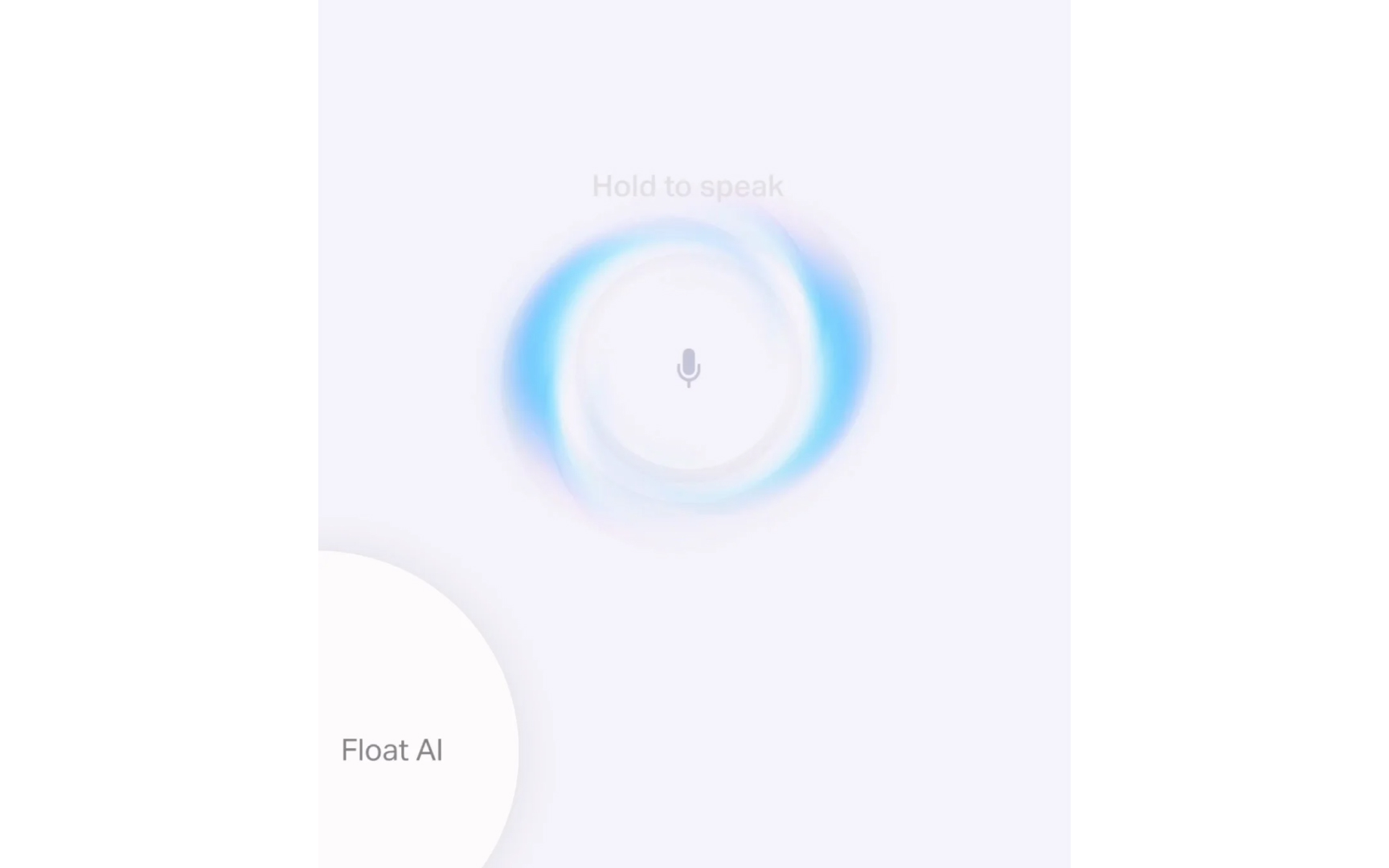
The whole visible interface of a voice product: a prompt to hold and speak, and a ring that glows while it listens. Everything else, the options, the confirmations, the errors, has to be carried in the conversation itself, which is the constraint voice design is built around. From the lesson Conversational UX & Multimodal Interfaces.
What does voice UI design mean for designers?
Voice designers write before they draw. The first artifacts are sample dialogs, short scripts of a person and the product taking turns, covering the common path and then the failures: the misheard request, the ambiguous one, the impossible one. Those scripts become the flows, the prompts, and the re-prompts, and they are tested by reading them aloud with another person long before any speech system is involved. Later testing uses real speech in the real environment, because a dialog that works in a quiet lab says little about a car at highway speed.
Assistants built on large language models have changed part of this work and left the rest alone. Understanding is far more forgiving of phrasing, and replies can be generated rather than scripted. What has not changed is everything around the words: wake words still fail, microphones still miss, confirmations still have to match the risk of the action, and a generated reply can be fluent and wrong, which makes recovery design more important rather than less. Sound, haptics, and light are the voice designer's other channels, and multi-sensory design explains how they signal listening, thinking, and done without a word. A voice product is still judged on how it recovers, and that was the designer's job before the models arrived.


