AI tools write working code quickly, and sometimes they write the keys to your accounts right into it. A payment key or a database password that lands in a public repository can be found and used by people who scan GitHub for exactly that. Removing it afterwards doesn't undo the exposure, because copies stay in the history.
A secret is anything that grants access: API keys, tokens, passwords, and other credentials. Some keys are designed to be public and some must never leave a server, and telling them apart is the first step. GitHub then offers several layers of protection: a file that keeps local settings out of commits, encrypted storage for keys that automated workflows need, scanning that spots known secret formats, and push protection that blocks a commit containing one before it's saved. AI builders add their own settings for keys, which need the same care.
Prevention is far cheaper than cleanup. The goal is a repository that could be made public tomorrow without exposing a single credential. Getting there takes a few habits rather than deep technical knowledge, and they apply to AI-built projects in exactly the same way.
Secrets in a code project
A secret is any value that grants access: API keys, access tokens, passwords, and private certificates. Whoever holds one can act as its owner, sending emails, charging cards, or reading data, depending on what the key allows.
Secrets end up in repositories in ordinary ways: pasted into code to test something quickly, saved in a settings file that gets committed, or written into generated code by an AI tool. Once committed, a secret stays in the history, and GitHub's guidance is to treat any leaked secret as compromised immediately [1].
The safer pattern keeps secrets out of the code entirely. The code refers to a secret by name, and the value lives in a protected place: the hosting service, the AI builder's settings, or GitHub's encrypted storage.
Publishable keys vs. secret keys

Not every key is a secret. Many services issue two kinds. A publishable key is meant for code that runs in a visitor's browser or a mobile app, and it's designed to be seen. A secret key grants elevated access and must only live on a server.
Supabase, a database service often used by AI app builders, is a clear example. Its documentation calls the publishable key safe to expose, even in source code, while the secret key bypasses every data-protection rule and should never go in a browser, a shipped app, or source control [2].
Telling them apart prevents two mistakes: panicking over a key that's meant to be public, and shipping one that never should be. When in doubt, the service's documentation says which is which.
Hardcoded keys in AI-written code

AI tools aim for code that works on the first try, and the quickest way to make an API call work is to paste the key right into the code. Generated code often does exactly that, and the key then travels into every commit, every fork, and sometimes the JavaScript that visitors download.
The safe version reads the key from an environment variable, a named setting the hosting service supplies when the code runs. The code mentions only the name, like PAYMENT_SECRET_KEY, so the repository never contains the value.
Scanning AI-written code for long strings of random-looking characters is a quick habit worth building. A prompt can also ask the tool to use environment variables for every key from the start.
Keeping files out with .gitignore

A file named .gitignore at the top of a repository lists files and folders Git should leave out of commits [3]. A line like .env keeps a local settings file full of keys out of every commit, and patterns can cover whole groups of files.
GitHub maintains ready-made .gitignore files for common kinds of projects, and one can be added when a repository is created. AI tools that generate projects usually include one too, and it's worth checking that it covers the files holding keys.
There's a catch: .gitignore only affects files that aren't tracked yet. A file that's already committed stays in the repository, and new rules don't change that [4]. That makes .gitignore a prevention tool, not a cleanup tool.
Pro Tip! Committing a .env.example file with empty values shows teammates which keys a project needs without exposing any of them.
Repository secrets for automation
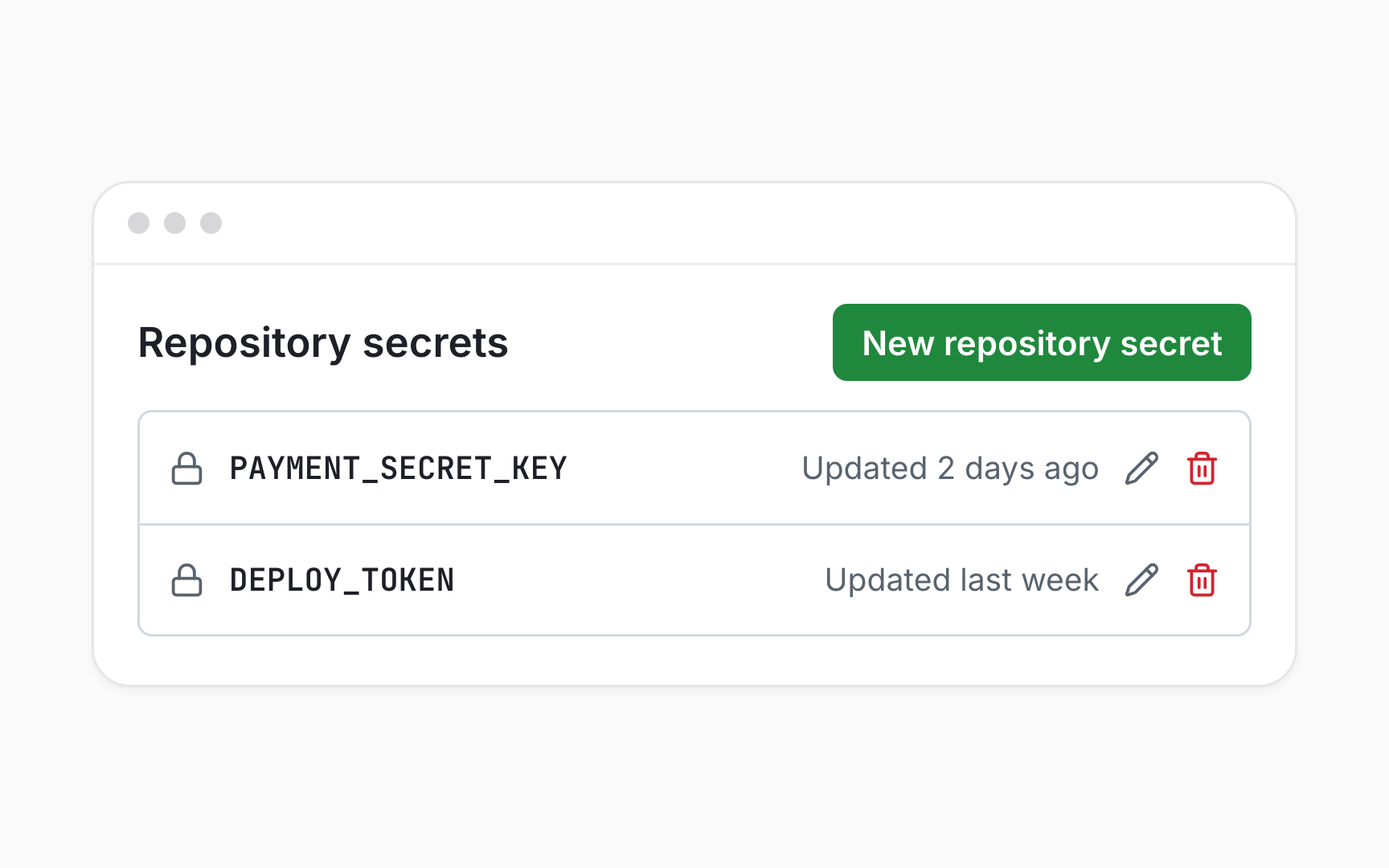
Automated workflows sometimes need keys too, for example to deploy a site. GitHub stores these as repository secrets: encrypted values added under Settings, Secrets and variables, Actions, with New repository secret[5]. Workflows refer to each secret by its name, so the value never appears in the code.
GitHub also redacts secrets that show up in workflow logs, though that masking isn't guaranteed if a workflow transforms the value before printing it [6]. The safest workflows simply never print secrets at all.
AI builders and hosting services have their own equivalent settings. Whichever tool runs the code should hold the secret, and the repository should hold only its name.
Push protection

Push protection checks new changes for known secret formats and blocks them before they're saved [7]. It covers pushes from other tools, commits made in GitHub's web editor, and file uploads in the browser.
When it catches something in the web editor, a dialog shows where the secret was found, and removing it lets the commit go through [8]. The dialog also allows a bypass with a reason, like It's used in tests, which is meant for genuine exceptions rather than convenience.
For public repositories, push protection is on by default for every user. Repository-wide push protection for private repositories needs GitHub Secret Protection, a paid feature, so it's worth checking whether a team's repositories have it.
Responding to a secret scanning alert
Secret scanning looks through a repository's entire history, as well as its issues, pull requests, and discussions, for known secret formats [9]. It runs automatically on public repositories, and its alerts appear under the repository's Security and quality tab.
The response is always the same: revoke the key with the service that issued it, replace it wherever it's used, and then close the alert as Revoked[10]. Deleting the file or the line isn't enough, because the key still exists and still works.
For many common services, GitHub also notifies the provider when their key turns up in a public repository, so they can take action. That's a safety net, not a plan, and the team that owns the key should act first.
Private repositories and secrets
A private repository feels like a safe place for a key, but it isn't a vault. Everyone with access can read every file and every past commit, including collaborators added long ago and organization owners, who can access every repository in their organization [11].
Private repositories also change over time. If one is made public, its code and its history become visible to everyone who visits GitHub [12], and copies that people already made keep whatever they contained.
Treating every repository as one that might become public is the simplest rule. Keys belong in encrypted settings, whatever the repository's visibility today.
Server-side rules in AI builder projects
Some leaks have nothing to do with a secret key. Apps built on database services often put a publishable key in the browser on purpose, and the data stays safe only because server-side rules decide what that key can reach. Supabase calls these rules Row Level Security and advises turning them on for every table before deploying [13].
On 2 February, 2026, security researchers at Wiz reported that the AI-built social network Moltbook had exposed 1.5 million API authentication tokens and 35,000 email addresses. The key found in its JavaScript was the publishable one. The real problem was that Row Level Security, the line of defense behind it, was missing [14].
For AI-built projects, keeping secret keys out of the code is only half the job. Someone also has to confirm that the database rules exist, because a perfectly clean repository can still leave every record open.
Topics
References
- Remediating a leaked secret in your repository - GitHub Docs | GitHub Docs
- API keys | Supabase Docs
- Ignoring files - GitHub Docs | GitHub Docs
- Git - gitignore Documentation
- Using secrets in GitHub Actions - GitHub Docs | GitHub Docs
- Secrets - GitHub Docs | GitHub Docs
- Push protection - GitHub Docs | GitHub Docs
- Working with push protection in the GitHub UI - GitHub Docs | GitHub Docs
- Secret scanning - GitHub Docs | GitHub Docs
- Remediating a leaked secret in your repository - GitHub Docs | GitHub Docs
- About repositories - GitHub Docs | GitHub Docs
- Setting repository visibility - GitHub Docs | GitHub Docs
- API keys | Supabase Docs
- Hacking Moltbook: AI Social Network Reveals 1.5M API Keys | Wiz Blog | wiz.io