.svg)

Every vibe-coded product starts the same way: someone types a plain-language request, and a working artifact comes back minutes later. What happens next separates builders who ship from builders who stall. The exchange isn't a vending machine transaction; it's a conversation, and conversations reward people who understand how they flow.
This lesson breaks down the core loop of describing an outcome, letting the AI generate, running the result, and reacting to what appears. It draws on Andrej Karpathy's founding description of vibe coding and Anthropic's professional workflow guidance to show why the first prompt is an opening move, not a final specification.
Along the way, it covers the habits that keep the loop moving, from reading wrong output as useful information to knowing when a conversation deserves a fresh start.
What is a build conversation?
A build conversation is the fundamental unit of vibe coding: a back-and-forth exchange in which a builder describes an outcome in plain language, the AI generates a working artifact, the builder runs it, and the next message reacts to whatever appeared on screen. Andrej Karpathy compressed the entire cycle into one sentence in the post that coined the term: "I just see stuff, say stuff, run stuff, and copy paste stuff, and it mostly works" [1].
Each verb in that sentence is a beat of the loop. Seeing stuff means reacting to what's on screen, saying stuff means describing the next change, running stuff means verifying by actually using the product, and copy pasting stuff means feeding errors straight back to the AI.
The implication changes how beginners should approach the first message. The loop is iterative by design, not a workaround for bad first attempts, so the opening prompt is the first move of a conversation rather than a specification that must be complete [2].
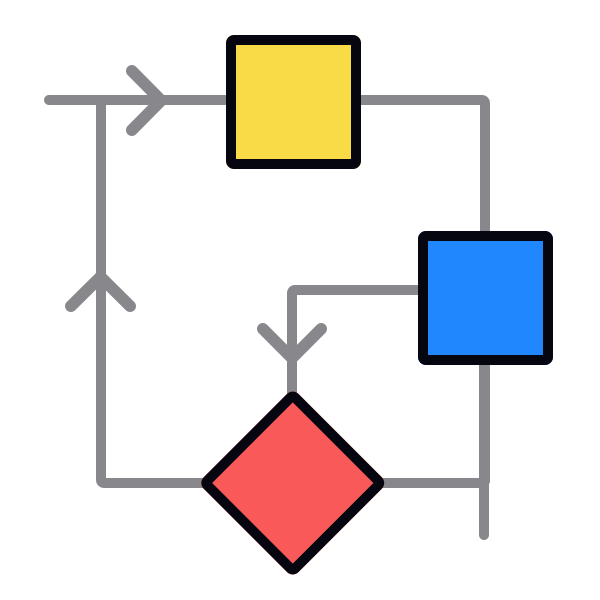
Describe, generate, run, react

The build conversation runs on a set of beats that repeat until the product matches the idea.
The beats in order:
- Describe. The builder states the outcome and the essentials: what the product should do, who it's for, and any constraints that matter.
- Generate. The AI turns that description into a working artifact.
- Run. The builder opens the result and uses it the way a real person would.
- React. The next message responds to what the run revealed, and the cycle starts again.
The framing maps onto Anthropic's professional workflow of explore, plan, implement, and commit, which advises separating research and planning from implementation to avoid solving the wrong problem [3]. Describe covers explore and plan, generate matches implement, run is the verification step, and react opens the next turn.
The beat beginners skip most often is run. Stacking three more requests before looking at the first result feels efficient because asking is cheap, but the run step is where the loop's information comes from, and reacting to output nobody has used means reacting to guesses.
The generation-verification loop
Underneath the conversational surface sits what Karpathy calls the generation-verification loop. In his 2025 Software 3.0 talk he argued that the AI generates while the human verifies, and that the craft consists of making that loop run fast while keeping the AI under tight human supervision [4].
Anthropic's engineering guidance makes the same point in practical terms: give the AI a check it can run, such as tests, a build, or a screenshot to compare. The model stops when the work looks done, so without a real check, looking done is the only signal available, the human becomes the verification loop, and every mistake waits for someone to notice it [5].
Verification is the human's half of the work, not an optional extra. Generation got fast; the builder's job is making verification keep up.
Pro Tip! A non-coder's check is the running product itself: clicking every path and trying to break it beats trusting the AI's own report of success.
First outputs in minutes
A first working output can arrive in minutes. Ethan Mollick's first-ever Claude Code prompt, "make a 3D game where I can place buildings of various designs and then drive through the town i create," came back as a working 3D application about 4 minutes later with no further input, typos and all [6].
Mollick's account is honest about the other side of that speed: a later bug took 20 minutes of conversational back-and-forth and $8 in API fees to fix. Karpathy reported the same pattern with his MenuGen app, where the AI speedups faded once the project left the demo stage and hit real-world plumbing like accounts, payments, and deployment [7].
The honest promise is a fast loop, not a fast project. The loop is quickest at the very start, which is exactly where a first build conversation lives, and the minutes-to-something-working experience is real. Finishing simply takes longer than starting.
Pro Tip! Mollick's famous first prompt shipped with its typos intact; clarity of intent matters far more than polished grammar.
The AI interview pattern
For bigger builds, Anthropic's guidance recommends inverting the conversation: instead of writing a specification, the builder gives the AI a minimal idea and asks it to conduct the interview. The guide suggests having the AI "ask about technical implementation, UI/UX, edge cases, concerns, and tradeoffs," then write a spec before any building starts [8].
For non-coders this is the most accessible on-ramp in the professional canon, because answering questions is far easier than writing specifications. The AI already knows what decisions a build requires, so letting it ask surfaces choices a beginner wouldn't know to raise.
Using AI to improve the describe half of the conversation is a legitimate move, not cheating. It pairs naturally with the loop: interview, spec, and then describe, generate, run, and react as usual.
Why restarting feels wrong
Restarting a conversation feels like erasing progress, and in a first build that feeling runs strongest: the session seems to finally understand the project, so starting over looks like throwing that understanding away. It's a sunk-cost illusion. Whatever a conversation built persists as code and files on its own; only the chat transcript resets. By the moment a restart tempts anyone, they already know what the opening prompt should've said, so a fresh session inherits a sharper prompt without the accumulated dead ends. That's what makes an early build one of the safest places to start over: little has been invested, and the second attempt is almost always better aimed than the first. Anthropic's guidance turns when to make that call into a simple restart heuristic, which the conversational debugging lesson later in this course covers in full [9]. For a first conversation, the freeing move is to treat a stuck opening as a cue to begin again, not a problem to keep patching.
The perfect prompt myth
The perfect prompt myth holds that somewhere out there is one magic incantation, and the builder's job is to find it. The idea comes from the 2023-2024 wave of prompt-engineering listicles, but both founding sources for vibe coding describe a loop, not an incantation: Karpathy's original post is verbs in a cycle, and Anthropic's workflow is phases that repeat [10]. Simon Willison notes that the popular sense of "prompt engineering" collapsed into simply typing things into a chatbot, which is part of why the field moved on [11].
The nuance is that opening prompts do differ in quality. NN/g's evaluation of real prototyping work found that longer prompts with clear, detailed requirements consistently yield better results, so a strong opening is worth writing [12].
Quality buys a better starting point, not a finished product. The builder's job isn't finding the prompt; it's running the loop.
Wrong output as information
A wrong first output feels like failure, but it's really the AI's assumption set made visible. NN/g's testing found that general prompts leave room for AI tools to make assumptions about the requirements and fill in the gaps, so whatever comes back reveals exactly which gaps the description left open [13].
Kate Moran's trip-planner comparison at NN/g makes the mechanism concrete. The prompt "Build me a trip planner" and a paragraph-long specification both produced working apps from the same tool; the vague prompt made the AI the designer, while the detailed one made it the executor [14]. Mollick's first game output was technically correct but boring, and the value emerged from his reactions to it [15].
Reading wrong output as information transforms the react beat. Instead of concluding the tool failed, the productive reaction names what went unsaid and says it in the next message.
Dive in or plan first?
Dive in or plan first is a live debate, and both answers appear in the same Anthropic document. Planning adds overhead, and a change that fits in one sentence should skip the plan entirely; at the same time, the guidance notes that vague prompts can be useful when exploring and course-correction is cheap [16]. Tools now encode the talk-first option directly: Claude Code's plan mode separates exploration from code changes, letting the AI read and propose but not modify anything until the builder approves.
NN/g's research lands on the same nuance from the design side: vague prompts can be valuable in early-stage exploration because they might surface unexpected directions [17].
The honest resolution: dive in for play and exploration, and describe carefully when the desired outcome is already clear. The loop accommodates both; the only difference is how much weight the first message carries.
Topics
References
- Andrej Karpathy (@karpathy) on X | X (formerly Twitter)
- Best practices for Claude Code - Claude Code Docs | Claude Code Docs
- Best practices for Claude Code - Claude Code Docs | Claude Code Docs
- Andrej Karpathy on Software 3.0: Software in the Age of AI
- Best practices for Claude Code - Claude Code Docs | Claude Code Docs
- Speaking things into existence
- Andrej Karpathy on Software 3.0: Software in the Age of AI
- Best practices for Claude Code - Claude Code Docs | Claude Code Docs
- Best practices for Claude Code - Claude Code Docs | Claude Code Docs
- Best practices for Claude Code - Claude Code Docs | Claude Code Docs
- Context engineering | Simon Willison’s Weblog
- Good from Afar, But Far from Good: AI Prototyping in Real Design Contexts | Nielsen Norman Group
- Good from Afar, But Far from Good: AI Prototyping in Real Design Contexts | Nielsen Norman Group
- GenUI vs. Vibe Coding: Who’s Designing? | Nielsen Norman Group
- Speaking things into existence
- Best practices for Claude Code - Claude Code Docs | Claude Code Docs
- Good from Afar, But Far from Good: AI Prototyping in Real Design Contexts | Nielsen Norman Group