


Every list longer than a screen forces one question: what comes first? A product answers it with sorting, and the default answer shapes what most people ever see, because few users change it. The sort control is small, but the default order behind it is one of the most consequential decisions in a list-based interface.
In this glossary topic:
What is sorting?
Sorting is the process of ordering a set of items according to a defined criterion. In digital products, sorting controls let users change how content is sequenced: alphabetically, by date, by price, by relevance, by rating, or by any other attribute that's meaningful in that context.
Sorting is one of the most fundamental tools for making large collections of information navigable. A list of 500 products in random order is difficult to scan. The same 500 products sorted by price, from lowest to highest, become immediately useful for a user trying to find options within a budget. Sorting doesn't change what's in the list; it changes what a user sees first and how they can compare items.
In practice, sorting almost always works alongside filtering. Filtering reduces the set of items by removing those that don't match specified criteria. Sorting changes the order of whatever remains. Together, they give users both scope control and sequence control over large datasets.
What are the main types of sorting?
Different sorting criteria serve different user needs, and most interfaces need to support several.
- Alphabetical sorting is useful for text-heavy collections: contact lists, category directories, or any dataset where name-based lookup is a natural behavior. It's most useful when users know the name of what they're looking for and want to find it quickly.
- Numerical sorting, ascending or descending, is central to price-based product browsing, ranking tables, analytics dashboards, and any interface where quantitative comparison matters. The ability to sort from highest to lowest and lowest to highest is necessary for users making comparative decisions.
- Chronological sorting, by date added, date modified, or date published, is the backbone of content-heavy contexts: news feeds, document libraries, task lists, and project management tools. "Newest first" and "oldest first" cover the two most common user intents. Relative time labels help users orient themselves quickly.
- Relevance-based sorting is the default in search interfaces. It ranks results by how closely they match the user's query, often combining keyword matching with behavioral signals (what other users clicked on for similar searches) and contextual factors. Relevance ranking is algorithmically complex and benefits from continuous refinement based on usage data.
- Custom or manual sorting allows users to define their own sequence, dragging and dropping items into a preferred order. This is most appropriate in contexts where order is a product of personal preference rather than an objective criterion: organizing a playlist, sequencing steps in a workflow, or arranging a custom dashboard.
How should sorting controls be designed?
Sorting controls are a small but detail-sensitive part of interface design. Several decisions determine whether they feel intuitive or frustrating.
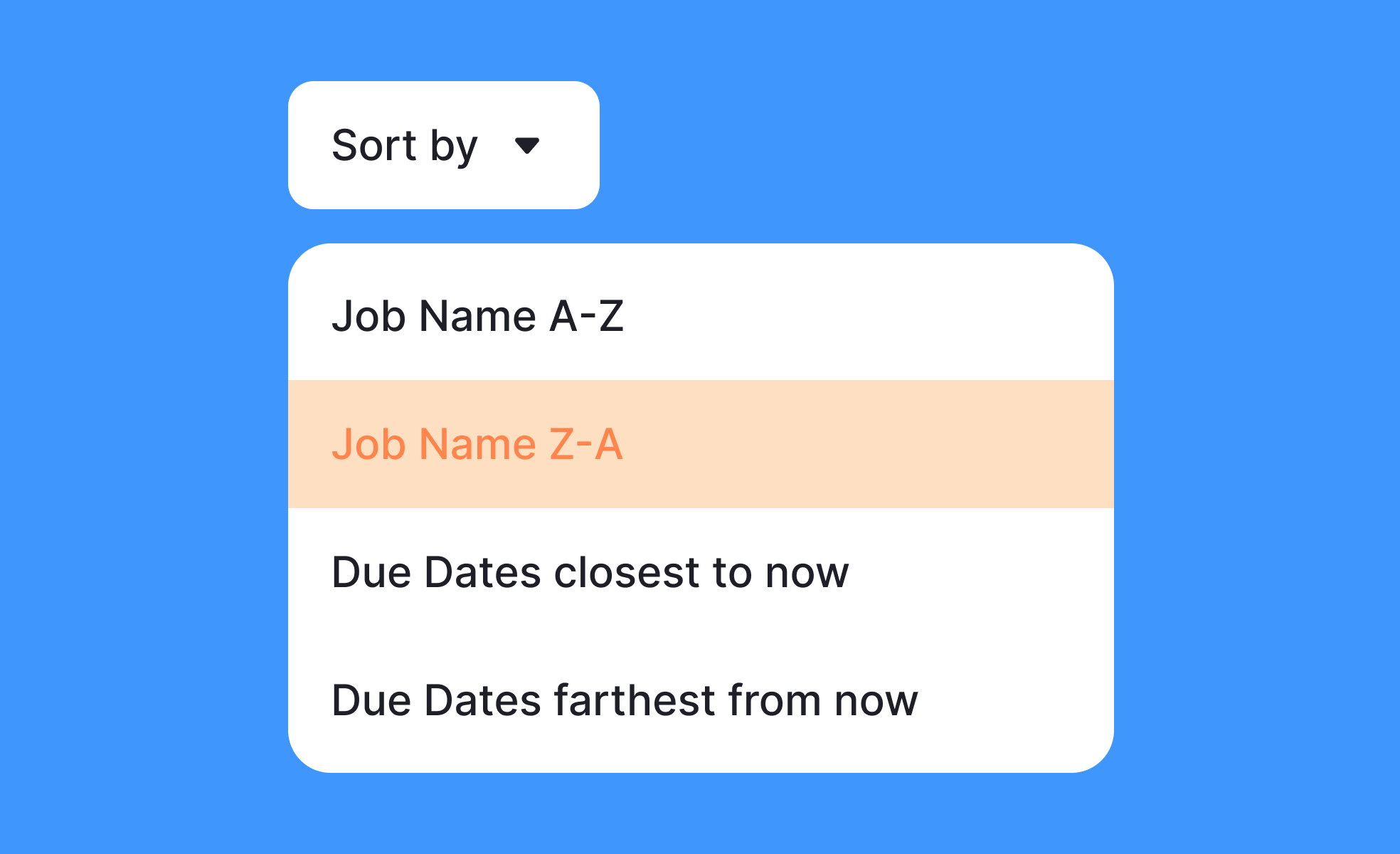
- Visibility and placement matter. Sorting controls should be positioned near the top of the content they affect, clearly associated with the list or table they control. Sorting controls buried in a menu or positioned far from the content leave users searching for them. On mobile, where screen space is constrained, a single "Sort by" button that opens a bottom sheet with options is a common and effective pattern.
- The current sort state must always be visible. Users should be able to see, at a glance, what criterion is currently applied and in which direction. A sort button that shows only "Sort by: Price" without indicating ascending or descending is ambiguous. Visual indicators, typically arrows pointing up or down, communicate sort direction clearly. Active sort criteria should be visually distinguished from inactive ones.
- In tables, column headers that double as sort controls are a widely understood convention: clicking a column header sorts by that column, clicking again reverses the direction. An arrow icon adjacent to the header label confirms the current sort state and direction.
- Changing sort order should not reset other interface state. If a user has scrolled to page three of a filtered list and changes the sort order, they should be taken to page one of the newly sorted list, but their filter selections should remain applied. Losing filter state on sort change is a frustrating and common bug.
What is the relationship between sorting and default order?
The default sort order is one of the most consequential design decisions in a sortable interface, because it determines what users see first on every visit before they change anything.
"Most popular" or "best sellers" as a default highlights community validation and tends to surface high-conversion items first, which aligns with both user discovery intent and commercial goals. "Newest first" signals freshness and is appropriate in content-heavy contexts where recency is a primary value. "Relevance" as a search default signals that the system is trying to match what the user was looking for, though it requires the relevance algorithm to be trustworthy to be perceived as useful.
Default order is also a signal about a product's values and priorities. An e-commerce site that defaults to "sponsored" or "featured" items may serve commercial goals but can erode user trust if users feel the default doesn't reflect genuine relevance to their intent. A learning platform that defaults to "most completed" may prioritize popular courses over the most appropriate ones for a new user.
Teams should test default sort orders against user task success rather than assuming any particular default is best. What works for a mature user base that knows what it's looking for may not work for new users who are exploring.
What does sorting look like in practice?
The sortable table header is the most compact form of the control: the label names the criterion, and the arrow beside it carries the direction. One click sorts, a second reverses, and the arrow is the only record of which state the table is in.
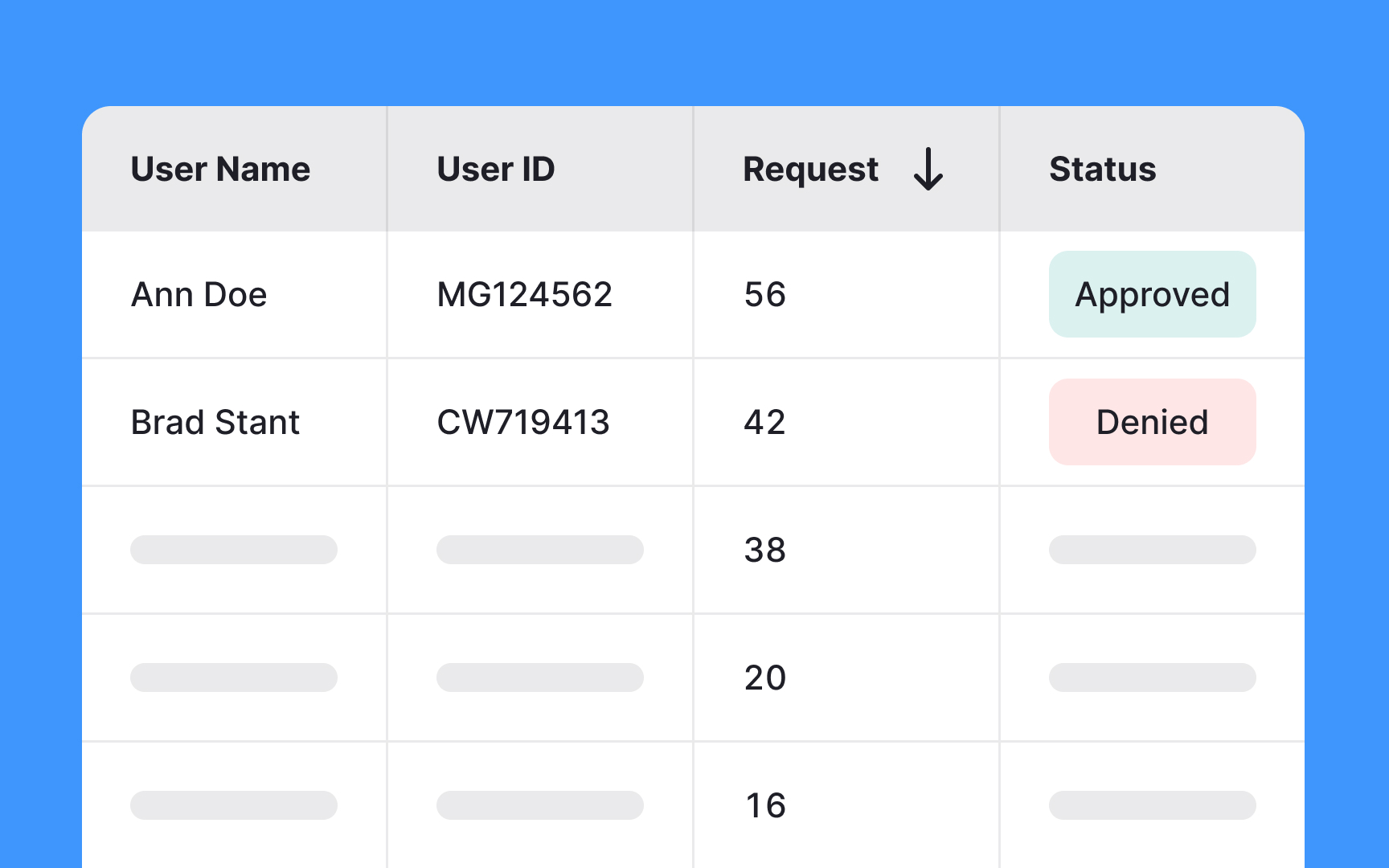
Sortable column headers in a data table: the Request column carries a downward arrow, so the active sort and its direction are readable without opening a menu. From the lesson When & How to Use Tables in UIs.
How should sorting be made accessible?
Sorting controls carry several accessibility requirements that are sometimes overlooked.
- Keyboard operability is required: all sort controls must be reachable and activatable by keyboard. Column headers in tables that function as sort buttons must be implemented as actual buttons or links, not visually styled text that only responds to mouse clicks.
- Sort state must be communicated programmatically, not just visually. Screen readers should be able to announce the current sort column and direction. In HTML tables,
aria-sortattributes on column header cells communicate the current sort state to assistive technologies:aria-sort="ascending",aria-sort="descending", oraria-sort="none". - Changes to sort order that dynamically update the page content should be announced to screen reader users. This typically requires focus management or a live region announcement so users navigating non-visually know the content has changed in response to their action.
- Sort controls should have accessible names that describe their function clearly. A button that shows only an arrow icon needs an accessible name like "Sort by price, ascending" rather than relying on the visual icon to communicate both the criterion and the direction.


