.svg)

Every app that talks to an outside service holds secrets: API keys, passwords, and tokens that grant access and, often, spend money. Secrets are also where vibe coding's "never read the code" promise runs out of road, because an AI assistant will happily write a key straight into files the whole internet can read, and nothing visibly breaks when it does.
The record from 2025 and 2026 is blunt: tens of millions of hardcoded secrets sitting in public code, AI-assisted projects leaking at roughly double the human rate, and working apps parked in front of unlocked storage. None of it required a hacker, and almost all of it was preventable without reading a line of code.
This lesson builds the vocabulary first, then shows how leaks actually happen, from public code to unlocked cloud folders, and the small set of containment habits that stop a mistake from becoming a breach. It leads directly into the pre-ship safety checklist that follows.
What is a secret?
A secret is any piece of text that grants access: a password, an API key, or a login token. Simon Willison's definition for people who don't read code is the most useful one: "anything that looks similar in shape to a password, such as the API key used to access an online tool" [1].
What separates a secret from ordinary text is what holding it means. Anyone who has the string has the access it grants; no system pauses to check whether they deserve it. That's also why a leak is defined by reach, not intent: a secret or private data landing with anyone it wasn't meant for counts, and no hacker is required. Leaving a cloud folder unlocked is enough.
For vibe coders, recognizing secrets is the vocabulary skill everything else builds on. An AI assistant will ask for keys, generate files that contain them, and never flag which strings are radioactive. The builder is the only one keeping track.
API keys explained
An API key is a password for software. It lets one app use another company's service, such as maps, AI models, or payment processing, and it usually meters billing: every request the app makes gets charged to the account that created the key.
That dual role, access plus billing identity, is what beginners miss. Andrej Karpathy hit the wall building MenuGen: his keys lived in a local environment file that correctly stays behind when code is published, so his deployed app broke until he added the keys to the hosting service's own settings. "I could see an aspiring vibe coder get stuck on this for a while," he wrote [2].
Keys break at deployment precisely because the infrastructure keeps them out of published code; that inconvenience is the protection working. Understanding why keys are kept separate is the first step toward keeping them that way.
What is hardcoding?
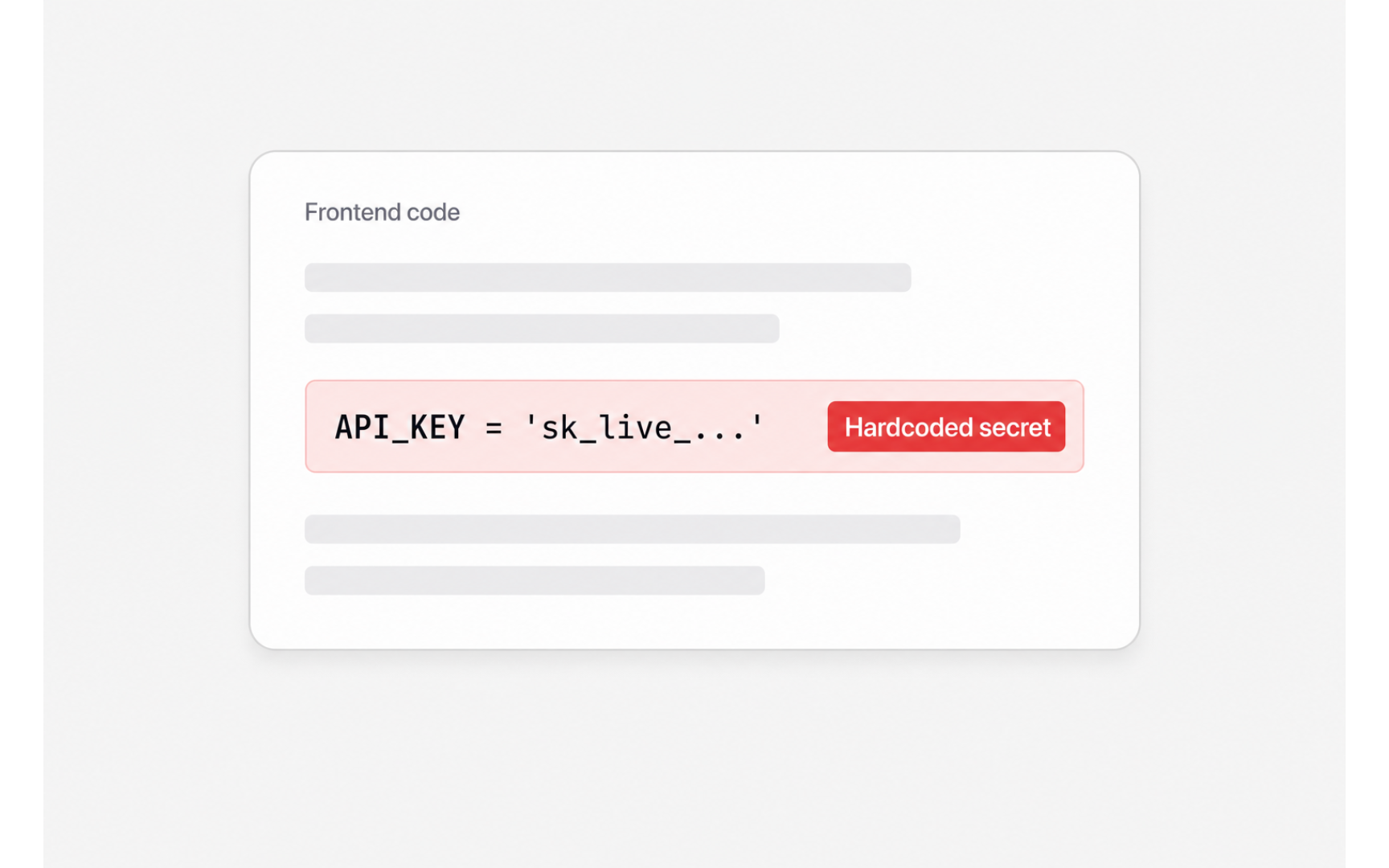
Hardcoding means writing a secret directly into an app's code or files instead of storing it in the protected configuration the hosting service provides. Once that code is shared, published, or served to a browser, everything hardcoded in it is public.
The frontend, the part of an app browsers download, is the most dangerous spot of all. A key pasted there feels hidden because it never appears on screen, but every browser ships a view-source feature; a frontend secret is a published secret. Hardcoding stays tempting because pasting the key wherever the AI can see it is the fastest way to make an error disappear, and the AI will often happily write it straight into the code [3].
The professional pattern is the one Karpathy stumbled into: secrets live in the platform's environment settings, sometimes called environment variables, and never in shipped code [4].
Pro Tip! When an AI assistant needs a key, add it to the platform's environment settings and tell the AI where it lives instead of pasting it into the chat.
Secrets sprawl by the numbers
The scale of leaked secrets is measured, not guessed. GitGuardian measured 28.65 million new hardcoded secrets landing in public GitHub commits during 2025, up 34% year over year, with AI-assisted commits leaking at roughly 3.2%, about double the 1.5% human baseline, and leaks of AI-service keys growing 81% in a year [5].
Veracode's testing points at why. Across more than 100 models given 80 security-relevant coding tasks, 45% of generated samples introduced vulnerabilities from the OWASP Top 10, the industry's standard list of critical web-application risks. The sharpest finding: newer, more capable models wrote more functional code but no more secure code [6].
Honesty matters here: people hardcoded keys long before AI, and the human baseline was never zero. What changed is the rate, roughly double, and the scale, millions more people building. That framing guards against both panic and dismissal.
The unlocked bucket
In July 2025, the Tea app, a women's-safety app, became the era's defining leak story. As reported, ID-verification selfies sat in an unsecured storage bucket, essentially a cloud folder without a lock, exposing roughly 72,000 images including about 13,000 selfies and government IDs; a second flaw exposed 1.1 million private messages [7].
Note the mechanism: nobody hacked anything. The data sat where anyone who found the address could open it, and someone did, posting it anonymously. Whether vibe coding caused Tea's specific flaws is contested, and the lesson doesn't depend on that attribution. The mechanism, a working app in front of an unlocked folder, is exactly the failure class that keeps recurring in AI-built apps.
A leak, in other words, needs no attacker. It needs one door left open and one visitor.
Rotate, don't delete
Rotating a key means generating a new one and revoking the old, the digital equivalent of changing a lock after losing a house key. The instinct after a leak points the other way: delete the code that exposed the key and move on.
Deletion removes the visible mistake, not the exposure. Copies persist in version history, caches, and the databases of scrapers that harvest public code continuously. GitGuardian measured the consequence: 70% of the secrets leaked in 2022 were still active years later [8].
Every serious service puts a regenerate-key button in its dashboard. Once a key has appeared anywhere it shouldn't, pressing that button is the only fix that works.
Pro Tip! A key pasted into an AI chat window counts as exposed, so rotate it just as if it had been published.
Spending limits first
A spending limit caps how much a usage-billed service can charge before it stops serving requests. Most pay-per-use APIs don't force one at signup, so limits feel like an advanced feature to configure later. That default ordering is backwards.
Simon Willison has described "horror stories about people who vibe coded a feature against some API without a billing limit and racked up thousands of dollars in charges" [9]. The damage doesn't even need a leak: a runaway loop in the app's own code can burn through a budget overnight. Add a leaked key, and the meter runs on a stranger's behalf.
The habit is strictly ordered: set the cap first, connect the service second. A limit configured after the first alarming invoice protects nothing that mattered.
The login-screen illusion
A login screen is the symbol of security, not proof of it. It's a lock on the front door of a house that may have no walls: the screen can work perfectly while the data behind it sits open.
Both defining 2025 cases fit this shape. Tea had logins; the storage behind them was open. Security researchers auditing apps built on Lovable found 170 of 1,645 leaking user data, including builders' own API keys for Google Maps, Gemini, eBay, and Stripe, because the AI-generated security policies behind the login were missing or misconfigured while everything still worked [10]. The failure was invisible to the builders precisely because nothing broke.
Platforms are responding: Vercel reports its v0 pipeline blocked vulnerable code across more than 16,200 generated apps [11], and Guillermo Rauch has argued that the answer to AI mistakes is more AI review, not less. Coverage stays uneven across platforms, though, so the portable habit remains: before sharing an app, ask the AI to security-review it in a fresh session.
"Too small to find"
The most comforting misconception in vibe coding is that a small app with an unknown URL is safe because nobody will look. Exposure isn't found by human curiosity; it's found by automated scanning that never sleeps.
Bots harvest leaked secrets from public code continuously. GitGuardian's 28.65 million detections in a single year are that same scanning, run benignly [12]. The Tea bucket was found and posted anonymously. Even Karpathy's private, unfinished project was auto-deployed to a public, guessable URL without his knowledge [13]. And the Cloud Security Alliance documented a 2025 to 2026 breach record dominated by small, vibe-coded apps, with CVE counts attributed to AI-generated code climbing from 6 in January 2026 to 35 in March [14].
Obscurity was never a plan; no app is too small for a scanner that checks everything. The working alternative is defaults and checklists, which is exactly where the next lesson picks up.
Topics
References
- Not all AI-assisted programming is vibe coding (but vibe coding rocks) | Simon Willison’s Weblog
- Vibe coding MenuGen | karpathy
- Not all AI-assisted programming is vibe coding (but vibe coding rocks) | Simon Willison’s Weblog
- Vibe coding MenuGen | karpathy
- The State of Secrets Sprawl 2026 | GitGuardian Annual Report
- https://www.veracode.com/wp-content/uploads/2025_GenAI_Code_Security_Report_Final.pdf
- The State of Secrets Sprawl 2026 | GitGuardian Annual Report
- Not all AI-assisted programming is vibe coding (but vibe coding rocks) | Simon Willison’s Weblog
- Lovable Vulnerability Explained: How 170+ Apps Were Exposed
- Guillermo Rauch (@rauchg) on X | X (formerly Twitter)
- The State of Secrets Sprawl 2026 | GitGuardian Annual Report
- Vibe coding MenuGen | karpathy
- Vibe Coding’s Security Debt: The AI-Generated CVE Surge | Lab Space