

.svg)

Every time a product surfaces different content for different people, personalization is at work. AI-powered personalization goes further than manually configured rules: it learns from how users behave, updates those patterns continuously, and adjusts what it shows without anyone rewriting the logic. That shift from static rules to learned behavior changes what designers and PMs are responsible for, and what they need to understand to work on it effectively.
Recommendation systems surface relevant content by finding patterns in what users have done before or what similar users prefer. Collaborative filtering and content-based filtering are the two main approaches behind most recommendation features, each with different strengths and failure modes. A user model is the representation of an individual that the system builds and updates over time. These terms describe the architecture of personalization, not just its surface behavior.
Adaptive interfaces take personalization a step further by changing the structure or layout of the product itself based on what the system learns. Feedback loops explain why personalization tends to narrow over time if left unchecked. The cold start problem explains why new users often get the worst experience. Knowing these terms helps designers ask better questions about how features are built and helps PMs write requirements that account for what these systems actually do.
Personalization in AI products
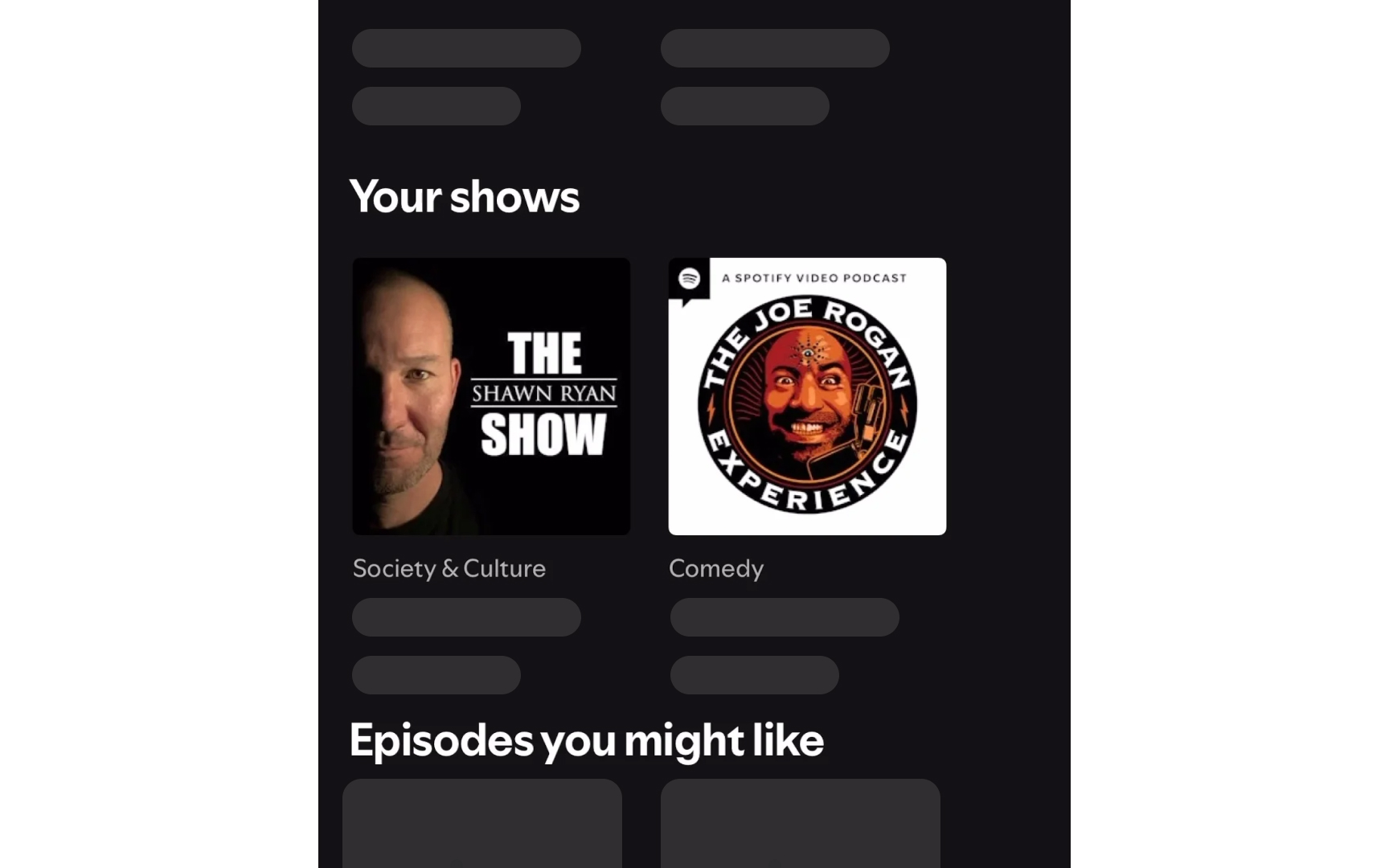
Personalization in AI products means the system adjusts what it shows to different users based on what it has learned about their behavior, preferences, and context. This is different from rule-based personalization, where a team manually defines segments and assigns experiences to each one. AI-powered personalization learns those patterns from data and updates them continuously, without anyone rewriting the logic each time.
In practice, this shows up everywhere: a music app that learns which genres users skip, a news feed that surfaces topics users engage with most, a productivity tool that reorders features based on which ones get used. Each of these is a personalization system making decisions about what to show, in what order, and when. The "AI" part means those decisions are driven by learned patterns rather than manually defined rules.
For product teams, the key implication is that AI personalization is not a feature that gets configured once. It is a system that evolves, and that evolution can produce outcomes the team did not explicitly design.[1]
Pro Tip! A PM can define rules for segments once and walk away. AI personalization keeps changing what it shows without anyone touching the configuration.
Adaptive interface
An adaptive interface is a UI that changes its layout, content, or functionality based on what the system has learned about how users interact with it. Unlike a static interface, which looks the same for everyone, or a responsive interface, which adjusts to screen size, an adaptive interface responds to behavioral signals: what users click, skip, complete, or ignore. The adjustments happen automatically, driven by the underlying AI or personalization logic.
Examples are common in product work. A dashboard that surfaces the 3 most-used reports at the top for each person is adapting to usage patterns. An app that hides rarely accessed settings for users who never visit them is adapting to behavior. A writing tool that adjusts its suggested templates based on the type of documents users have created before is doing the same thing at a content level. In each case, the interface is not just displaying data: it is making decisions about what to emphasize based on what it has learned.[2]
Pro Tip! Responsive design answers the question "what device?" Adaptive design answers the question "what does this person actually use?"
Recommendation system
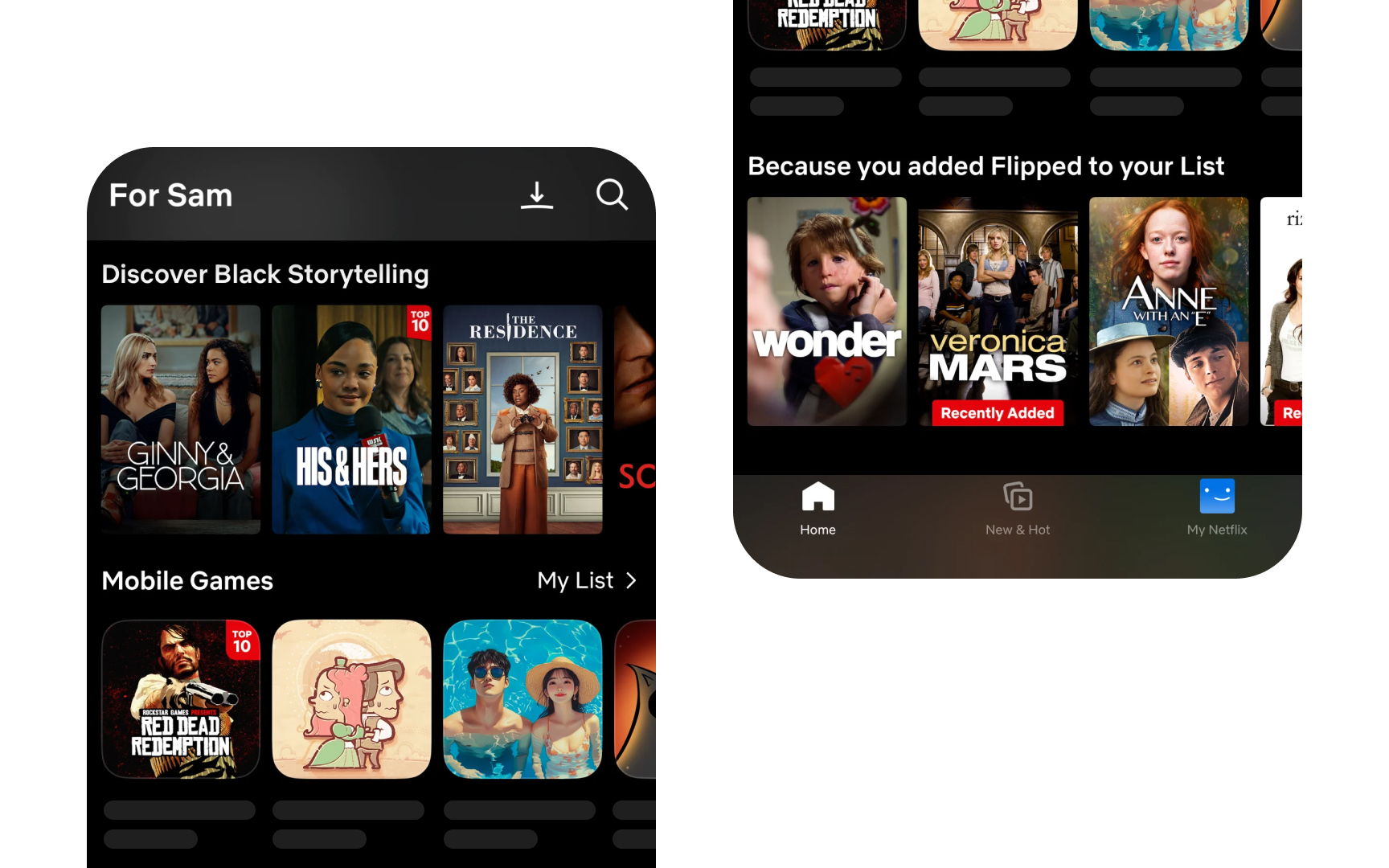
A recommendation system is a type of AI that surfaces items users are likely to find relevant, based on patterns in their past behavior or in the behavior of similar users. It is one of the most common AI features in consumer products. Streaming services use it to suggest shows. E-commerce platforms use it to surface products. News apps use it to prioritize stories. Social platforms use it to decide what appears in a feed. In each case, the system is making predictions about relevance and presenting results ranked by those predictions.
The inputs to a recommendation system vary by approach, but typically include behavioral signals: what users have played, purchased, rated, clicked, or spent time on. The system identifies patterns in those signals and uses them to predict what users are likely to engage with next. The stronger the signal, the more confident the prediction, which is why recommendation systems tend to work better for users with longer history and struggle with new users who have provided little data.
For product teams, the important thing to understand about recommendation systems is what they optimize for. Most are trained to maximize engagement, meaning clicks, views, or time spent. That objective can produce recommendations that feel accurate in the short term but narrow over time, showing users more of what they have already engaged with rather than expanding what they might find valuable. A PM defining the requirements for a recommendation feature needs to specify not just what it recommends, but what outcome it is being asked to optimize.[3]
Pro Tip! A recommendation system optimized for clicks will surface clickable content, not necessarily useful content. The objective function is a design decision.
Content-based filtering
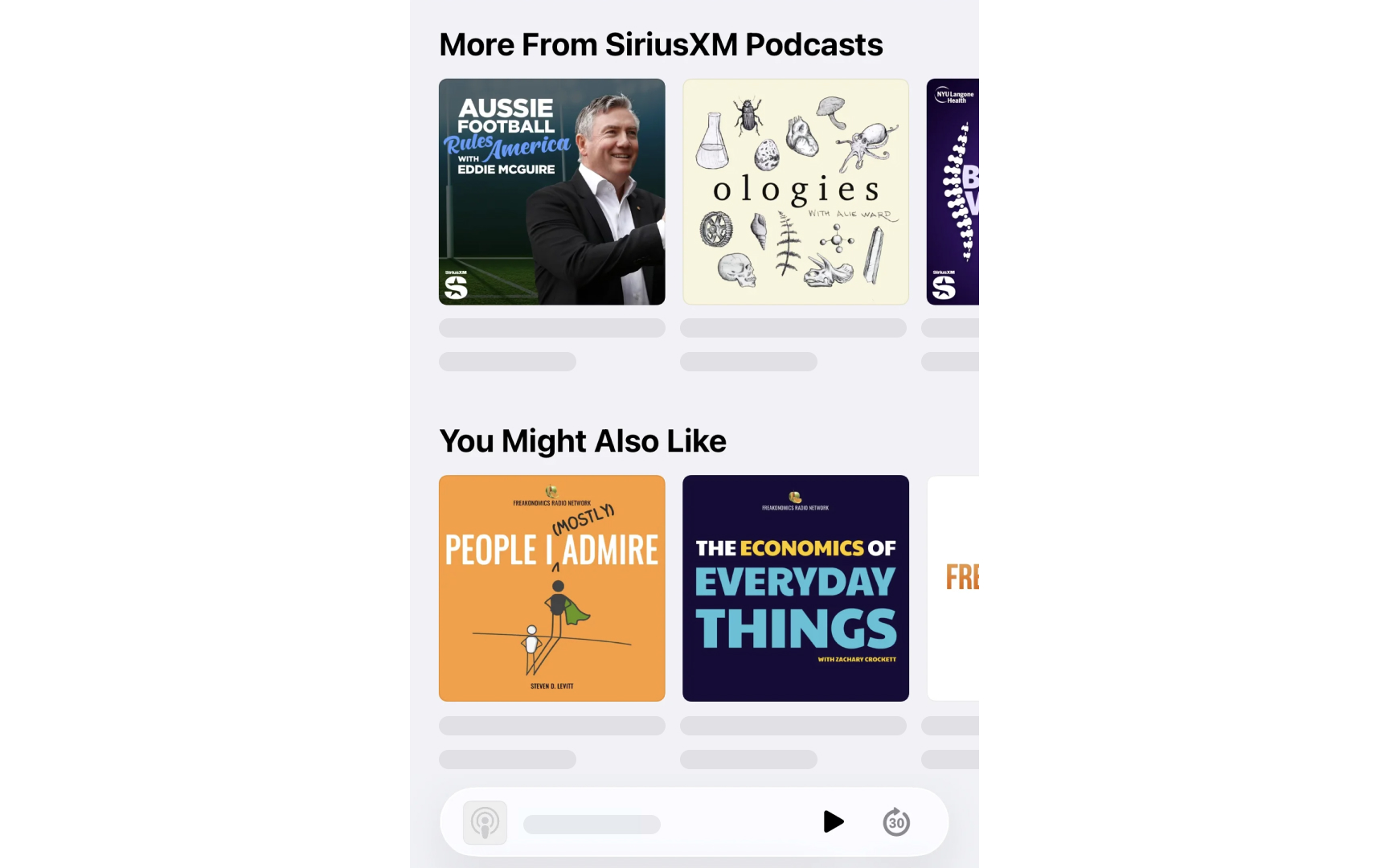
Content-based filtering is a recommendation approach that analyzes the attributes of items users have engaged with and uses those attributes to find similar items. Instead of comparing users to each other, it compares items to items. If users have listened to podcasts about science and technology, a content-based system identifies the features of those episodes, their topics, format, length, or language, and surfaces other episodes that share those features.
This makes content-based filtering particularly useful in situations where there is limited data about other users, or where the product serves users with highly individual preferences that don't cluster well. A new user who has only rated 3 books can still receive recommendations based on the genres, authors, and themes of those 3 books, even if no other users have read the exact same combination. The system needs to know about the content itself, not about how other users have behaved.
The limitation is that content-based filtering tends to keep users within a narrow range of what they have already shown interest in. It recommends more of the same rather than introducing them to something genuinely different. For product teams, this means content-based filtering works well for relevance but can create a kind of preference tunnel. A PM designing a recommendation feature needs to consider whether the goal is to surface more of what users already like or to expand what they might discover, because those goals call for different approaches or a combination of both.[4]
Pro Tip! Content-based filtering knows what items are but knows nothing about other users. Collaborative filtering knows nothing about items but knows a lot about shared taste.
User model in AI personalization
A user model is the internal representation that an AI system builds and maintains for each person who uses the product. It captures signals about that person's behavior, preferences, and context, such as what they engage with, what they skip, how long they spend on certain content, and at what times they are most active. The system uses this representation to make decisions about what to show, rank, or recommend. Every interaction updates it.
User models are not profiles that users fill out. They are inferred representations built from behavioral signals over time. When a news app starts surfacing fewer sports stories after users consistently scroll past them, it is updating its model of those users based on what their behavior implies about their preferences. The model does not ask. It observes and adjusts.
For designers, understanding user models matters because they are what personalization is actually built on. When designers ask, "How does the system know what to show?" the answer is the user model. When the system shows something clearly wrong for a particular person, the cause is usually a poor or incomplete model, not a broken algorithm. PMs working on personalization features need to think about what signals will be used to build and update user models, what happens when those signals are misleading, and whether users should have any visibility into or control over what the system has inferred about them.[5]
Pro Tip! Users cannot see their own user model. But they experience it every time the product makes an assumption about what they want.
Feedback loop in AI personalization
A feedback loop in AI personalization is the cycle where a system uses behavioral signals to make recommendations, users engage with those recommendations, and the system uses that new engagement to reinforce the original signal. The more users engage with a certain type of content, the more of it the system surfaces. The more it surfaces, the more they engage. Over time, this cycle narrows the range of what users are shown and can make the recommendations feel increasingly repetitive.
This happens because personalization systems typically optimize for engagement, and engagement with the content they have already surfaced is the strongest signal they have. The system is not trying to create a narrow experience. It is following the logic of its own objective: surface what this person is most likely to engage with, which increasingly means more of what they have already engaged with.
For product teams, feedback loops are one of the most important consequences of AI personalization to design around. A recommendation feature that is technically performing well by its own metrics can still be creating a poor experience for users by limiting what they encounter. Designers and PMs working on personalization features need to decide whether the system should introduce mechanisms to counter feedback loops, such as intentional variety, periodic resets, or signals that measure satisfaction rather than just a product choice.[6]
Pro Tip! A feedback loop is not a bug. It is the system working exactly as designed. Changing the outcome means changing what the system is designed to optimize for.
Cold start problem
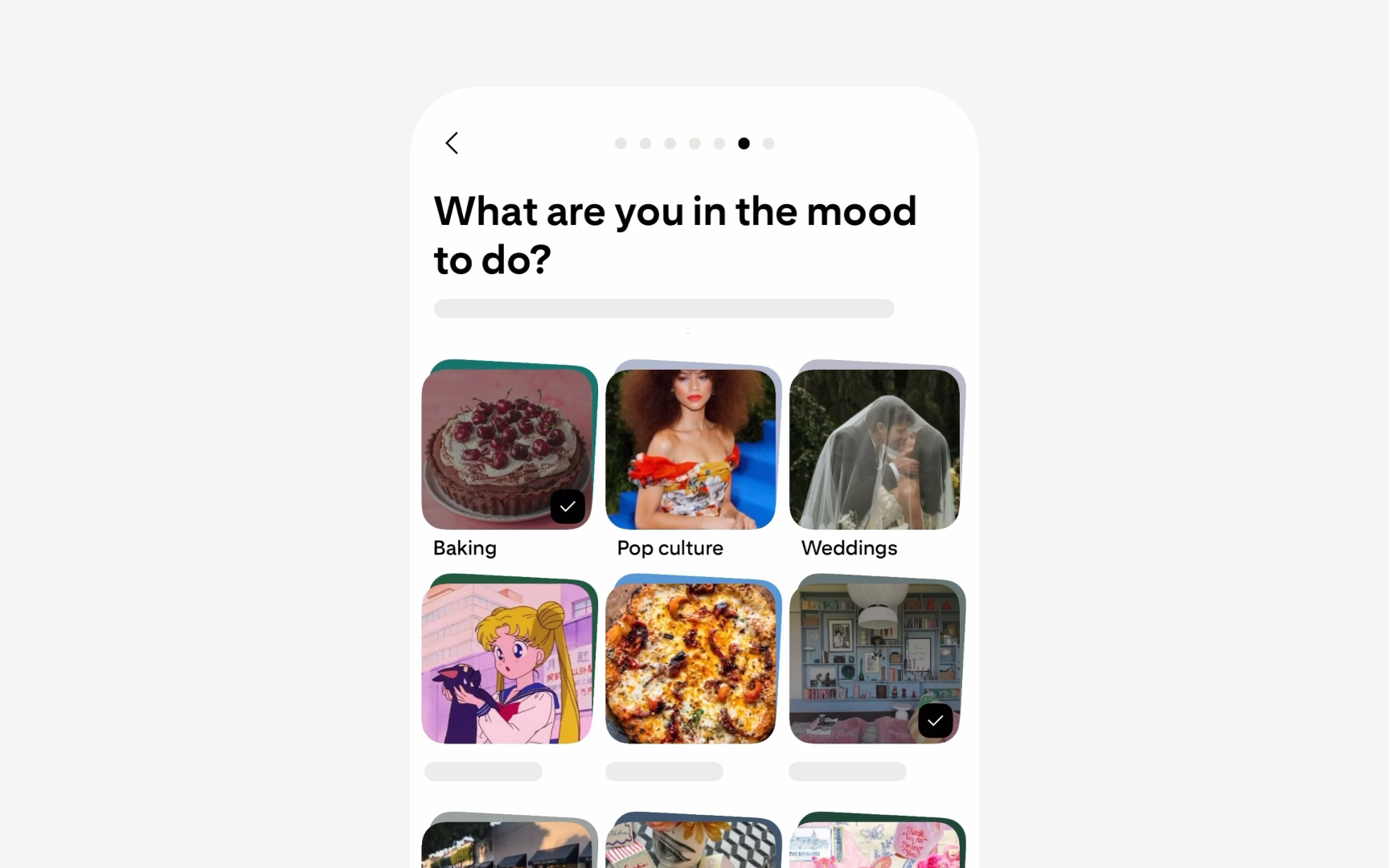
The cold start problem is the challenge that personalization systems face when they have little or no behavioral data about a user or item. Recommendation systems depend on signals, such as what users have played, purchased, rated, or skipped, to make predictions. When those signals do not exist yet, the system cannot make meaningful predictions. New users get generic recommendations, often based on what is popular overall, because there is nothing specific to them yet for the system to work with.
The problem appears in 3 common forms:
- New users who have no history in the system.
- New items, which have not been rated or engaged with by anyone, so the system cannot identify which users would like them.
- New products, where the entire user base is new, and no behavioral data exists at all.
Each form requires a different mitigation strategy, from onboarding flows that collect explicit preferences early, to editorial curation of new items, to using data from similar products or users in related contexts.
For product teams, the cold start problem is most visible in onboarding. When new users report that a product's recommendations feel irrelevant or generic, that is often the cold start problem in practice. Designers working on onboarding flows can address this by designing a lightweight preference collection that gives the system early signals to work with. PMs can address it by defining what the fallback experience looks like and how quickly the system should shift from generic to personalized as users build up history.[7]
Pro Tip! The cold start problem is why onboarding questions like "pick 3 topics you care about" exist. They are not UX preferences. They are the first data points the system needs to work.
Topics
References
- 6 Tips for Successful Personalization | Nielsen Norman Group
- User Interface Design Adaptation | IxDF - Interaction Design Foundation
- Recommendations: what and why? | Machine Learning | Google for Developers | Google for Developers
- Content-based filtering | Machine Learning | Google for Developers | Google for Developers
- Customization vs. Personalization in the User Experience | Nielsen Norman Group
- Can Users Control and Understand a UI Driven by Machine Learning? | Nielsen Norman Group
- Cold start (recommender systems) - Wikipedia