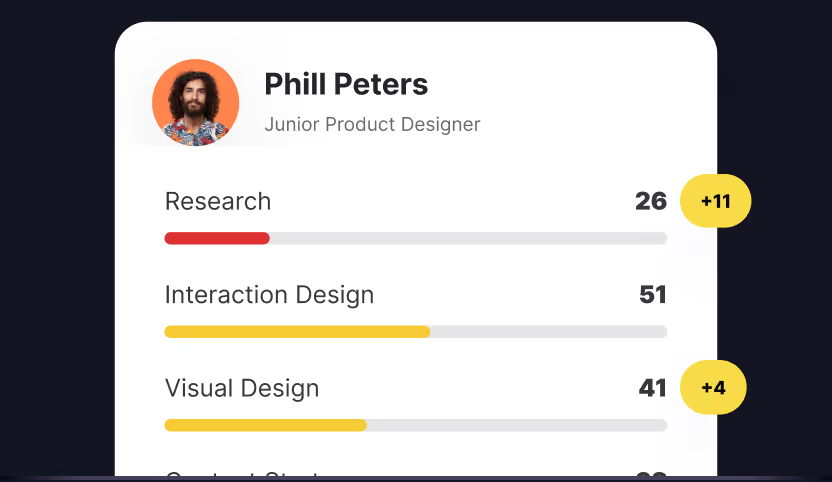
Your portfolio got you the interview. But once you’re in the room, hiring managers want to know what else you bring beyond the pixels. Can you run a usability test? Do you understand why the business needs this feature shipped by Q2? Will engineers actually enjoy working with you, or will they dread your handoffs?

The design industry has shifted dramatically. 5 years ago, visual craft was enough to land senior roles. Now, with AI generating UI mockups in seconds and design systems handling component consistency, the skills that make designers valuable have evolved. You need depth in your craft, yes. But you also need research chops, collaboration skills, business acumen, and increasingly, fluency with AI tools. In today’s tech industry, soft skills, especially strong communication skills, are more important than ever for product designers, enabling effective teamwork, stakeholder engagement, and adaptability in a fast-paced environment.

This guide covers 40 essential skills across 6 categories, with honest guidance on how to develop each one.

What you'll learn from this article

  • Core craft skills that form your design foundation
  • Research skills that inform better design decisions
  • Collaboration skills that multiply your impact
  • Business skills that get you promoted
  • Technical skills that make implementation smoother
  • Project management skills for coordinating multidisciplinary teams and ensuring successful product delivery
  • AI skills that are reshaping the profession
  • Continuous learning to stay current with evolving trends, tools, and methodologies in product design

Skills by seniority: where should you focus?

Skill category Junior focus Mid-level focus Senior focus
Core craft (8) Visual design, Typography, Layout, Color Interaction patterns, Motion design Design systems, Strategic craft decisions
Research & strategy (7) Usability testing, User flows Research methods, Journey mapping Research synthesis, UX strategy
Collaboration (7) Presenting work, Taking feedback Cross-functional partnerships Stakeholder management, Mentoring
Business & product (7) Basic metrics awareness Product thinking, Prioritization Business impact, Strategic positioning
Technical & tools (7) Figma proficiency, Prototyping Responsive design, Accessibility Design systems code, Developer workflow
AI (4) Using AI tools effectively Prompt engineering AI strategy, Responsible AI

Note: UI design skills, UX design skills, and soft skills such as empathy, active listening, problem solving, and self-management are foundational for product designers at every level. These abilities are critical for creating effective, user-friendly interfaces, collaborating with teams, and advancing in your career. Developing and strengthening these skills should be a continuous focus, supported by ongoing learning and practical application.

Core craft skills that define your foundation
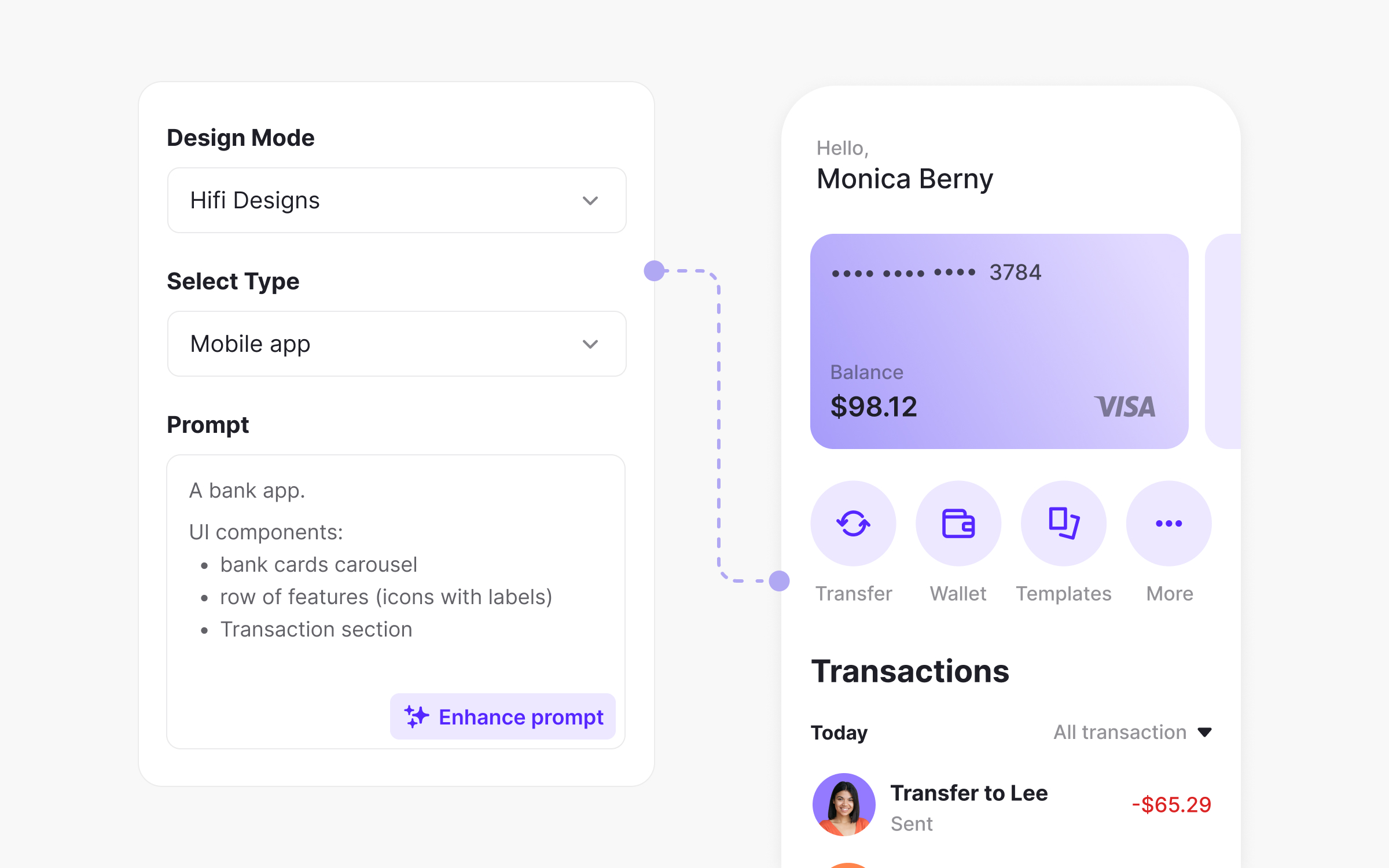
Figma's AI design tool generating a mobile banking app screen from a text prompt.
AI-powered design tools can generate high-fidelity mobile screens from text prompts

What separates a junior designer from a senior one? It’s rarely just visual polish. Creativity is a fundamental skill that sets great product designers apart, enabling them to develop innovative ideas, interpret client input, and improve products. Senior designers make intentional decisions, understand trade-offs, and build systems rather than screens. These 8 skills form the bedrock of design craft.

Visual design and composition

This is where everything starts. Understanding how to arrange elements on a page so they communicate hierarchy, guide attention, and create visual harmony. Visual hierarchy helps structure and prioritize content, guiding users' attention and improving usability by organizing onscreen elements effectively. Visual elements are the building blocks of effective visual design, contributing to both aesthetics and user experience. It sounds basic, but most designers plateau here without realizing it.

Great visual designers don’t just make things look good. They make things look right for the context. A fintech app needs different visual treatment than a gaming platform, and that understanding comes from studying composition principles deeply.

Why this skill matters: Visual design is the first thing people notice about your work. Weak composition undermines everything else, no matter how solid your research or thinking. Strong visual skills also speed up your workflow because you spend less time second-guessing decisions.

How to build it: Study design principles obsessively. Analyze interfaces you admire and break down why they work. Practice recreating existing designs to understand the decisions behind them. The Design Foundations course on Uxcel covers compositional principles you can apply immediately.

Typography

Type is design. The fonts you choose, how you size them, the spacing between lines and letters, and how you create typographic hierarchy shapes the entire user experience. Most designers know typography basics but few have true mastery.

Poor typography makes interfaces feel cheap or confusing, even when everything else is polished. Great typography is invisible. Users don't notice it because it just works.

Why this skill matters: Typography accounts for roughly 95% of web design. If you can't set type well, you can't design well. It's that foundational.

How to build it: Read "Thinking with Type" by Ellen Lupton. Practice setting long-form text, not just headlines. Pay attention to how type scales across breakpoints. Learn the difference between typefaces designed for screens versus print. The Typography Basics course on Uxcel covers essential typographic principles.

Color theory and application

Color isn't just aesthetic. It communicates meaning, creates mood, ensures accessibility, and guides user attention. Understanding color theory means knowing why certain combinations work, how to maintain contrast ratios, and when to break the rules intentionally.

The gap between designers who "have a good eye for color" and those who understand color systematically is enormous. Systematic knowledge lets you solve problems faster and explain your decisions to stakeholders.

Why this skill matters: Color mistakes tank accessibility, create visual noise, and confuse brand expression. Color done well creates cohesive experiences that feel intentional.

How to build it: Study color systems in major design systems like Material or Apple's HIG. Learn WCAG contrast requirements cold. Practice creating color palettes from constraints rather than inspiration alone. The Color Psychology for Designers course on Uxcel covers both theory and practical application.

Layout and grid systems

Grids create order. They help users scan content, maintain consistency across screens, and make responsive design manageable. Understanding grid systems means knowing when to use 12-column versus 8-column layouts, how to handle edge cases, and when breaking the grid serves the design.

Many designers use grids mechanically without understanding why. That leads to rigid designs that work on desktop but fall apart on mobile, or layouts that technically follow a grid but still feel awkward.

Why this skill matters: Layout skills directly impact how efficiently you work and how well your designs adapt across devices. Strong layout thinking also makes collaboration with developers smoother.

How to build it: Study how grid systems evolved from print to digital. Practice designing the same content for multiple breakpoints. Learn CSS Grid and Flexbox concepts even if you don't write code, so you understand implementation constraints.

Iconography and illustration

Icons communicate meaning quickly when done well. When done poorly, they confuse users and add visual noise. Understanding iconography means knowing when to use icons versus text, how to maintain consistency across an icon set, and how to ensure icons are recognizable.

Illustration skills are increasingly valuable as brands differentiate through visual storytelling. You don't need to be a professional illustrator, but understanding illustration principles helps you direct illustrators and make better visual decisions.

Why this skill matters: Icons and illustrations humanize interfaces and speed up comprehension. Poor icon choices slow users down and make products feel generic.

How to build it: Study icon systems from Phosphor, Feather, and Material. Practice drawing simple icons by hand to understand construction. Learn the difference between outline, filled, and duotone styles and when each works best.

Interaction design patterns

Knowing standard interaction patterns saves time and reduces user confusion. How should a dropdown behave? What’s the expected swipe gesture on mobile? When should you use a modal versus a drawer? Pattern literacy means you don’t reinvent the wheel unnecessarily. Equally important is understanding how interactive elements, such as buttons, transitions, and other interactive components, contribute to creating engaging and functional user experiences.

But pattern literacy also means knowing when to break patterns. Sometimes standard solutions don’t fit the problem, and understanding patterns deeply helps you deviate intentionally rather than accidentally.

Why this skill matters: Users bring expectations from every other app they’ve used. Meeting those expectations reduces cognitive load. Breaking them without good reason creates friction.

How to build it: Browse pattern libraries like Mobbin and UI Patterns regularly. When you encounter a new interaction in the wild, analyze how it works. The Core UI Components & Patterns course and Common UX/UI Design Patterns & Flows on Uxcel cover essential patterns in depth.

Motion design and micro-interactions

Motion communicates relationships, provides feedback, and creates personality. A button that subtly depresses on tap feels more satisfying than one that changes instantly. A page transition that slides naturally helps users understand spatial relationships.

Motion is also one of the most neglected skills among product designers. Many treat it as polish to add at the end rather than a fundamental design tool.

Why this skill matters: Motion reduces cognitive load by showing rather than telling. It also differentiates products. In a world of similar interfaces, thoughtful motion creates memorable experiences.

How to build it: Learn motion principles from animation, not just UI. Study Disney's 12 principles. Practice prototyping interactions in Figma or Principle. Pay attention to motion in apps you love and analyze the timing curves.

Design systems thinking

Design systems are how modern products scale. Understanding systems thinking means knowing how to create components that flex across contexts, how to document decisions so others can use them, and how to evolve systems without breaking existing implementations.

This skill matters even if you're not on a dedicated design systems team. Every designer contributes to and consumes design systems. Understanding them makes you more effective in either role.

Why this skill matters: Systems thinking is the difference between designing screens and designing products. It's also increasingly what separates senior roles from mid-level ones.

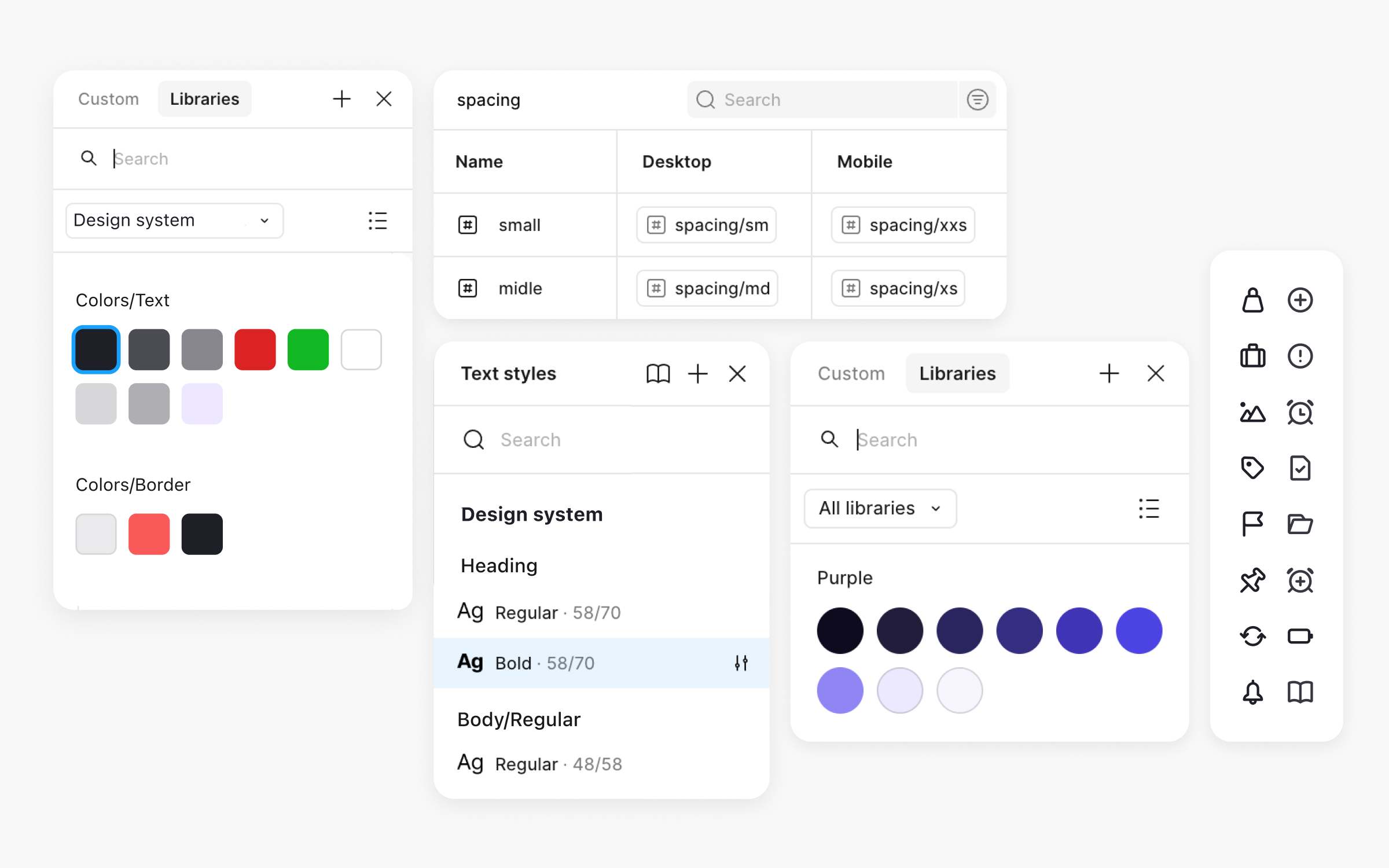
How to build it: Study public design systems from Shopify Polaris, Atlassian, and others. Contribute to your team's system rather than just consuming it. Think about how every component you design might be reused. Explore Uxcel's Introduction to Design Systems course for structured learning on building and maintaining systems.

Research and strategy skills that inform better decisions

Illustration of a person thinking surrounded by research and strategy skills like user research methods, usability testing, information architecture, and UX strategy.Illustration of a person thinking surrounded by research and strategy skills like user research methods, usability testing, information architecture, and UX strategy.
Research and strategy skills help product designers make informed decisions grounded in user needs and business goals.

Pretty designs that don’t solve real problems are just decoration. Research skills turn you from a pixel-pusher into someone who shapes product direction. Conducting user research is essential for identifying user pain points, understanding user expectations, and gathering user feedback through user testing, all of which inform better design decisions. These 7 skills help you understand users, structure information, and make informed decisions.

User research methods

Knowing when to run interviews versus surveys versus usability tests is fundamental. Each method answers different questions, and using the wrong method wastes time while producing misleading data. Conducting user research is essential for uncovering user pain points and informing design decisions, ensuring that solutions are tailored to real user challenges.

Research literacy also means understanding sampling, bias, and how to synthesize findings. It’s not enough to talk to users. You need to extract actionable insights from those conversations.

Why this skill matters: Research grounds design decisions in reality. Without it, you’re designing based on assumptions that may be wrong. With it, you build confidence that your solutions address real problems.

How to build it: Start by conducting research, even informal studies. Practice writing discussion guides that don’t lead participants. Learn to identify your own biases. The UX Research course on Uxcel covers methods and best practices comprehensively.

Usability testing

Watching real users interact with your designs reveals problems you’d never spot otherwise. User testing is essential for gathering user feedback, allowing you to validate usability and identify areas for improvement based on real user interactions. Usability testing is one of the highest-ROI activities a designer can do, yet many skip it because it feels time-consuming or intimidating.

Effective usability testing doesn’t require fancy labs. 5 users and screen recording software catch most major issues. The skill is knowing how to run sessions without biasing results and synthesizing findings into actionable changes.

Why this skill matters: Testing catches problems when they’re cheap to fix. Shipping without testing means learning from angry users instead of research participants.

How to build it: Run tests regularly, even quick informal ones. Practice writing tasks that don’t give away answers. Record sessions and rewatch them to improve your facilitation.

Information architecture

IA is how content is organized and labeled. Good IA helps users find what they need. Bad IA leads to frustrated searching, abandoned tasks, and support tickets.

Understanding IA means knowing how to structure navigation, when to use flat versus deep hierarchies, and how to label things in user-centric language rather than internal jargon.

Why this skill matters: You can have beautiful UI and still fail users if they can't find anything. IA is invisible when done well and painfully obvious when done poorly.

How to build it: Practice card sorting exercises. Audit existing products for IA problems. Study how successful apps organize complex information. The Information Architecture course on Uxcel covers practical IA techniques.

User flows and journey mapping

Flows document how users move through your product to complete tasks. Journeys zoom out to show the entire experience across touchpoints, including moments outside your product.

These tools reveal friction, gaps, and opportunities. Mapping user flows and journeys helps ensure the product meets user expectations at every touchpoint, aligning the experience with what users anticipate and need. Creating them forces you to think systematically about the experience rather than focusing on individual screens.

Why this skill matters: Products exist within larger contexts. Understanding the full journey helps you identify high-impact improvements and avoid optimizing isolated moments that don’t matter.

How to build it: Map the flows for your product’s core tasks. Create a journey map for one user persona. Involve stakeholders in the process to surface insights. The Customer Journey Mapping course on Uxcel provides frameworks and templates.

Competitive analysis

Understanding what competitors do well and poorly informs your design decisions. Analyzing market demands and staying updated on the latest industry trends are essential for effective competitive analysis, as they help ensure your product design aligns with consumer needs and current best practices. Competitive analysis isn’t about copying. It’s about understanding the landscape, identifying opportunities to differentiate, and learning from others’ mistakes.

Many designers skip this step, which leads to reinventing wheels or missing obvious improvements that users already expect from other products.

Why this skill matters: Users compare your product to everything else they use. Knowing the competitive context helps you meet expectations and find opportunities to exceed them.

How to build it: Regularly use competitor products as a user, not just a designer. Document patterns across competitors. Identify where the market is converging versus where differentiation opportunities exist.

Research synthesis and insight generation

Raw research data isn't useful until it's synthesized into insights. This skill involves identifying patterns across studies, connecting findings to business opportunities, and communicating insights in ways that drive action.

Synthesis is where research becomes valuable. Without it, you have interesting observations that never influence decisions.

Why this skill matters: Stakeholders don't have time to read research reports. Distilling findings into clear insights that connect to business goals gets research used.

How to build it: Practice affinity mapping research findings. Write insight statements that include the "so what" implication. Present research in terms of opportunities rather than just observations.

UX strategy

Strategy connects user needs to business goals. Aligning design work with business objectives and business strategy is essential for effective UX strategy, ensuring that design decisions support both user value and the broader organizational vision. It involves defining the experience vision, prioritizing where to invest design effort, and ensuring design work ladders up to meaningful outcomes.

Strategic thinking separates senior designers from those who only execute on what they’re given. It’s how you move from designing features to shaping products.

Why this skill matters: Without strategy, you’re just decorating whatever gets thrown at you. With strategy, you influence what gets built and why.

How to build it: Study how successful products evolved their experience over time. Practice writing strategy documents that connect user problems to business opportunities. Learn frameworks like jobs-to-be-done. The User Psychology course on Uxcel covers psychological principles that inform strategic decisions.

Collaboration skills that multiply your impact

Seven collaboration skills for product designers including presenting, giving critique, cross-functional collaboration, written communication, facilitation, stakeholder management, and mentoring.
Strong collaboration skills help product designers work effectively across teams and communicate design decisions clearly.

Your Figma file doesn’t walk into meetings and defend itself. Your ability to communicate, collaborate, and influence determines whether your designs ship or die in review. Strong collaboration and communication skills are essential for working with other designers and cross-functional teams, ensuring everyone stays on the same page throughout the design process. These 7 skills amplify everything else you do.

Presenting and storytelling

Every design review is a presentation. Every stakeholder meeting requires selling your ideas. Designers who present well get their work implemented. Strong communication skills are essential for effectively presenting and advocating for your design solutions. Designers who mumble through Figma files see their work watered down.

Storytelling means framing designs in terms of user problems and business outcomes, not just aesthetic choices. It means anticipating objections and addressing them proactively.

Why this skill matters: The best design solution loses to a worse one if it’s presented poorly. Presentation skills directly impact how much of your vision survives to production.

How to build it: Practice presenting to yourself before presenting to others. Record your presentations and watch them back. Structure your narrative around problems, solutions, and outcomes rather than walking through screens sequentially.

Giving and receiving critique

Design is iterative, and critique is how designs improve. Giving useful feedback means being specific, focusing on goals rather than preferences, and suggesting directions rather than just identifying problems.

Receiving feedback gracefully is equally important. Getting defensive shuts down collaboration. Treating feedback as data helps you improve.

Why this skill matters: Good critique culture makes entire teams better. Designers who can't take feedback plateau. Designers who can't give it become bottlenecks.

How to build it: Practice structuring feedback with "I noticed... I wonder... What if..." frameworks. When receiving feedback, ask clarifying questions instead of defending. The Design Thinking course on Uxcel covers critique methods.

Cross-functional collaboration

Design happens with engineering, product, research, content, and other functions. Building strong relationships across disciplines means your work improves and implementation goes smoother. Collaborating closely with the development team and project managers is essential to ensure smooth product delivery and effective communication throughout the process.

Good collaborators understand what other disciplines care about. They communicate in language that resonates. They build trust by following through on commitments.

Why this skill matters: Isolated designers produce work that doesn’t ship well. Collaborative designers build better products because they incorporate perspectives beyond their own.

How to build it: Spend time understanding what engineers care about. Invite cross-functional partners into your process early. Ask questions about constraints before presenting solutions. The Cross-Functional Teams course on Uxcel covers collaboration strategies across disciplines.

Written communication

Documentation, specs, Slack messages, emails. Designers write constantly, and clear writing makes everything run smoother. Poor writing creates confusion, delays, and frustration.

Good design documentation explains decisions, not just outcomes. It anticipates questions and provides context that helps others work with your designs.

Why this skill matters: Not everyone can attend your meetings or watch your presentations. Written communication scales your influence and creates lasting records of decisions.

How to build it: Write more deliberately. Edit ruthlessly. Get feedback on your documentation from the people who use it. Study how well-structured design systems document decisions.

Facilitation and workshopping

Workshops align teams, generate ideas, and build consensus. Facilitation skills also help gather feedback from diverse stakeholders during the design process, ensuring that different perspectives are considered and integrated. Facilitating well means creating structures that draw out contributions, managing time effectively, and synthesizing outcomes.

Design sprints, ideation sessions, and stakeholder workshops all require facilitation skills. They’re how you collaborate at scale.

Why this skill matters: Workshops let you tap into collective intelligence and build buy-in simultaneously. Good facilitation turns scattered meetings into productive sessions.

How to build it: Start by facilitating small sessions and build up. Study workshop formats from IDEO and others. Practice creating activities with clear instructions. The Workshop Facilitation course on Uxcel covers facilitation techniques.

Stakeholder management

Stakeholders have opinions, constraints, and goals that affect your work. Managing them means understanding their concerns, keeping them informed appropriately, and navigating disagreements productively.

Poor stakeholder management leads to late-stage reversals, death by committee, and frustrated relationships. Good stakeholder management creates space for you to do your best work.

Why this skill matters: Senior roles require navigating complex organizational dynamics. Stakeholder management is how you get big things done.

How to build it: Map your stakeholders and their concerns before projects start. Communicate proactively rather than waiting to be asked. Build relationships outside of project contexts.

Mentoring and developing others

As you grow, developing others becomes part of your job. Mentoring helps your team, builds your leadership reputation, and forces you to articulate what you know.

Good mentorship isn't just giving answers. It's helping others find their own answers and develop their own judgment.

Why this skill matters: Senior designers multiply their impact through others. Mentoring also accelerates your own learning because teaching clarifies thinking.

How to build it: Volunteer to mentor someone more junior. Practice asking questions that guide rather than prescribing solutions. Give feedback that helps people grow, not just feedback that fixes immediate problems. The Mentorship course by ADPList on Uxcel provides frameworks for effective mentoring relationships.

Business and product skills that get you promoted

alue versus complexity quadrant chart with features plotted across four quadrants, highlighting high-value, low-complexity features as ideal.
The value versus complexity quadrant helps product designers prioritize features that deliver high business value with low effort.

Most designers avoid spreadsheets like the plague. That’s a mistake. The designers who get promoted fastest aren’t always the most talented visually. They’re the ones who understand how design connects to business outcomes. These 7 skills bridge that gap. Mastering these business and product skills is essential for excelling in the product designer role, collaborating effectively with product managers, and standing out to potential employers.

Product thinking

Product thinking means understanding not just what to design but why it matters. It's about connecting features to user outcomes and business goals, prioritizing ruthlessly, and thinking in systems rather than screens.

Designers with product thinking contribute to strategy conversations, not just execution. They challenge requirements when they don't make sense and propose alternatives that better serve users and the business.

Why this skill matters: Product thinking is the skill most correlated with senior roles. It's how you graduate from taking orders to shaping direction.

How to build it: Ask "why" more often. Understand your product's key metrics and how design decisions affect them. Study product frameworks like jobs-to-be-done and opportunity-solution trees. The Product Management for Designers course on Uxcel covers product thinking from a designer's perspective.

Understanding business models

How does your company make money? How does your product contribute to that? Understanding business models helps you make design decisions that support commercial viability, not just user delight.

Designers who understand business models can evaluate trade-offs intelligently. They know when to push back on monetization pressure and when to find creative solutions that serve both users and revenue.

Why this skill matters: Design exists within business contexts. Ignoring business reality leads to beautiful products that fail commercially.

How to build it: Study your company's business model. Learn about different monetization strategies. Talk to people in sales and finance about what drives the business.

Metrics and analytics literacy

Understanding metrics means knowing what to measure, how to interpret data, and how to use insights to improve designs. Tracking project progress through analytics tools helps ensure timely and effective product development by allowing you to monitor milestones, identify bottlenecks, and adjust workflows as needed. You don’t need to be a data scientist, but you should be comfortable with analytics tools and basic statistical thinking.

Metrics also help you make the case for design work. Showing impact in numbers that stakeholders care about builds credibility and earns trust.

Why this skill matters: Data informs better decisions and proves design value. Designers who can’t engage with metrics are excluded from important conversations.

How to build it: Spend time in your product’s analytics tools. Learn what the key metrics mean and how they’re calculated. Connect your design work to measurable outcomes. The Product Analytics course on Uxcel covers analytics from a design perspective.

Prioritization frameworks

You can't design everything. Prioritization means deciding what to work on, in what order, based on impact and feasibility. Understanding frameworks like RICE, ICE, or impact/effort matrices helps you contribute to prioritization discussions.

Good prioritization also means knowing when to push back on low-value requests and how to advocate for work that matters.

Why this skill matters: Designers who prioritize well focus their energy on high-impact work. Those who don't spread themselves thin on things that don't matter.

How to build it: Learn common prioritization frameworks. Practice evaluating your own task list with structured criteria. Participate in roadmap planning discussions.

Market and competitive awareness

Understanding your market means knowing customer segments, competitive dynamics, and industry trends. This context informs design decisions and helps you anticipate where the product needs to evolve.

Designers with market awareness contribute more strategically because they understand the bigger picture.

Why this skill matters: Products exist in markets. Ignoring competitive context leads to designing in a vacuum.

How to build it: Follow industry news and trends. Use competitor products regularly. Talk to sales and customer success about what they hear from customers.

Design ROI and impact measurement

Proving design value means connecting your work to outcomes the business cares about. This involves setting up measurements, tracking before and after states, and communicating results effectively.

Designers who can demonstrate ROI get more resources, more headcount, and more influence.

Why this skill matters: Design often struggles to justify investment. Measuring and communicating impact changes that dynamic.

How to build it: Define success metrics before starting projects. Track key metrics through launches. Build case studies that show design's contribution to business outcomes. The Reducing User Churn course on Uxcel covers retention-focused design with measurable outcomes.

Strategic positioning

This applies to positioning your work within the organization, positioning yourself for advancement, and positioning design as a strategic function. It's about visibility, narrative, and influence.

Strategic positioning isn't self-promotion. It's ensuring your work is understood and valued appropriately.

Why this skill matters: Great work that nobody knows about doesn't help your career or design's influence in your organization.

How to build it: Share your work and its impact proactively. Build relationships with leaders across the organization. Learn to communicate design value in terms that resonate with different audiences. The Service Design course and Product Development Lifecycle course on Uxcel cover strategic design thinking.

Technical skills that make implementation smoother
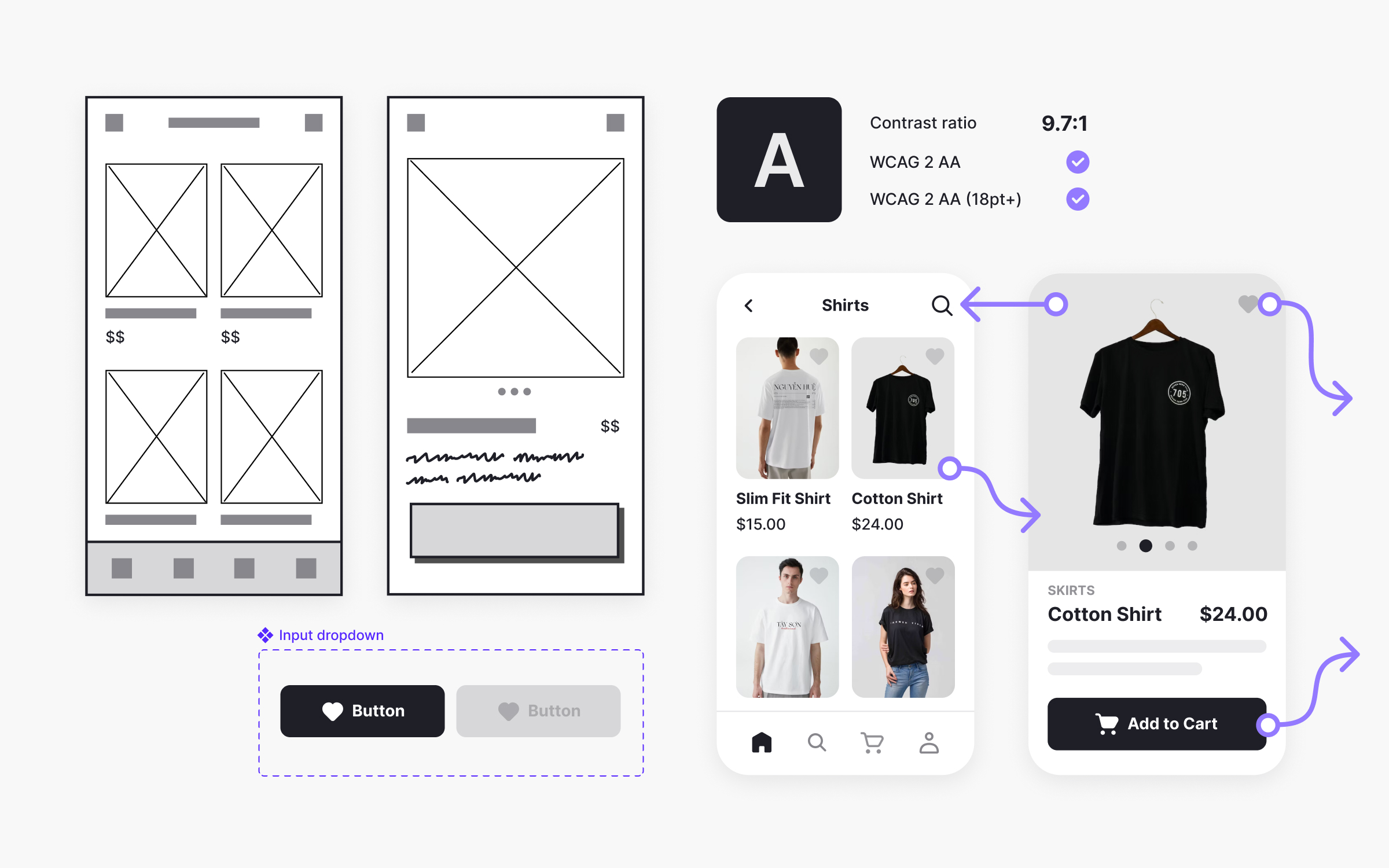
Technical skills span the full design process, from wireframing and prototyping to building accessible, production-ready interfaces.

Knowing Figma shortcuts isn’t a skill. Understanding how to build designs that engineers can actually implement is. These 7 skills bridge design and development, making you easier to work with and your designs more likely to ship as intended.

Having a basic understanding of UI development, user interface design, and using prototyping tools is essential for creating wireframes and interactive prototypes that effectively communicate your ideas and support collaboration with developers.

Design tool proficiency

You should be fast and fluid in your primary design tool, whether that’s Figma, Sketch, or something else. Proficiency also means mastering prototyping tools and creating wireframes, which are essential for visualizing layouts, user flows, and structure early in the design process. Knowing keyboard shortcuts, using features like auto-layout effectively, and building files that others can understand and use are all part of this skill set.

Tool proficiency is table stakes, but many designers plateau at basic competency.

Why this skill matters: Tool proficiency determines how fast you can explore ideas, iterate on feedback, and produce deliverables. Slow tool skills bottleneck everything.

How to build it: Learn keyboard shortcuts deliberately. Study how expert users structure their files. Challenge yourself to build something complex efficiently.

Prototyping

Prototypes communicate ideas that static mockups can’t. The range from paper sketches to fully interactive prototypes lets you test and communicate at appropriate fidelity levels.

Good prototypers know when low-fidelity serves the goal and when high-fidelity is worth the investment. High fidelity designs are essential for refining user experience and ensuring accurate developer handoffs.

Why this skill matters: Prototypes reduce misunderstanding and catch problems before development. They also sell ideas more effectively than static screens.

How to build it: Practice building prototypes at different fidelity levels. Learn when each level is appropriate. The Designing Wireframes course on Uxcel covers early-stage prototyping techniques.

Design systems building and maintenance

Contributing to design systems means creating components that work across contexts, documenting them clearly, and maintaining them over time. Even if you're not on a systems team, this skill makes you more effective.

Systems thinking at the implementation level means understanding tokens, variants, and how components compose.

Why this skill matters: Design systems are how modern products scale. Understanding them deeply makes you more valuable to any team.

How to build it: Study how major design systems are structured. Contribute to your team's system rather than just consuming it. Learn how components are implemented in code.

Basic HTML and CSS understanding

You don’t need to write production code. But understanding how the web works helps you design feasible solutions and communicate better with developers. Having a basic understanding of UI development enhances collaboration and ensures your designs are practical for implementation.

Knowing what’s easy versus hard in CSS changes how you approach problems.

This knowledge also helps you debug implementation issues and give clearer feedback on built designs.

Why this skill matters: Code literacy improves collaboration and reduces the gap between design and implementation.

How to build it: Take a basic web development course. Inspect live websites to understand how they’re built. Try implementing simple designs yourself. Uxcel’s HTML for Designers and CSS for Designers courses cover exactly what designers need to know without going overboard on developer-level details.

Developer handoff

Handoff is where designs become real. Clear communication with the development team during the handoff process is essential to ensure that design intent is understood and implemented correctly. Good handoffs include clear specs, documented interactions, edge cases, and responsive behavior. Poor handoffs create back-and-forth that slows everyone down.

The goal is handoffs that developers can work from independently, only asking questions about genuinely ambiguous situations.

Why this skill matters: Handoff quality directly affects how accurately designs are implemented and how smoothly development proceeds.

How to build it: Ask developers what they need from you. Improve your handoff process based on their feedback. Document interactions, states, and edge cases proactively.

Responsive and adaptive design

Products live on multiple devices. Designing responsively means thinking about how layouts adapt, what content priorities shift, and how interactions change across breakpoints.

This isn't just about shrinking designs. It's about providing appropriate experiences for each context.

Why this skill matters: Users expect products to work on their device. Responsive skills ensure you design for real usage contexts.

How to build it: Always design for multiple breakpoints. Study how successful products adapt across devices. Understand CSS media queries conceptually.

Accessibility implementation

Accessibility isn't just about compliance. It's about ensuring your designs work for everyone. This means understanding color contrast, focus states, screen reader behavior, and how to test for accessibility.

Many designers treat accessibility as a checklist at the end. Building it into your process from the start is more effective and efficient.

Why this skill matters: Accessible design is good design. It also expands your product's reach and reduces legal risk.

How to build it: Learn WCAG guidelines. Use accessibility checking tools regularly. Test with assistive technologies occasionally. The Design Accessibility course on Uxcel covers practical accessibility implementation.

AI skills that are reshaping design

AI design tool generating a mobile banking app screen from a text prompt.
AI-powered design tools can generate high-fidelity mobile screens from text prompts.

AI won’t replace designers. But designers who use AI effectively will replace those who don’t. Continuous learning is essential for product designers to keep up with advancements in AI and design technology. Here’s what you actually need to know as AI tools become embedded in design workflows.

AI-assisted design workflows

AI tools can generate UI options, create variations, produce content, and speed up production tasks. Knowing how to integrate these tools into your workflow makes you faster without sacrificing quality.

The key is knowing when AI helps versus when it's a distraction. Not every task benefits from AI assistance.

Why this skill matters: AI tools are becoming standard. Designers who can leverage them effectively multiply their output.

How to build it: Experiment with AI design tools deliberately. Find tasks where AI genuinely helps and tasks where it doesn't. Build AI assistance into your regular workflow. The AI in UX/UI Design course on Uxcel covers practical AI applications for designers.

Prompt engineering for design

Getting useful outputs from AI requires knowing how to write effective prompts. This applies to image generation, content creation, and AI features you might be designing. Clear, specific prompts produce better results.

Prompt engineering is becoming a design skill as AI becomes more central to the design process.

Why this skill matters: AI is only as good as the instructions it receives. Better prompts mean better outputs with less iteration.

How to build it: Practice writing prompts for different design tasks. Study prompt patterns that produce better results. Iterate on prompts systematically rather than randomly. Learn to craft precise AI prompts to accelerate your product design and development workflows with Uxcel’s AI Prompts Foundations course.

Evaluating and directing AI outputs

AI produces outputs that need evaluation. Can this generated UI actually work? Does this AI-written copy fit the brand? Is this suggestion technically feasible? Your judgment guides AI outputs toward useful results.

This skill combines domain expertise with critical evaluation. Critical thinking skills are essential for assessing and refining AI-generated design solutions, ensuring they align with user needs and project goals. AI proposes, you decide.

Why this skill matters: AI outputs require human judgment. The designer’s role increasingly involves directing AI rather than doing everything manually.

How to build it: Practice evaluating AI outputs critically. Develop criteria for what makes AI suggestions useful versus problematic. Learn to iterate with AI collaboratively.

Ethical AI and responsible design

AI systems can perpetuate bias, invade privacy, and cause unintended harm. Emotional intelligence helps designers create more human-centered and ethical AI solutions by fostering empathy and understanding of user emotions and perspectives. Understanding these risks helps you design AI features responsibly and push back on problematic implementations.

As AI becomes more prevalent in products, designers play a crucial role in ensuring it’s used ethically.

Why this skill matters: AI mistakes damage users and brands. Designers who understand AI ethics help organizations avoid harmful outcomes.

How to build it: Study AI ethics frameworks. Learn about common sources of bias in AI systems. Build ethical review into your design process for AI features. The Human-Centered AI course on Uxcel covers responsible AI design.

Skills designers often neglect

Before we wrap up, here are 4 skills that came up repeatedly as undertrained among designers:

Neglected skill Why it's overlooked Why it matters
Business metrics literacy "I'm a designer, not a PM" Can't prove value or influence strategy without it
Written communication "My designs speak for themselves" They don't. Documentation scales your impact
Stakeholder management "Politics isn't my thing" Senior roles require navigating organizational complexity
Accessibility (beyond basics) "We'll add it later" Later never comes. Building it in is easier

Another area often overlooked is building a strong professional portfolio. To stand out as a product designer, curate your portfolio to showcase your skills and understanding of the design process. Include projects where you redesign existing products to demonstrate your problem-solving abilities and experience with real-world challenges. Make sure to tailor your portfolio to align with job descriptions for product designer roles, analyzing job postings and matching your showcased work to the required skills can significantly improve your chances during the application process.

How should you prioritize these 40 skills?

Not all at once. That way lies burnout and shallow learning.

The first step is understanding where you currently stand. The Uxcel Pulse assessment gives you an honest read on your skill levels across design disciplines. It takes about 25 minutes and shows you exactly where your gaps are, so you’re not guessing about what to focus on.

Here’s a more realistic approach once you know your baseline: identify the gaps that matter most for your next career step, then focus on two or 3 skills for a few months before moving on.

  • If you’re a junior designer: Go deep on craft. Visual design, typography, layout, interaction patterns. These fundamentals compound over your entire career. Add usability testing and basic presentation skills.
  • If you’re mid-level and want to advance: Research skills and collaboration skills matter more now. Product thinking becomes essential. Start building business acumen and metrics literacy.
  • If you’re pushing toward senior or leadership: Business skills, stakeholder management, and mentoring differentiate you. Strategy and positioning become central. Craft is assumed.
  • If you’re transitioning from another design discipline: Focus on the gaps between your background and product design. Graphic designers typically need interaction design, research, and systems thinking. UX researchers moving to product design need craft skills.

The designers who grow fastest are intentional about skill development. They assess gaps honestly, make specific plans, and follow through. They seek feedback and measure improvement. Focusing on developing new design ideas and mastering the process of creating digital products can further accelerate your growth, helping you generate innovative solutions and adapt to the evolving demands of digital product design.

If you want a structured path, the Product Designer career path on Uxcel combines courses, practice briefs, and skill assessments into a coherent progression. It tracks your skills across design and product disciplines so you can identify gaps, follow structured learning, and build competencies with bite-sized practice that fits into busy schedules. According to Uxcel’s Impact Report, 68.5% of members report faster promotions after using the platform.

What comes next?

Early career is about craft. Mid-career is about impact. Senior roles are about influence.

Your portfolio shows what you've done. Your skills determine what you can do next.

Pick one skill from this list that would make the biggest difference for you right now. Spend the next month building it deliberately. Then move to the next one.

The designers who will thrive in 2026 and beyond are the ones building skills today that match where the industry is going. AI fluency. Business acumen. Systems thinking. Strategic collaboration.

The ones who keep polishing the same skills that got them here will find the landscape shifting under them.

Start building.

Ready to develop your product design skills systematically? Uxcel offers interactive courses across UX design, product management, and AI. With 500,000+ learners, a 48-50% completion rate (10x the industry average), and members reporting 68.5% higher promotion rates, it's designed for busy designers who want to level up without overwhelming time commitments.

Commonly asked questions about product design careers

What skills do product designers need in 2026?

Product designers need skills across 6 categories: core craft (visual design, typography, interaction design), research (user research, usability testing), collaboration (presenting work, stakeholder management), business (metrics, product thinking), technical (prototyping, design systems, accessibility), and AI (AI-assisted design, prompt engineering). The specific mix depends on your seniority and specialization.

Do product designers need to know how to code?

You don’t need to write production code, but understanding HTML and CSS basics helps significantly. It improves developer collaboration, helps you design within technical constraints, and makes your handoffs cleaner. Many senior designers find that basic code literacy opens doors to more strategic roles.

What’s the difference between UX and product designer skills?

The titles have converged significantly. Product designers typically need broader skills including visual/UI design, while traditional UX roles focused more on research and information architecture. In 2026, most “product designer” roles expect competency across the full spectrum from research through visual design and prototyping. While a UX designer specializes in user research, prototyping, and information architecture, a UI designer focuses on the visual and interactive aspects of digital products, such as layout, typography, and iconography. A graphic designer, on the other hand, traditionally handled visual elements for print and digital media but did not cover the full product development process. For a successful product design career, developing both strong ux skills and ui design skills is essential, as these abilities enable you to create user-friendly and visually appealing products.

How do I transition from graphic design to product design?

Focus on building interaction design skills, learning user research methods, and understanding how digital products work. Your visual design foundation is valuable, but you’ll need to add skills around user flows, usability testing, and designing for systems rather than one-off assets. Prototyping and understanding responsive design are also essential.

Are AI skills really necessary for designers?

Increasingly, yes. AI tools are becoming part of standard design workflows for ideation, iteration, and production. Designers who can effectively use AI tools work faster and explore more options. Understanding AI limitations and ethical considerations is also important as more products incorporate AI features that designers help shape.