


A usability test needs participants, scheduling, and time. Many questions can be answered sooner, with materials you already have or with a few experienced reviewers. Evaluative and desk research methods fill that gap, and they often catch the obvious problems before a single user sees the design. They are also cheap enough to repeat each time a design changes, so problems surface while they are still easy to fix.
Desk research looks outward and backward: at what competitors do well, and at the content you have already published. Expert-led methods look at the interface itself. In a heuristic evaluation, reviewers check screens against usability principles. In a cognitive walkthrough, they step through a task the way a first-time user would. Tree tests check whether people can find things in a menu structure, and participatory design brings users into the design work itself. AI tools can now speed up desk research, as long as someone checks where their answers come from.
None of these methods replaces research with real users. They make it more focused, so the sessions you do run are spent on the questions only users can answer.
Competitor analysis

A competitor analysis compares your product with several competing products to see what they do, how they do it, and what works for their users. A review of everything quickly turns into a pile of screenshots. Scope it to one goal, such as checkout or onboarding, and to a small set of 2 to 4 competitors.[1]
Looking beyond your own category helps too. A food delivery app can learn from how airlines show booking progress. At industry scale, Baymard Institute scores the checkout flows of 344 top-grossing US and European online stores against the same guidelines. A team can then see where its own checkout stands on each one.
Content audits
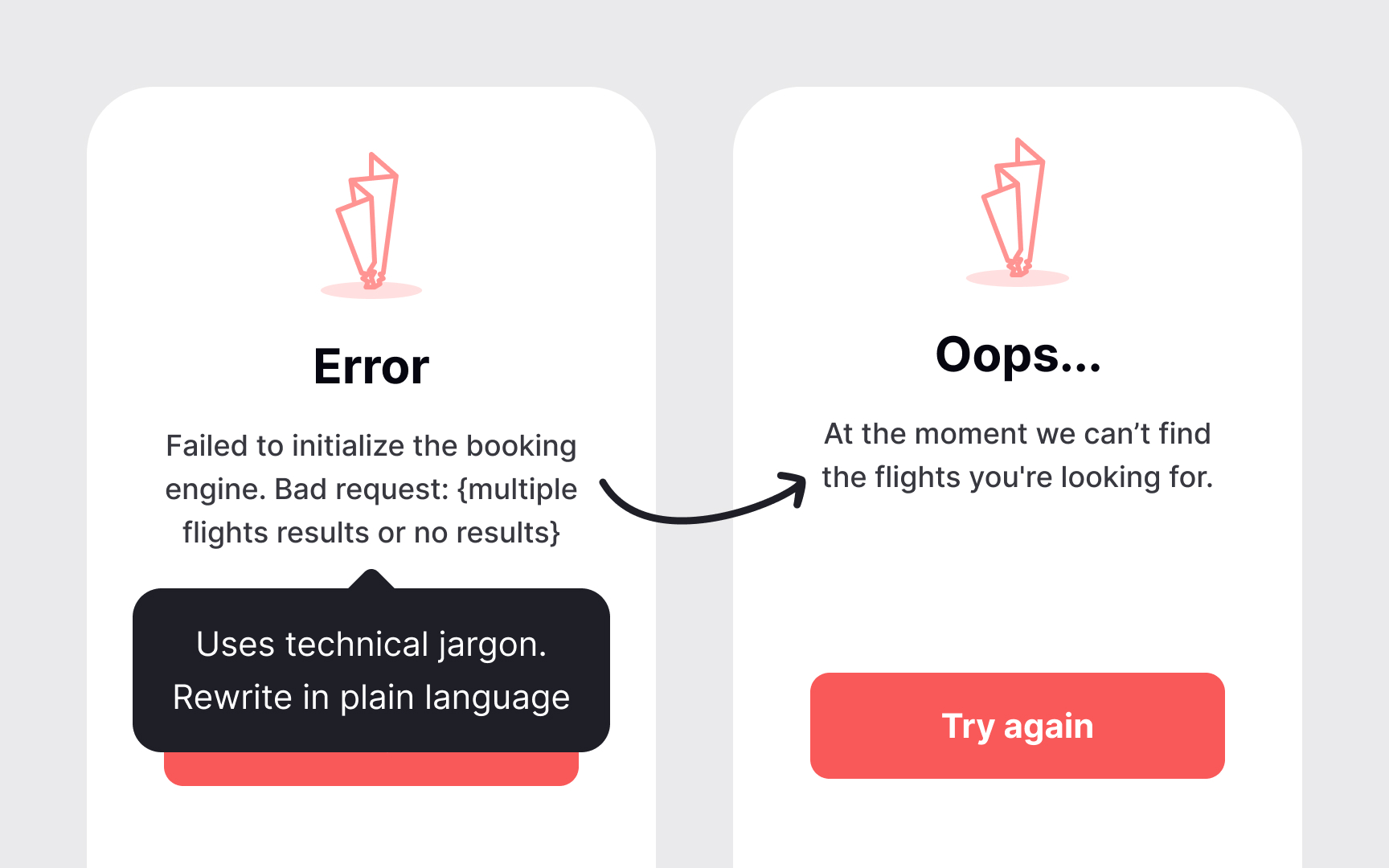
A content inventory is a list of every piece of content you have, such as pages, articles, and help topics, with details like the URL and owner. A content audit goes further and judges each item against your goals: Is it accurate, easy to read, easy to find, and still needed? Teams often build the inventory and run the audit together.
The GOV.UK team audited its content on early-years childcare, starting from an inventory of 430 pages. After the audit, the team improved the content and cut the overall number of pages by 11%.[2] An audit usually ends with three lists: content to keep, to rewrite, and to remove.
Heuristic evaluation

A heuristic evaluation is an inspection method in which a few experts check an interface against a set of usability principles, called heuristics. The best known are Jakob Nielsen's 10 usability heuristics, which he first developed with Rolf Molich in 1990. One of them, visibility of system status, asks whether the interface always tells people what's going on.
No users take part, so it's quick and cheap to run, even on early designs. But a single evaluator misses a lot. In Nielsen and Molich's original experiments, individual evaluators found only 20% to 51% of the problems, while the combined findings of three to five evaluators did much better.[3] Each evaluator works alone first, so they don't influence each other.
Severity ratings for usability problems

Not every usability problem deserves the same attention. Severity ratings help a team decide what to fix first. Jakob Nielsen's widely used scale runs from 0 to 4:[4]
- 0: not a usability problem at all
- 1: cosmetic, fix only if there's time
- 2: minor, low priority
- 3: major, high priority
- 4: catastrophe, fix before release
Severity combines how often a problem occurs, how hard it is to overcome, and whether it keeps bothering people. Ratings from one evaluator are unreliable, so each evaluator rates the full list on their own after the session, and the team uses the average.
Participatory design

Participatory design brings the people who will use a product into the design work as active partners, not just as sources of feedback. Instead of reacting to a finished concept, they sketch, arrange, and build ideas alongside designers.
The approach took shape in the UTOPIA project in Sweden and Denmark, from 1981 to 1985. Graphic workers and researchers designed computer tools for newspaper page layout together, using low-tech mock-ups such as wooden mice and cardboard laser printers. The goal was to give the people doing the work a real voice in the tools they would use every day.[5]
Tree testing

A tree test checks whether people can find things in a menu structure. Participants see only a text version of the hierarchy, or tree, with no visual design, and are asked where they would look for specific items. Tools then report the success rate for each task and how directly people got there, without backtracking.
Task wording matters. If a task asks people to find "frozen vegetables" and the tree has a label called Frozen, they can match the words without understanding the structure. Describe the need instead, for example "peas that will keep for weeks."
Pro Tip! Card sorting helps you generate a structure. A tree test checks a structure you already have, so run them in that order.
Cognitive walkthrough

A cognitive walkthrough checks how easy a product is to learn. A small group of reviewers steps through a task one action at a time and, at each step, asks whether a new user would know what to do and see that they're making progress. No users take part. A facilitator leads the session and a recorder notes each problem.
The method was first designed for walk-up-and-use systems like kiosks, where nobody gets training. At Microsoft, Rick Spencer found the full version too slow for busy product teams, who drifted into long design debates. His streamlined version asks only two questions per step: Will the user know what to do? If they do the right thing, will they know they're making progress?[6]
Use AI for desk research and check its sources


Deep research tools in ChatGPT, Gemini, and Claude can search hundreds of web pages and return a summary with citations in minutes. That makes them a fast starting point for desk research, such as mapping a market or collecting what's already known about a problem.
They aren't a final source. AI answers can state wrong facts with confidence, and their citations can be broken, invented, or real but unrelated to the claim. Ask the tool to cite primary sources, then open those sources and check that each one supports its claim before it goes into your research.[7]
Topics
References
- Competitive Usability Evaluations: Definition | Nielsen Norman Group
- Finding things audit (2/2): how early years went – Inside GOV.UK
- Severity Ratings for Usability Problems: Article by Jakob Nielsen | Nielsen Norman Group
- https://perso.lisn.upsaclay.fr/mbl/ENS/DEA-IHM/papers/Utopia.pdf
- Accelerating Research with AI | Nielsen Norman Group