A model on its own can only produce text. Everything an agent does beyond writing, from checking a calendar to sending an email, happens through tools: specific abilities that software hands to the model. A highly capable model with no email tool can't send an email, however well it can write one. That makes the tool list more revealing than any benchmark score. It shows what an agent can reach, what it can change, and where it has to stop and ask first.
For a long time, every AI product needed its own custom link to every outside service. The Model Context Protocol (MCP), an open standard launched in November 2024, gave the industry one shared way to plug in, and rival companies adopted it within months. A server built once now works with any app that speaks the protocol. Today it sits underneath many of the connectors you can switch on in the AI apps you already use.
More connections can feel like more power, but past a point they make an agent worse at picking the right tool and give attackers more ways in. Tools that only read and tools that change things also carry very different stakes. The useful habit is to give an agent the tools a task needs, when it needs them, and to know exactly which ones can act without asking.
Tools in AI agents
In AI, a tool is a specific capability that software offers a model, such as searching the web, reading a calendar, or sending an email. A model on its own can only write text. Tools are how it reaches beyond that text to look something up or get something done.
Every tool comes with 3 parts: a name, a plain-language description of what it does, and a list of the inputs it needs. The Model Context Protocol's documentation uses a tool called get_weather as its example: it fetches the current weather for a location and needs a city name to do it [1]. The model reads these descriptions and decides which tool, if any, fits the request in front of it.
Having a tool doesn't mean using it every time. In one of Anthropic's examples, an agent with a weather tool that's asked whether to bring an umbrella might check the weather, answer from general knowledge, or first ask where the person is. Anthropic's engineers describe tools as "a new kind of software which reflects a contract between deterministic systems and non-deterministic agents." [2] In plain terms, the tool behaves the same way every time, while the model decides whether and how to use it. That's why clear tool descriptions matter so much: the model is their reader.
Tools set the limits
An agent can only do what its tools allow. A highly capable model with no email tool can't send an email, however well it can write one. Give the same model a payments tool, and it can spend money. Simon Willison, a developer who writes widely about AI, calls tool use "the single most effective way to extend the abilities of language models." [3]
That makes the tool list the agent's real job description. The tools set the outer edge of what the agent can touch, and permissions can narrow that edge further. In August 2025, Anthropic described Claude Code, its coding agent, as read-only by default: it could analyze files in the folder where it started without asking, but it needed a person's approval before changing code or systems [4]. The model was just as capable either way. What changed was what it could do on its own.
The practical habit follows from this. Before handing a task to an agent, the more useful question is which tools it has and which of them it can use without asking, not how smart the model is. That list shows what the agent can reach and, just as important, what it can't. When an agent lacks the tool a task needs, no amount of rewording the request will fill the gap.
How an agent uses a tool
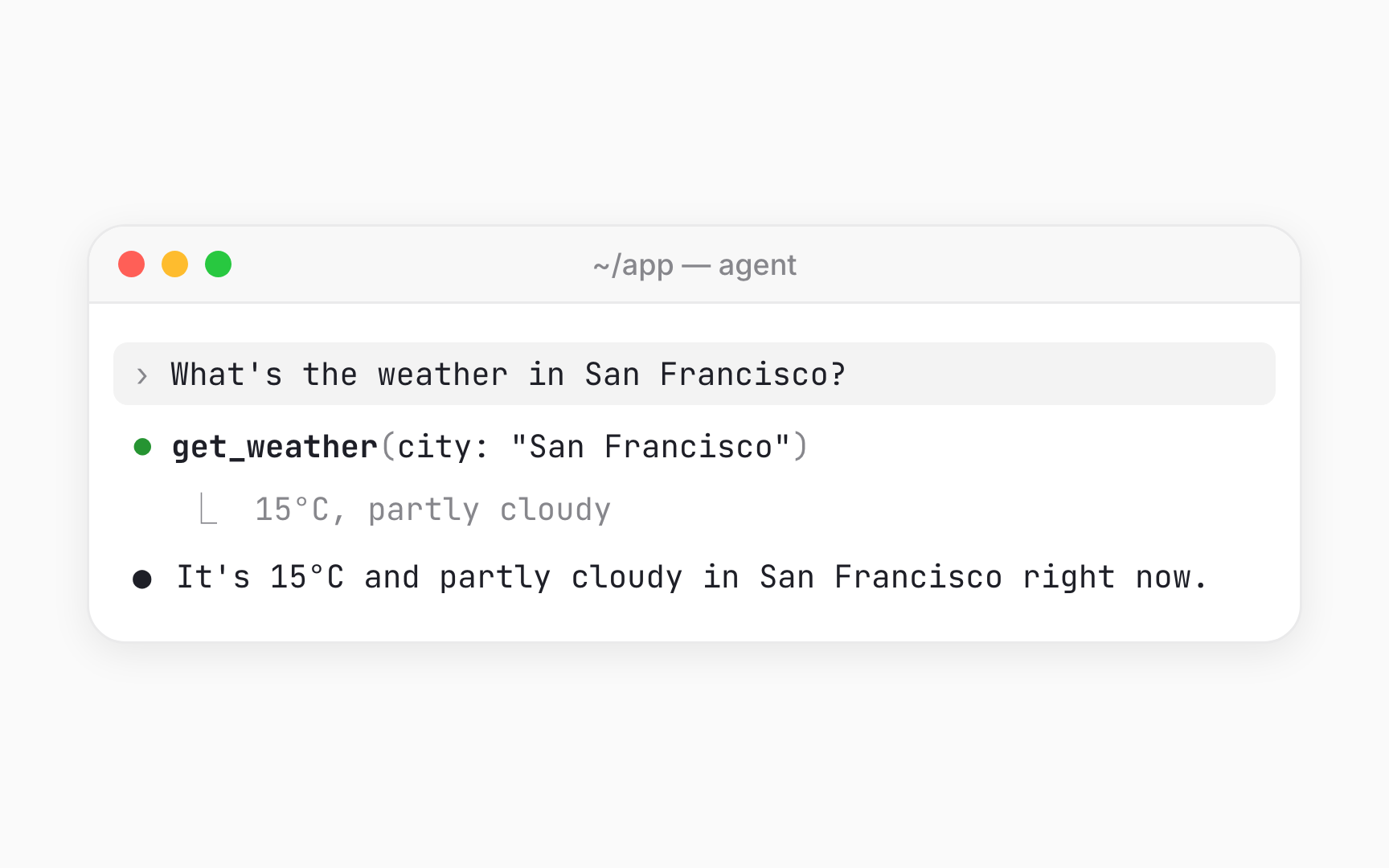
The model never runs a tool itself. When it decides a tool would help, it writes out a structured request, something like "use get_weather for San Francisco," and stops. The software around the model, either the app or the AI provider's servers, runs the tool and hands the result back. Simon Willison describes the model producing "special syntax... requesting a tool action, then stop," after which "Your code parses that output, runs the requested tools and then starts a new prompt to the model with the results." [5]
Anthropic's documentation walks through a full round trip. A person asks for the weather in San Francisco, and Claude replies with a request to use the weather tool. The app looks up the answer, 15°C and partly cloudy, and sends it back. Claude then writes a normal reply based on that result [6]. In an agent, this round trip repeats many times in a row.
The handoff is also where permission prompts live. Because outside software runs every tool, it can pause and ask the person before going ahead. In Claude, a connector's tool can trigger a prompt with choices like Allow once or Always allow before it runs [7]. The Model Context Protocol's specification makes the same point, saying a person should always be able to deny a tool call [8].
Read tools vs. write tools
Tools fall into 2 broad groups. Read tools only look: they search, read, list, or fetch information. Write tools change something: they send, create, update, delete, or buy. OpenAI's guide to building agents draws the same line, separating data tools that retrieve information from action tools that do things like update records or send messages [9]. In OpenAI's example toolset for a project app, listing and viewing projects are reads, while creating, updating, and archiving them are writes [10]. Whether an action can be undone doesn't move it into the read group. Anything that changes state is a write.
Products treat the 2 groups differently because write tools are where mistakes become real. The Model Context Protocol lets each tool carry labels saying whether it's read-only or destructive, and a tool with no labels is assumed to change things [11]. Claude's connector directory relies on these labels: read-only tools can run without asking each time, while tools that modify or delete data always prompt [12].
The labels are a starting point, not a guarantee. The specification calls them hints, set by whoever built the tool, and warns against relying on them from servers that aren't trusted [13]. Read tools aren't risk-free either. A tool that reads email or web pages can still expose private data or bring in text an attacker wrote with instructions of its own.
Model Context Protocol (MCP)
The Model Context Protocol (MCP) is an open standard for connecting AI apps to outside tools and data. A protocol is a shared set of rules for how 2 pieces of software talk to each other, and an open standard is one published for anyone to use and build on. Anthropic launched MCP on 25 November, 2024 [14].
MCP has 2 main sides. A server is a service that offers tools and data, such as a calendar, a design file, or a company database. A host is the AI app that connects to it, such as a chat assistant or a coding agent. Servers can offer tools the model can call, resources like files and records, and ready-made prompts [15]. Because both sides follow the same rules, a server built once works with any app that speaks MCP. MCP's documentation lists uses like an agent reaching a person's Google Calendar and Notion, or Claude Code building a web app from a Figma design [16].
MCP's documentation compares it to a USB-C port for AI apps: just as USB-C gives devices one standard way to connect, MCP gives AI apps one standard way to reach outside systems [17]. The comparison also shows what MCP isn't. It isn't an AI model, an agent, or an app store, any more than a USB-C port is a laptop. The standard keeps evolving, and its latest revision was released on 28 July, 2026 [18].
Why agents needed a standard

Before MCP, every AI app needed its own custom link to every outside service. Connecting 5 apps to 5 services could mean 25 separate integrations, each built and maintained on its own. When Anthropic launched MCP, it described exactly this problem: every new data source required its own custom implementation, which made connected systems hard to scale [19]. With a shared standard, each app and each service builds its side once.
A standard only works if competitors use it, and within months they did. OpenAI announced support on 26 March, 2025 [20], and Google followed on 9 April, 2025 [21]. On 19 May, 2025, Microsoft announced broad support across its agent products, from GitHub to Windows 11 [22].
Wide adoption raised a harder issue: a standard that competitors depend on can't comfortably belong to one of them. On 9 December, 2025, Anthropic donated MCP to the Agentic AI Foundation, a directed fund under the Linux Foundation co-founded by Anthropic, Block, and OpenAI [23]. The move put the rules in neutral hands, with the project's maintainers committed to prioritizing community input. Neutral ownership is what lets rivals build on the same plug without handing control to a competitor.
Connectors in everyday apps
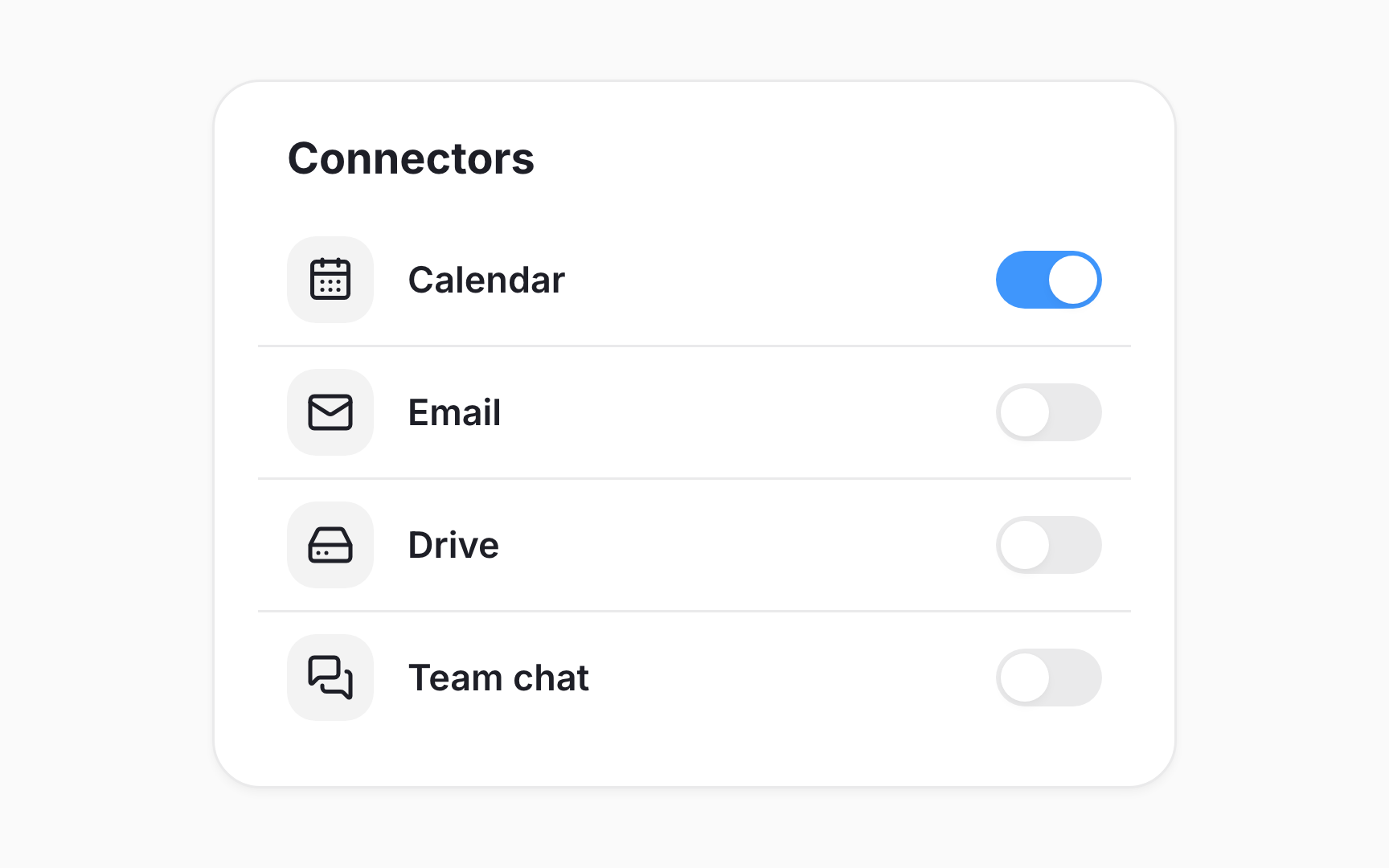
Many people meet agent tools through connectors: add-ons that link an AI assistant to a service like email, a calendar, or a file drive. Each product names them differently. As of October 2026, Claude calls them connectors [24], and Gemini calls them Connected Apps [25]. Copilot on Windows began rolling out Connectors to its Windows Insider testers in October 2025 [26]. OpenAI has used connectors and then apps, and its developer documentation now describes plugins [27].
Underneath the branding, the idea is the same. Connecting a service hands the AI a new set of tools that work on the person's account for that service. In Claude and ChatGPT, many of these run on MCP: a connector is a link to an MCP server the service runs, and a plugin can include one. In Claude, a person can switch on a calendar connector for a conversation, ask what's on the calendar tomorrow afternoon, and approve the tool call when it comes up.
Because the names keep shifting, the concept is more useful than any label. Whatever a product calls it, each connection widens what the agent can reach, so the list of connected services is part of the agent's real job description.
Pro Tip! A Verified label in a connector directory isn't a security audit, so trust in the developer behind a connector matters more than the badge.
The cost of too many tools
Adding tools feels like adding power, but past a point it makes an agent worse. Every tool's description takes up room in the model's working memory, called the context window. Anthropic estimates that a typical setup with 5 connected servers can use about 55,000 tokens, the small chunks of text a model reads, on tool descriptions before the agent does any work. Its documentation also notes that Claude gets worse at picking the right tool once it has more than about 30 to 50 to choose from [28].
Similar tools make it harder still. The most common failures are picking the wrong tool and filling in its inputs incorrectly, especially when 2 tools have nearly identical names, such as notification-send-user and notification-send-channel[29]. Anthropic's engineers put the principle simply: "If a human engineer can't definitively say which tool should be used in a given situation, an AI agent can't be expected to do better." [30]
Each extra tool is also another way in for trouble. Microsoft's Windows security team lists risks like tool poisoning, where an unvetted server exposes dangerous functionality [31]. The answer isn't fewer tools forever. Newer agents can search for tools on demand and load only the ones a task calls for [32]. The durable rule is to give an agent the tools the task needs, when it needs them.
Topics
References
- Tools - Model Context Protocol | Model Context Protocol
- Writing effective tools for AI agents—using AI agents
- Large Language Models can run tools in your terminal with LLM 0.26 | Simon Willison’s Weblog
- Our framework for developing safe and trustworthy agents
- Large Language Models can run tools in your terminal with LLM 0.26 | Simon Willison’s Weblog
- Tool use with Claude | Claude Platform Docs
- Get started with connectors - Claude.ai Documentation | Claude.ai Documentation
- Tools - Model Context Protocol | Model Context Protocol
- https://cdn.openai.com/business-guides-and-resources/a-practical-guide-to-building-agents.pdf
- Define tools – Plugins | OpenAI Developers | OpenAI Developers
- modelcontextprotocol/schema/2026-07-28/schema.ts at main · modelcontextprotocol/modelcontextprotocol | GitHub
- Connector pre-submission checklist - Claude.ai Documentation | Claude.ai Documentation
- Introducing the Model Context Protocol
- Specification - Model Context Protocol | Model Context Protocol
- What is the Model Context Protocol (MCP)? - Model Context Protocol | Model Context Protocol
- The 2026-07-28 Specification | Model Context Protocol Blog
- Introducing the Model Context Protocol
- OpenAI adopts rival Anthropic's standard for connecting AI models to data | TechCrunch | TechCrunch
- Google to embrace Anthropic’s standard for connecting AI models to data | TechCrunch | TechCrunch
- Microsoft Build 2025: The age of AI agents and building the open agentic web - The Official Microsoft Blog | The Official Microsoft Blog
- Donating MCP to the Agentic AI Foundation
- Get started with connectors - Claude.ai Documentation | Claude.ai Documentation
- Use & manage Connected Apps in Gemini - Computer - Gemini Apps Help
- Copilot on Windows: Connectors, and Document Creation begin rolling out to Windows Insiders | Windows Insider Blog
- Plugin architecture – Plugins | OpenAI Developers | OpenAI Developers
- Tool search tool | Claude Platform Docs
- Introducing advanced tool use on the Claude Developer Platform
- Effective context engineering for AI agents
- Securing the Model Context Protocol: Building a safer agentic future on Windows | Windows Experience Blog