

.svg)


Product designer skills span six categories: core craft, research and strategy, collaboration, business and product, technical, and AI. Your portfolio gets you the interview; these 40 skills are what hiring managers probe once you're in the room. The industry shifted fast. Five years ago visual craft alone landed senior roles; now AI generates UI mockups in seconds and design systems handle consistency. The value has moved toward judgment, research, business fluency, and directing AI rather than outrunning it. This guide covers all 40 skills with a practical way to build each one.
Key takeaways
- The 40 skills split across six categories: craft, research, collaboration, business, technical, and AI. The mix that matters shifts with seniority.
- Craft compounds early: visual design, typography, and layout are the junior differentiators.
- Product thinking is the skill most correlated with senior roles; business fluency is what gets designers promoted.
- AI skills stopped being optional: AI-assisted workflows, prompting, and output judgment are entering standard design work.
- Develop two or three skills at a time, and let a Product Designer career path sequence the rest.
Skills by seniority: where should you focus?
| Skill category | Junior focus | Mid-level focus | Senior focus |
|---|---|---|---|
| Core craft | Visual design, Typography, Layout, Color | Interaction patterns, Motion design | Design systems, Strategic craft decisions |
| Research & strategy | Usability testing, User flows | Research methods, Journey mapping | Research synthesis, UX strategy |
| Collaboration | Presenting work, Taking feedback | Cross-functional partnerships | Stakeholder management, Mentoring |
| Business & product | Basic metrics awareness | Product thinking, Prioritization | Business impact, Strategic positioning |
| Technical & tools | Figma proficiency, Prototyping | Responsive design, Accessibility | Design systems code, Developer workflow |
| AI | Using AI tools effectively | Prompt engineering | AI strategy, Responsible AI |
Core craft skills that define your foundation
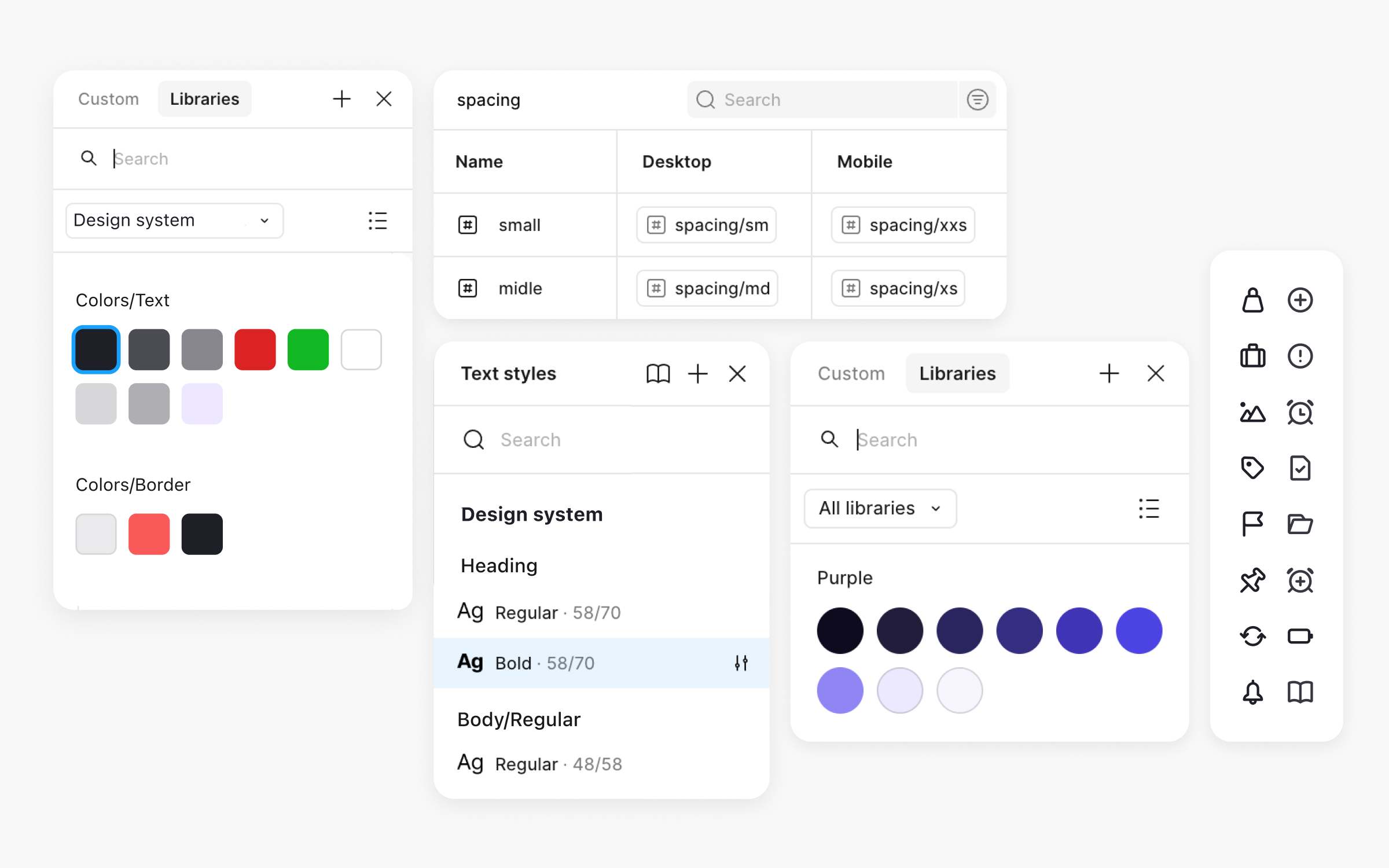
What separates junior from senior is rarely visual polish. Senior designers make intentional decisions, understand trade-offs, and build systems rather than screens.
1. Visual design and composition
Arranging elements so they communicate hierarchy, guide attention, and fit the context: a fintech app needs different visual treatment than a gaming platform. Weak composition undermines everything else regardless of research quality. Study interfaces you admire and recreate them to understand the decisions. Design Foundations covers the principles.
2. Typography
Type is design: font choice, sizing, spacing, and hierarchy shape the whole experience, and typography accounts for most of what web design is. Great typography is invisible; poor typography makes polished interfaces feel cheap. Read "Thinking with Type," practice long-form text, and learn screen versus print typefaces. Typography Basics covers the fundamentals.
3. Color theory and application
Color communicates meaning, sets mood, carries accessibility, and guides attention. The gap between "a good eye" and systematic color knowledge shows up in speed and in the ability to explain decisions. Learn WCAG contrast cold, study Material and Apple HIG color systems, and build palettes from constraints. Color Psychology for Designers covers theory and application.
4. Layout and grid systems
Grids create order: scannable content, cross-screen consistency, manageable responsive behavior. Mechanical grid use produces desktop layouts that collapse on mobile; understanding the why keeps designs coherent everywhere. Design the same content for multiple breakpoints and learn CSS Grid concepts even without writing code.
5. Iconography and illustration
Good icons compress meaning; bad ones add noise. Know when icons beat text, how to keep a set consistent, and enough illustration principle to direct illustrators. Study Phosphor, Feather, and Material systems, and draw simple icons by hand to understand construction.
6. Interaction design patterns
Pattern literacy means not reinventing dropdowns, and knowing patterns deeply enough to break them intentionally. Users bring expectations from every other app; meeting them cuts cognitive load. Browse pattern libraries regularly and dissect novel interactions when you meet them. Core UI Components & Patterns covers the essentials.
7. Motion design and micro-interactions
Motion shows relationships and provides feedback: the button that subtly depresses, the transition that explains where you went. It's the most neglected craft skill, usually treated as end-stage polish instead of a design tool. Study animation principles beyond UI and prototype interactions with attention to timing curves.
8. Design systems thinking
Creating components that flex across contexts, documenting decisions, and evolving systems without breaking implementations. Every designer contributes to and consumes systems; understanding them is increasingly what separates senior from mid-level. Study Polaris and Atlassian, and contribute to your team's system instead of only consuming it. Introduction to Design Systems is the structured route.
Research and strategy skills that inform better decisions

Pretty designs that solve nothing are decoration. These skills turn a pixel-pusher into someone who shapes product direction.
9. User research methods
Interviews, surveys, and usability tests answer different questions, and the wrong method produces confident, misleading data. Research literacy includes sampling, bias, and synthesis, not just talking to users. Run studies, write discussion guides that don't lead, and learn your own biases. The UX Research course covers methods end to end.
10. Usability testing
Five users and a screen recorder catch most major issues, and testing catches them while they're cheap to fix. The skill is running sessions without biasing results and turning observations into prioritized changes. Test regularly, even informally.
11. Information architecture
How content is organized and labeled. Users who can't find things blame themselves or leave, and good IA is invisible while bad IA is a support-ticket generator. Practice card sorting, audit products for IA problems, and label in user language, not internal jargon. The Information Architecture course covers the techniques.
12. User flows and journey mapping
Flows document task paths through the product; journeys zoom out to the whole experience across touchpoints. Both expose friction and gaps that screen-level thinking misses. Map your core tasks and build one journey map with stakeholders involved. Customer Journey Mapping provides templates.
13. Competitive analysis
Users compare your product to everything they use. Analysis isn't copying; it's knowing where the market converges, where differentiation lives, and what mistakes others already made for you. Use competitor products as a user, and document the patterns.
14. Research synthesis and insight generation
Raw findings become valuable when synthesized into insights that connect to business opportunities. Stakeholders don't read research reports; they act on distilled implications. Practice affinity mapping and write insight statements that carry their own "so what."
15. UX strategy
Strategy connects user needs to business goals: the experience vision, where design effort goes, and why. It's how designers move from executing requirements to shaping what gets built. Study how successful products evolved, and practice one-page strategy documents. User Psychology covers the principles underneath.
Collaboration skills that multiply your impact

Your Figma file doesn't walk into meetings and defend itself. These skills decide whether designs ship or die in review.
16. Presenting and storytelling
Every review is a presentation, and the best solution loses to a worse one presented better. Frame designs as user problems and business outcomes, anticipate objections, and stop walking through screens sequentially. Record yourself and watch it back.
17. Giving and receiving critique
Specific, goal-focused feedback improves designs; defensiveness ends the conversation. Use "I noticed... I wonder... what if" structures, and answer feedback with clarifying questions instead of defenses. Design Thinking covers critique methods.
18. Cross-functional collaboration
Design happens with engineering, product, research, and content. Good collaborators know what other disciplines care about, speak their language, and build trust by following through. Ask about constraints before presenting solutions. Cross-Functional Teams covers the strategies.
19. Written communication
Specs, documentation, Slack, email: designers write constantly, and writing scales influence beyond the meetings you attend. Good documentation explains decisions, not just outcomes. Edit ruthlessly and get feedback from the people who use your docs.
20. Facilitation and workshopping
Design sprints, ideation sessions, and stakeholder workshops are collaboration at scale. Facilitating well means structures that draw out contributions and synthesize into outcomes. Start small and study IDEO-style formats. Workshop Facilitation covers the techniques.
21. Stakeholder management
Stakeholders carry opinions, constraints, and goals that shape your work. Managed well, they create space for your best work; managed poorly, they produce late reversals and death by committee. Map stakeholders before projects start and communicate proactively.
22. Mentoring and developing others
Developing others multiplies your impact, builds leadership reputation, and sharpens your own thinking because teaching forces articulation. Guide with questions rather than prescriptions. The Mentorship course by ADPList provides frameworks.
Business and product skills that get you promoted

The designers promoted fastest aren't always the most visually talented. They're the ones who connect design to business outcomes.
23. Product thinking
Knowing why something matters, not just what to design: connecting features to outcomes, prioritizing ruthlessly, thinking in systems. It's the skill most correlated with senior roles. Ask why more, learn your product's key metrics, and study jobs-to-be-done. Product Management for Designers covers it from the design side.
24. Understanding business models
How your company makes money and how your product contributes decides which trade-offs make sense. Designers fluent here know when to push back on monetization pressure and when to find solutions serving both users and revenue. Talk to sales and finance about what actually drives the business.
25. Metrics and analytics literacy
What to measure, how to read it, and how to use it. Metrics also make the case for design work in numbers stakeholders respect. Spend time in your product's analytics and connect design work to measurable outcomes. Product Analytics covers it from a design perspective.
26. Prioritization frameworks
RICE, ICE, impact/effort: structured ways to decide what deserves your energy and what to decline. Designers who prioritize well concentrate on high-impact work instead of spreading thin. Evaluate your own task list with structured criteria.
27. Market and competitive awareness
Customer segments, competitive dynamics, industry trends. Market context keeps you from designing in a vacuum and helps you anticipate where the product must evolve. Follow the industry and debrief customer-facing teams regularly.
28. Design ROI and impact measurement
Proving design value means defining success metrics before projects start, tracking through launch, and building case studies that show contribution. Designers who demonstrate ROI get resources and influence. The Reducing User Churn course covers retention-focused design with measurable outcomes.
29. Strategic positioning
Positioning your work, yourself, and design as a function: visibility, narrative, influence. Great work nobody knows about helps neither your career nor design's standing. Share impact proactively and build relationships beyond your team. Service Design and Product Development Lifecycle cover the strategic layer.
Technical skills that make implementation smoother
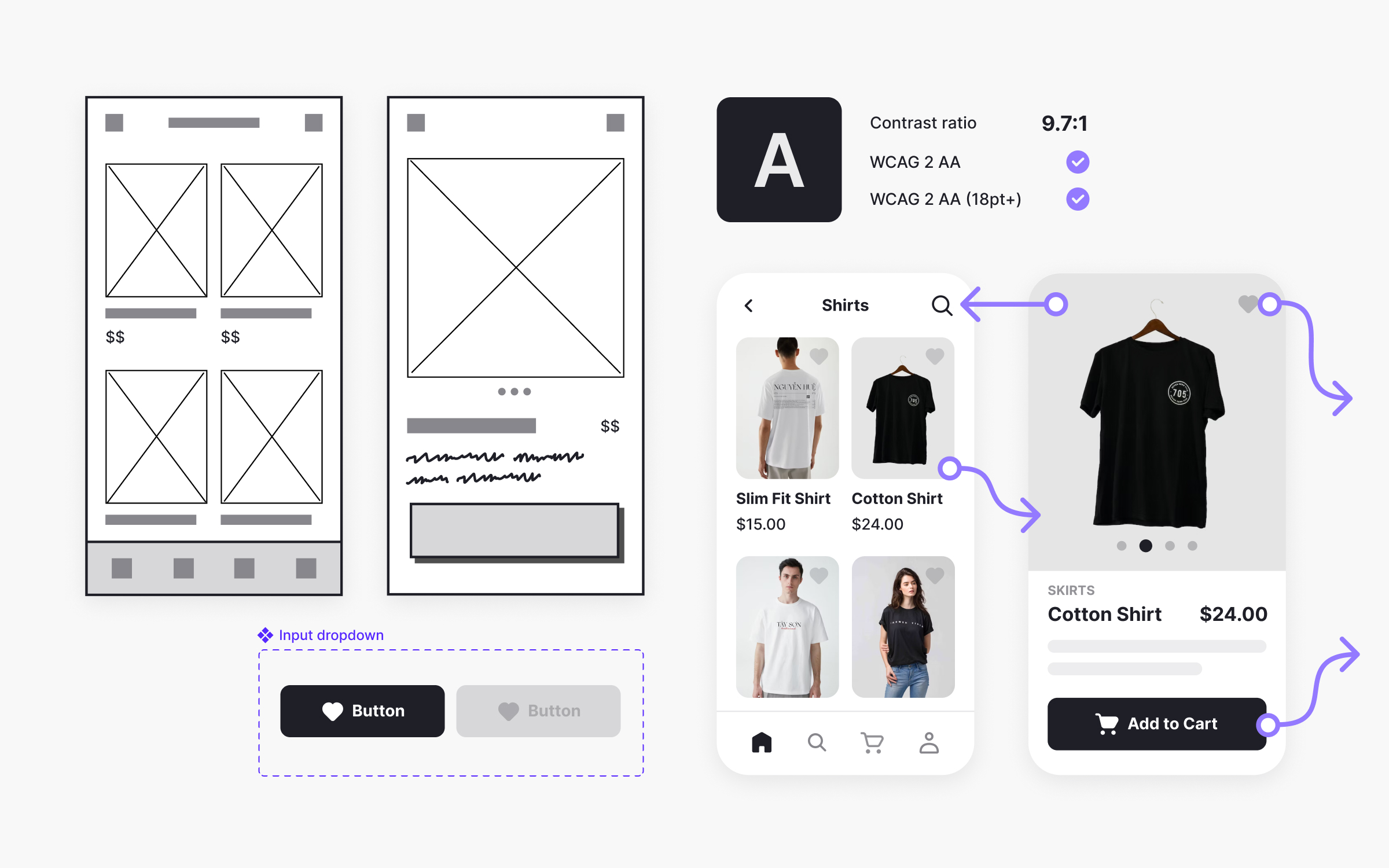
Knowing Figma shortcuts isn't a skill. Building designs engineers can actually implement is.
30. Design tool proficiency
Fast and fluid in your primary tool: auto-layout used properly, files others can navigate, shortcuts that keep pace with thought. Tool speed determines iteration speed. Study how expert users structure files.
31. Prototyping
From paper sketches to interactive prototypes, matched to the question at hand. Prototypes catch problems before development and sell ideas static screens can't. Practice every fidelity level and learn when each earns its cost. Designing Wireframes covers the early stages.
32. Design systems building and maintenance
Tokens, variants, composition: components that work across contexts, documented so others can use them. Even off a systems team, this depth makes you more valuable everywhere. Learn how your components are implemented in code.
33. Basic HTML and CSS understanding
Not production code; feasibility literacy. Knowing what's easy versus hard in CSS changes how you design and how credibly you talk to developers. HTML for Designers and CSS for Designers cover exactly the designer-relevant layer.
34. Developer handoff
Clear specs, documented interactions, edge cases, and responsive behavior, so developers work independently instead of pinging you hourly. Ask your developers what they need and iterate the process on their feedback.
35. Responsive and adaptive design
Products live on many devices, and responsiveness means appropriate experiences per context, not shrunken desktops. Always design multiple breakpoints and understand media queries conceptually.
36. Accessibility implementation
Contrast, focus states, screen-reader behavior, and testing, built in from the start rather than bolted on. Accessible design is good design that also expands reach and reduces legal risk. Learn WCAG and run checking tools routinely. Design Accessibility covers the practical work.
AI skills that are reshaping design
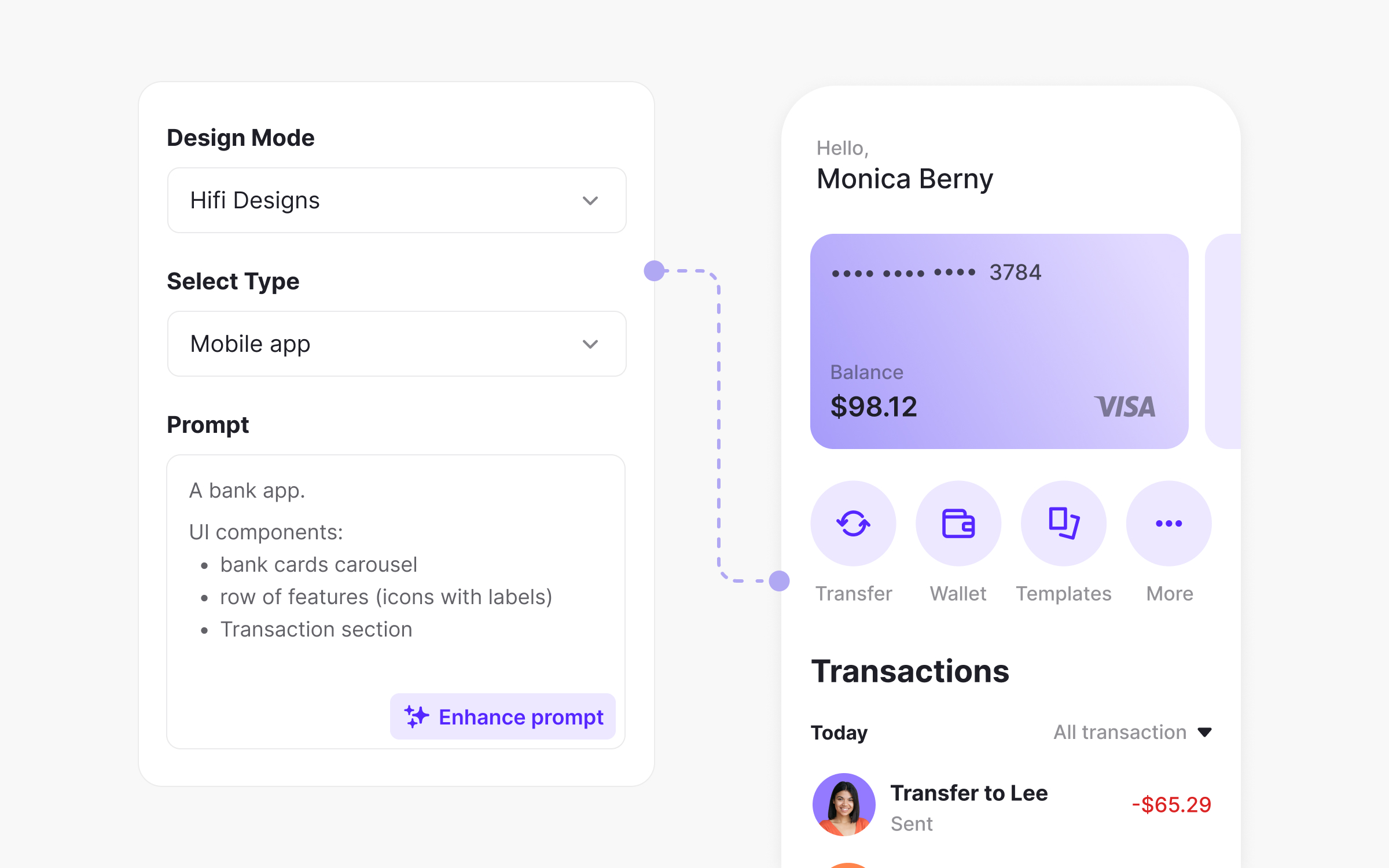
AI won't replace designers, but designers who use it well are replacing those who don't.
37. AI-assisted design workflows
AI generates UI options, variations, and content at production speed. The skill is knowing where it genuinely helps versus distracts, and wiring it into your workflow deliberately. AI in UX/UI Design covers the practical applications.
38. Prompt engineering for design
Output quality tracks prompt quality across image generation, content, and the AI features you design. Practice prompts for real design tasks and iterate systematically. AI Prompts Foundations teaches the patterns.
39. Evaluating and directing AI outputs
Can the generated UI work? Does the AI copy fit the brand? Is the suggestion feasible? AI proposes; your judgment decides. Develop explicit criteria for useful versus problematic AI output.
40. Ethical AI and responsible design
AI can encode bias, erode privacy, and harm users in ways nobody intended. Designers increasingly hold the line: understand the failure modes and build ethical review into AI feature work. Human-Centered AI covers responsible AI design.
Which skills do designers neglect most?
| Neglected skill | Why it's overlooked | Why it matters |
|---|---|---|
| Business metrics literacy | "I'm a designer, not a PM" | Can't prove value or influence strategy without it |
| Written communication | "My designs speak for themselves" | They don't. Documentation scales your impact |
| Stakeholder management | "Politics isn't my thing" | Senior roles require navigating organizational complexity |
| Accessibility beyond basics | "We'll add it later" | Later never comes. Building it in is easier |
The portfolio itself gets neglected too: curate it to the roles you want, include redesigns of real products, and match the showcased work to the skills each job posting names. Then rehearse the product designer interview questions that test exactly these skills.
How should you prioritize these 40 skills?
Not all at once. Start with an honest read on where you stand: the Uxcel Pulse assessment takes about 25 minutes and maps your levels across design disciplines, so the gaps pick themselves. Then work two or three skills for a few months before rotating.
Junior designers: go deep on craft. Visual design, typography, layout, and interaction patterns compound over an entire career; add usability testing and basic presenting.
Mid-level, pushing to advance: research and collaboration move to the front, product thinking becomes non-negotiable, and metrics literacy starts paying.
Senior and leadership track: business skills, stakeholder management, and mentoring differentiate you; craft is assumed.
Transitioning from another design discipline: close the specific gaps. Graphic designers usually need interaction design, research, and systems thinking; researchers moving over need craft.
What comes next?
Early career is about craft, mid-career about impact, senior roles about influence. Pick the one skill from this list that would change the most for you right now and build it deliberately for a month, then rotate. For a structured version of the same journey, the Product Designer career path combines courses, practice briefs, and skill assessments into one progression, and per Uxcel's Impact Report, 68.5% of members report faster promotions.



