

.svg)

Effective product management requires systems to organize work, communicate intent, and track progress. Teams use personas to represent target users, capturing their behaviors, goals, and pain points in concrete profiles. User flows map how people move through product experiences, revealing where friction occurs. Wireframes sketch solutions before expensive development begins, allowing teams to test ideas quickly. These tools feed into the backlog, which is the organized list of everything a team needs to build. The product backlog contains all potential work items prioritized by business value. Sprint backlogs focus on what the team commits to delivering in the next iteration. Backlog grooming is the ongoing process of refining these lists, adding detail to upcoming work, while removing items that no longer matter. Story mapping arranges user stories by user journey, helping teams see how individual features fit into complete experiences. Together, these practices create structure without rigidity. Teams can adapt plans as they learn more about users and technical constraints. The backlog stays aligned with strategy while remaining responsive to changing conditions.
Persona
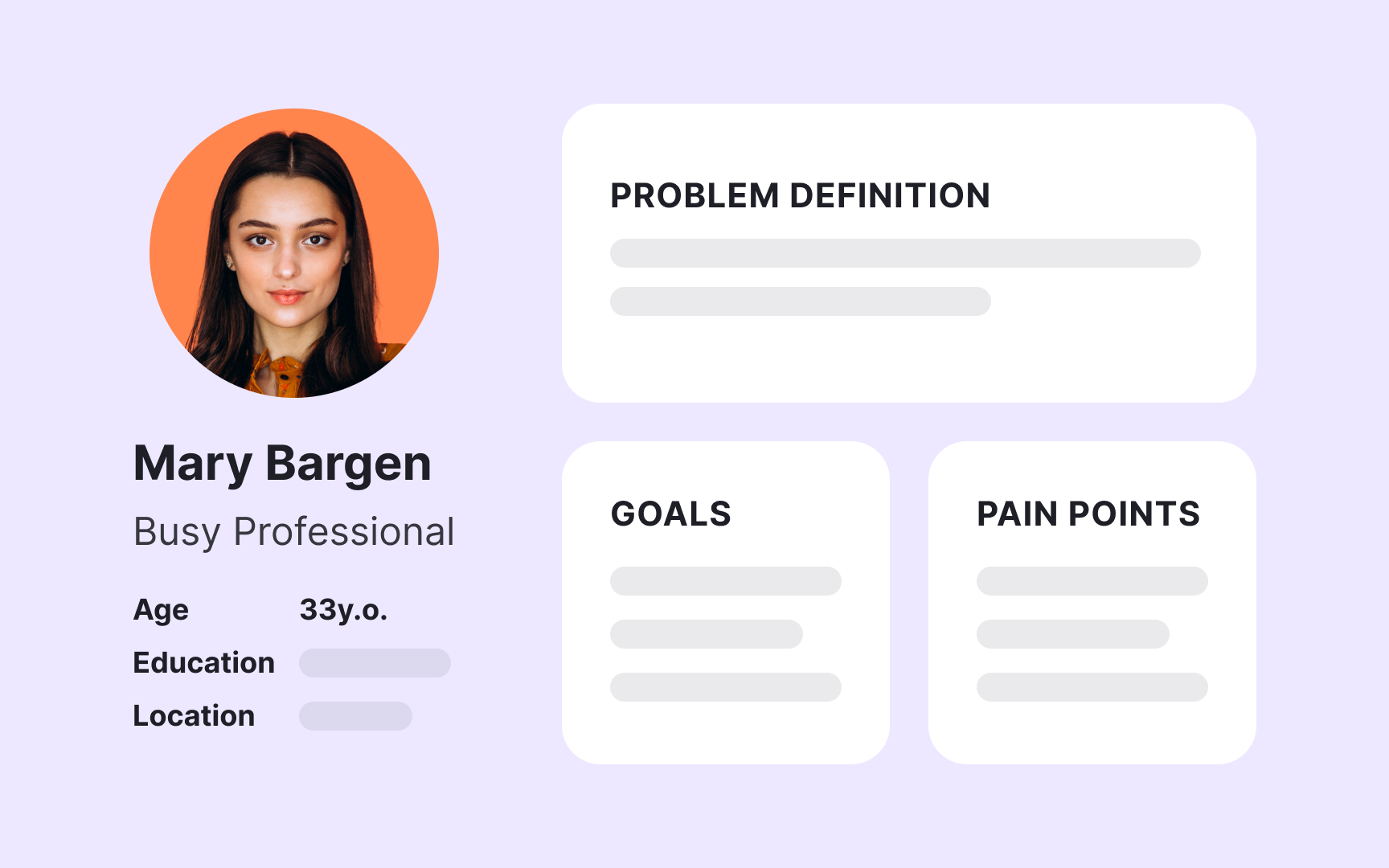
A persona is a fictional but research-based profile representing a typical user of your product. Personas synthesize data from interviews, surveys, and user observation into a single character with a name, background, goals, and frustrations. Rather than designing for "users in general," teams design for specific people like "Maria, the busy project manager who checks updates on her phone between meetings." Effective personas capture details that influence product decisions. What's Maria's technical skill level? When and where does she use the product? What outcomes does she care about? What makes her frustrated? These details help teams prioritize features and evaluate design choices. When someone suggests a complex workflow, the team can ask whether Maria would understand it. Personas prevent teams from assuming all users are like themselves. Designers might love feature-rich interfaces, but Maria needs something simple that works quickly on mobile. Product managers might understand technical jargon, but Maria speaks business language. Personas keep the real user visible throughout development, ensuring decisions serve actual needs rather than internal assumptions.[1]
Pro Tip! Personas work best when teams give them names and photos, making them feel like real people who influence daily decisions.
User flow
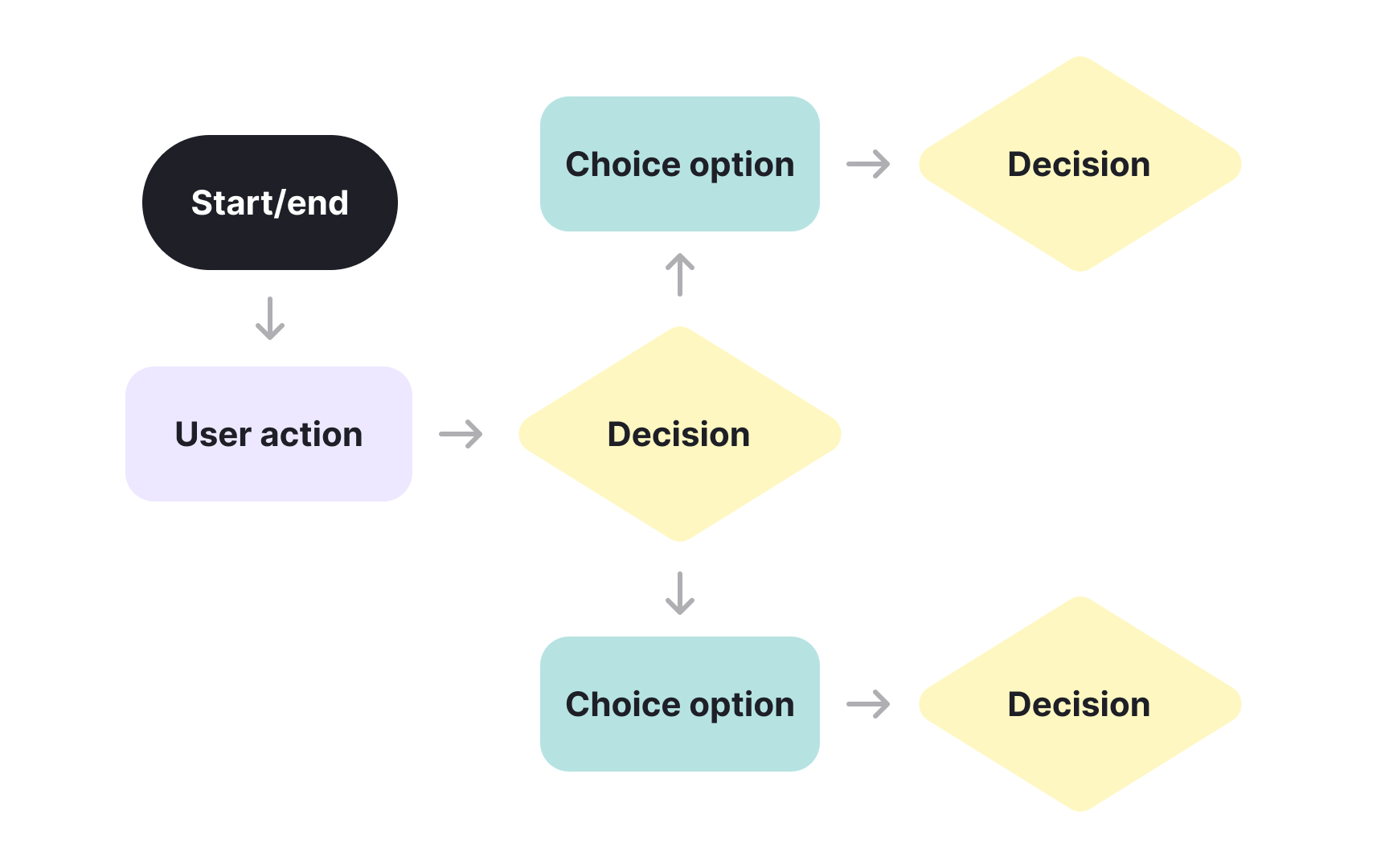
A user flow diagrams the path a person takes to complete a task in your product. It shows each step from the entry point to the outcome, including decision points, alternative paths, and potential dead ends. User flows reveal how people actually navigate your product, not just how designers intended them to move through it. Creating user flows forces teams to think through every interaction. What happens if someone skips a step? Where do they go if they make a mistake? Can they recover from errors easily? Mapping these paths exposes problems before development starts. A user flow might show that completing a purchase requires seven steps across four screens, suggesting the process needs simplification. User flows also highlight where users have choices and where they're constrained. Some paths should be linear, like security verification. Others benefit from flexibility, like browsing products. Understanding these patterns helps teams design appropriate navigation. User flows become especially valuable when teams debate whether to add or remove steps from critical workflows.[2]
Pro Tip! User flows work best when drawn collaboratively with designers, developers, and product managers all contributing insights.
Wireframe
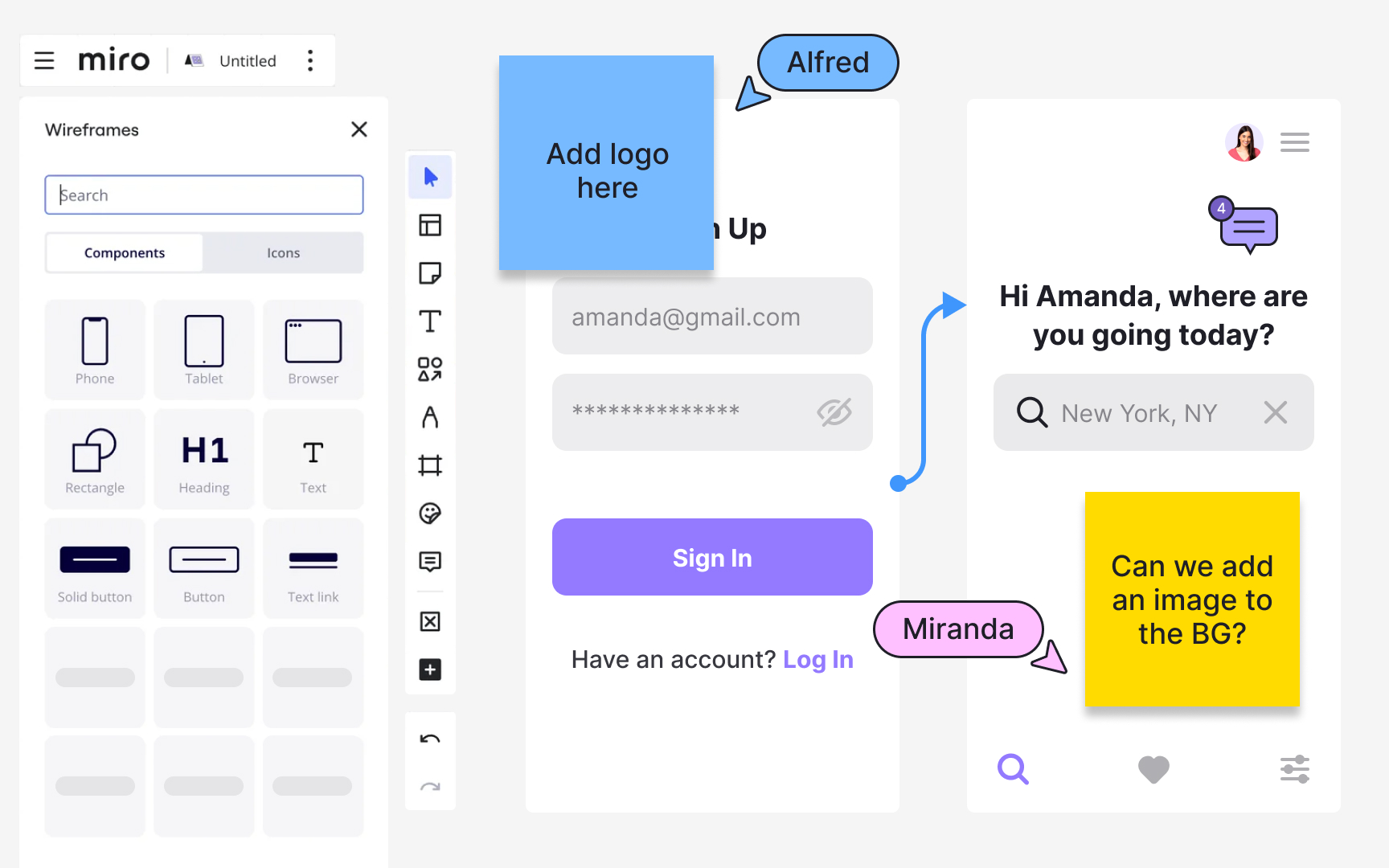
A wireframe is a visual representation showing the structure and layout of a screen or page. Wireframes focus on placement of elements, content hierarchy, and functionality without finalizing visual design details like colors, imagery, or typography. They can range from low-fidelity sketches to high-fidelity, detailed representations, depending on their purpose and stage in the design process. Wireframes communicate information architecture and interaction patterns to teams and stakeholders. They show what goes where and how users navigate through interfaces. Whether sketched on paper or created digitally, wireframes keep conversations focused on structure, content, and user flow rather than aesthetic decisions that come later in the design process. The power of wireframes lies in their flexibility. Low-fidelity wireframes allow quick exploration of multiple layout options. High-fidelity wireframes document detailed specifications for developers. Both types bridge the gap between abstract requirements and concrete interfaces, revealing missing requirements and navigation issues before expensive development begins.[3]
Pro Tip! Wireframes can be low-fidelity sketches or high-fidelity, detailed layouts, both focusing on structure before visual polish.
Feature
A feature is a specific function or capability that makes your product valuable to users. Features define what your product can do and how it helps solve user problems. In product planning, features are the building blocks that turn high-level ideas into tangible capabilities users can interact with. Each feature should deliver clear value by addressing a specific user need or business goal. Product managers prioritize features based on factors like user impact, development effort, and alignment with product strategy. Features can range from simple additions like a search filter to complex capabilities like real-time collaboration. When defining features, teams consider both what the feature does and why it matters to users. This helps ensure development efforts focus on solving real problems rather than just adding functionality. Features differ from basic requirements because they represent complete, usable capabilities rather than individual technical specifications. A well-defined feature includes both its functionality and the user problem it solves, providing context for design and development teams to build the right solution.[4]
Requirement
A requirement describes what a product must do or have to be considered successful. Requirements capture the necessary capabilities, constraints, and conditions that guide product development. They translate stakeholder needs and business goals into specific, measurable criteria that teams can build toward. Requirements can be functional, describing what the system should do, or non-functional, describing how the system should perform. Good requirements are clear, testable, and necessary. A clear requirement like "users must be able to reset their password within 2 minutes" is better than "the system should have good password recovery." Testable requirements allow teams to verify when they've been satisfied. Necessary requirements solve real problems rather than nice-to-have additions that complicate the product without adding proportional value. Requirements serve as the foundation for all subsequent development work. Designers use them to create interfaces that support required functionality. Developers use them to write code that meets specified conditions. Testers use them to verify the product works as intended. Well-written requirements align everyone around what success looks like, reducing misunderstandings and rework.[5]
Pro Tip! Requirements are often documented in formats like user stories, acceptance criteria, or formal specifications, depending on team practices.
Use case
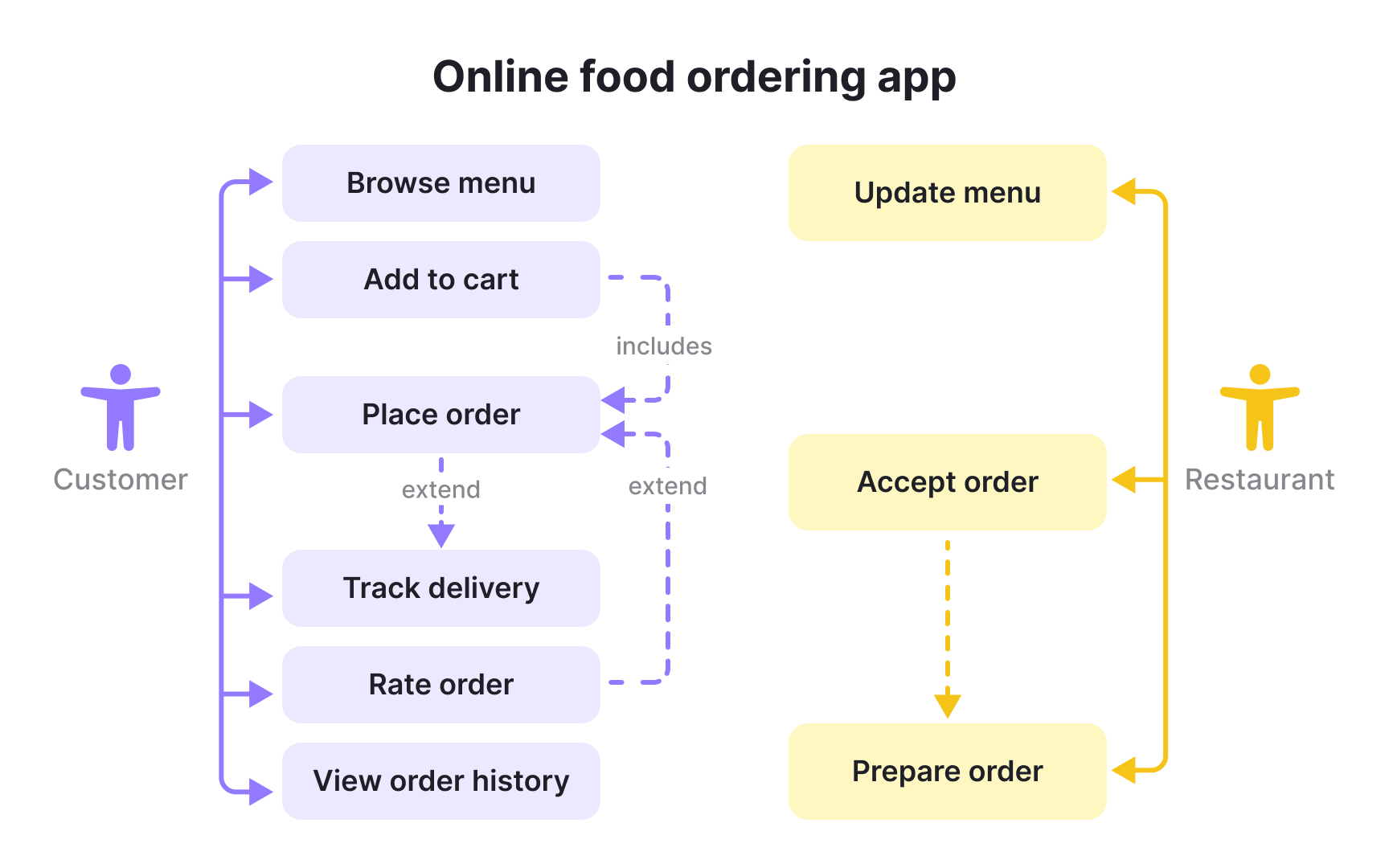
A use case describes all the ways users might interact with your product when trying to accomplish a specific goal. It captures multiple scenarios showing different paths users can take and different outcomes they might reach. Each scenario within a use case outlines a sequence of actions, how the system responds, and whether the goal succeeds or fails. For example, a use case for password reset would include successful resets, failed attempts with invalid emails, expired reset links, and other variations. Use cases help teams understand the full range of interactions around a feature. They reveal edge cases and failure points that aren't obvious from basic requirements. A password reset use case might expose needs like link expiration times, security verification steps, or error messaging for common problems. Product managers use use cases to ensure solutions handle all realistic situations users will encounter. They guide both development and testing by showing complete workflows with their variations. Writing use cases before development helps teams build robust features that work reliably across different conditions.[6]
Milestone
A milestone marks a significant point in your product development timeline. Unlike tasks that have duration, milestones represent specific moments when important work is complete or key decisions are made. Milestones might mark the completion of a major feature, approval from stakeholders, readiness for testing, or the launch of the product. They divide the development process into manageable phases. Milestones help teams track progress and maintain momentum. When a milestone is reached, everyone can see that substantial work has been completed and the product has moved meaningfully closer to launch. This visibility helps keep stakeholders informed and teams motivated. Milestones also create natural points for reflection, allowing teams to assess whether they're on track and adjust plans if needed. Product managers use milestones to communicate timelines without overwhelming stakeholders with every task detail. Instead of tracking hundreds of individual activities, stakeholders see the major checkpoints that matter most. Milestones also help coordinate across teams when different groups need to align their work. One team's milestone completion might signal another team to begin their work.[7]
Pro Tip! Teams often celebrate reaching milestones to acknowledge progress and maintain motivation throughout long development efforts.
Dependency
A dependency exists when one piece of work relies on another piece being completed first. Dependencies define the sequence and relationships between tasks, showing which work must happen before other work can begin. Understanding dependencies helps teams plan realistic timelines and avoid bottlenecks. For example, you cannot test a feature before it has been developed, and you cannot launch a product before it has been tested. Dependencies can be:
- Internal: occurring within the team's control
- External: relying on outside factors like vendor deliveries or regulatory approvals.
The most common type is finish-to-start, where one task must be completed before the next can begin. However, some tasks can start together or must finish together depending on their relationship. Identifying dependencies early in planning prevents surprises and delays during execution. Product managers track dependencies to understand how delays in one area impact other work. When a task with many dependencies falls behind schedule, it creates a ripple effect that can delay everything depending on it. Mapping dependencies helps teams sequence work efficiently and communicate realistic expectations about what can be delivered when.[8]
Topics
References
- Where modern product professionals learn UX, PM & AI skills | Uxcel
- User Journeys vs. User Flows | Nielsen Norman Group
- What is a Wireframe & its Role in the Design Process | Miro | https://miro.com/
- Product Features: What PMs Should Know (Plus Templates)
- What is a Product Requirements Document (PRD)? | Atlassian
- What is a Use Case? How to Write One, Examples & Template | Figma | Figma
- What Are Milestones in Project Management? | ProjectManager
- Project dependencies | Atlassian